

Build Your Own Way to Understand Your Money
Tiller keeps your financial life updated in spreadsheets you own, ready to feed your custom dashboards, money trackers, apps, and AI workflows.
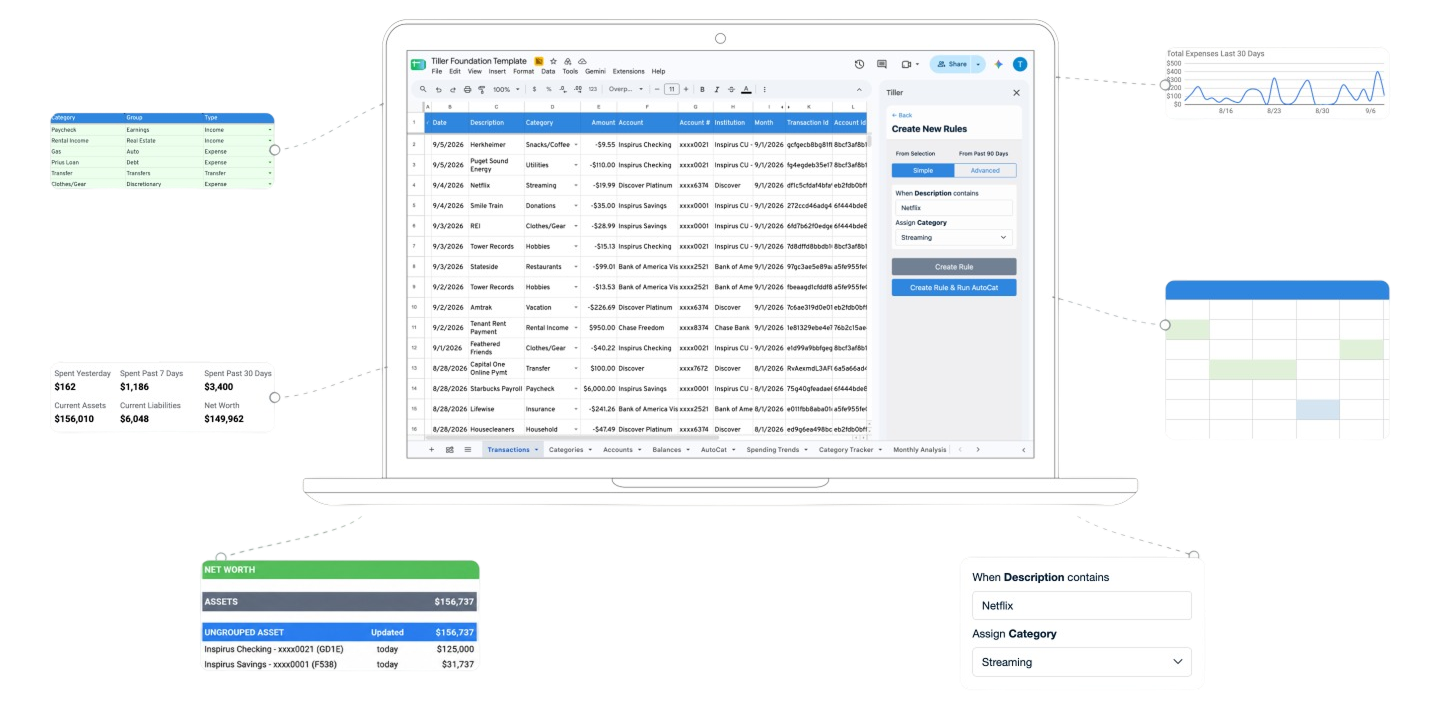
For Google Sheets and Microsoft Excel
Add a formula or create a chart, dashboard, report, or forecast. Start from a blank sheet or adapt an existing template.
Build with scripts and code
Use Apps Script, Python, and APIs to connect your Tiller spreadsheet to an automation, app, or dashboard.
Join an active builder community
Tiller’s community brings together builders of every experience level. AI now helps even more people build with their data.
New: Investments Builder Contest
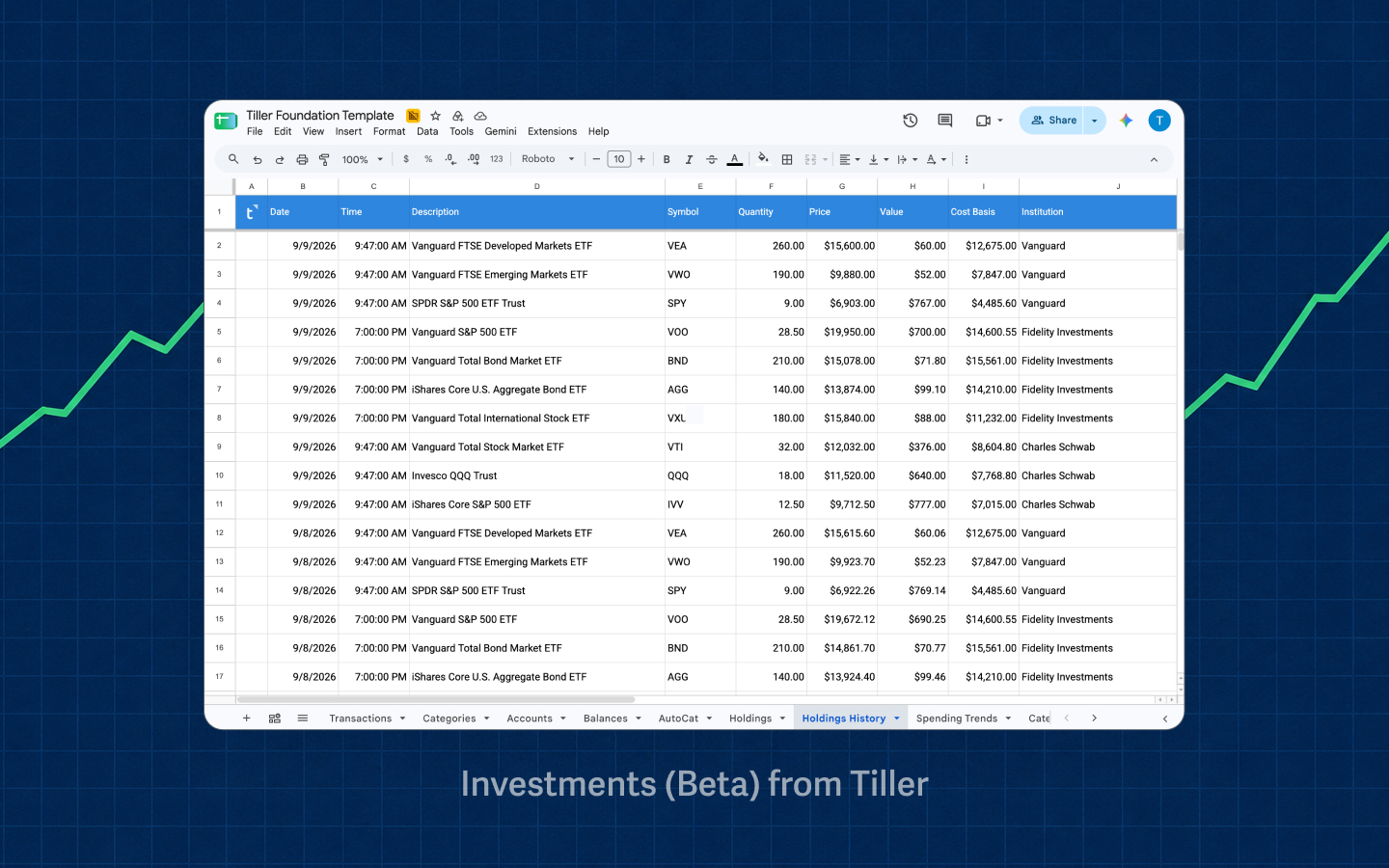
Tiller Investments Beta brings your holdings into Google Sheets, giving you new ways to track and analyze your investments along with your transactions, balances, and net worth.
To mark the release, we’re inviting Tiller builders to create dashboards, charts, reports, and visualizations using the new Holdings and Holdings History sheets.
Build a compelling way to understand investment holdings and enter for a chance to win up to $1,000. Learn more ›

Built by the Tiller Community
See what others have built with Tiller to understand their money, their way.

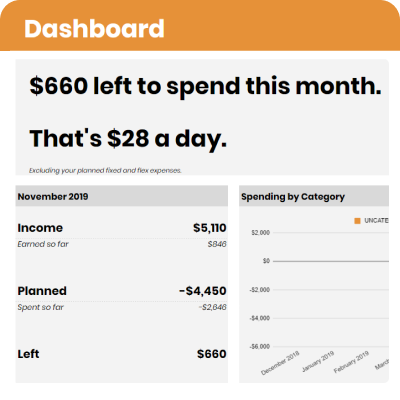
Spending Planner. Connect daily spending to a financial plan and know what remains for the day and month. View ›
“How can I see what I can safely spend today?” – alexandrawilsonplans
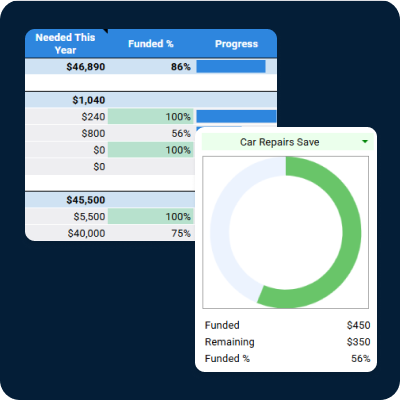
Sinking Fund and Savings Tracker. Track savings goals without losing sight of the account where the money lives. View ›
“How do I track big multi-account goals inside Tiller?” – @Lulu
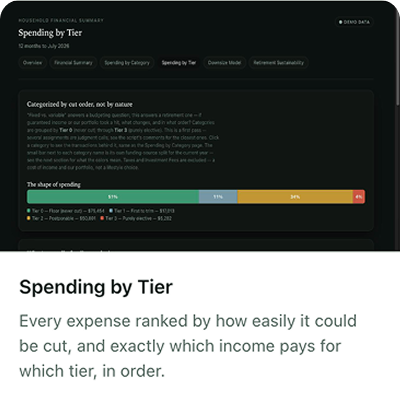
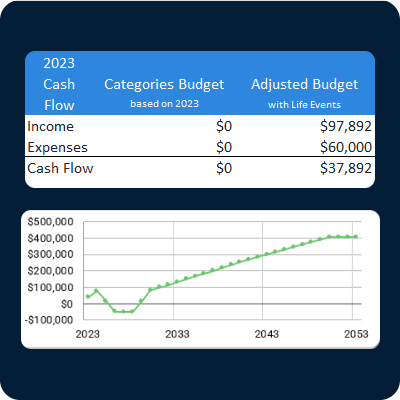
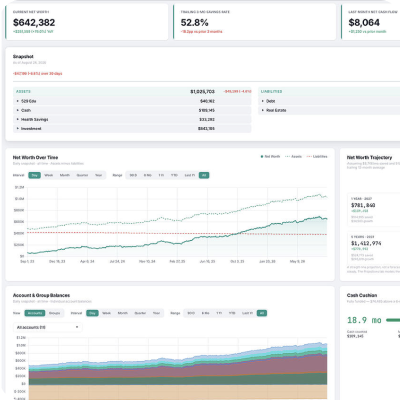
Personal Web Frontend. A rich desktop and mobile app powered by a Tiller spreadsheet, built with Claude. View ›
“Can I bring my Tiller data into a custom desktop and mobile app?” – @folkhero
Builder Resources
Builder Resources
Understanding Tiller’s spreadsheet structure.
Transactions
Use individual transactions with consistent fields for dates, amounts, accounts, institutions, categories, descriptions, and IDs.
Balance History
Use dated account balances to calculate net worth, track account values, and build historical views.
Categories
Define how transactions should be treated in reports, formulas, and analysis.
Categories
Define how transactions should be treated in reports, formulas, and analysis.
AutoCat
Create rules that categorize transactions, change descriptions, add notes or tags, and write values to supported custom columns.
How to Use AutoCat
Custom columns
Add fields for the information your build needs, such as reimbursements, tax treatment, projects, or workflow status.
Editing the Transactions Sheet
Holdings and Holdings History
Use current and historical investment positions from supported connected accounts to build investment reports, charts, and tools.

Build for Google Sheets
Build formulas, reports, dashboards, and scripts in a Tiller spreadsheet in Google Sheets. Use its data in apps you build beyond the spreadsheet.
Tiller resources
+ Google Sheets Builder’s Guide
+ Google Sheets Community Builds
Google Resources for Google Sheets
+Table references named functions.
+ AppSheet
AI and Google Sheets
New: Google’s Sheets canvas uses Gemini to build interactive mini-apps connected to sheet data.

Build for Microsoft Excel
Build formulas, reports, models, and scripts in a Tiller workbook in Microsoft Excel. Use its data in apps you build beyond the workbook.
Tiller resources
+ Microsoft Excel Builder’s Guide
Microsoft Resources for Excel
+ Excel APIs in Microsoft Graph.
+ Dynamic arrays and LAMBDA.
+ Office Scripts with Power Automate
AI and Microsoft Excel
Build on Tiller’s core financial data.
Transactions
Use individual transactions with consistent fields for dates, amounts, accounts, institutions, categories, descriptions, and IDs.
Transactions Sheet Columns
Balance History
Use dated account balances to calculate net worth, track account values, and build historical views.
Understanding the Balance History Sheet
Categories
Define how transactions should be treated in reports, formulas, and analysis.
Customizing Categories
AutoCat
Create rules that categorize transactions, change descriptions, add notes or tags, and write values to supported custom columns.
How to Use AutoCat
Custom columns
Add fields for the information your build needs, such as reimbursements, tax treatment, projects, or workflow status.
Editing the Transactions Sheet
Holdings and Holdings History
Use current and historical investment positions from supported connected accounts to build investment reports, charts, and tools.
Investments Beta and Builder Contest
Start from a working Tiller spreadsheet.
Foundation Template
See Tiller’s core sheets, formulas, and reports working together in a complete financial spreadsheet.
Explore the Foundation Template

Build with AI
AI is only as good as the data it works from.
AI can analyze the categories, rules, and history you’ve built over time, so answers reflect how you understand your money. And you can check any answer against the source.
Start with clean data
Tiller spreadsheets are engineered to track your financial life across all your connected accounts in a clean, consistent format AI can readily read and analyze.
Make sense of your data
Ask AI to analyze transactions, categories, and history in your spreadsheet. Ask questions about your spending and trends.
Build the tools you need
Ask AI to analyze transactions, categories, and history in your spreadsheet. Ask questions about your spending and trends.
Own the source behind how AI understands your financial life.
Switch or test different AI tools without losing your financial context. Your transactions, balances, financial history, and categories stay in a spreadsheet you own.
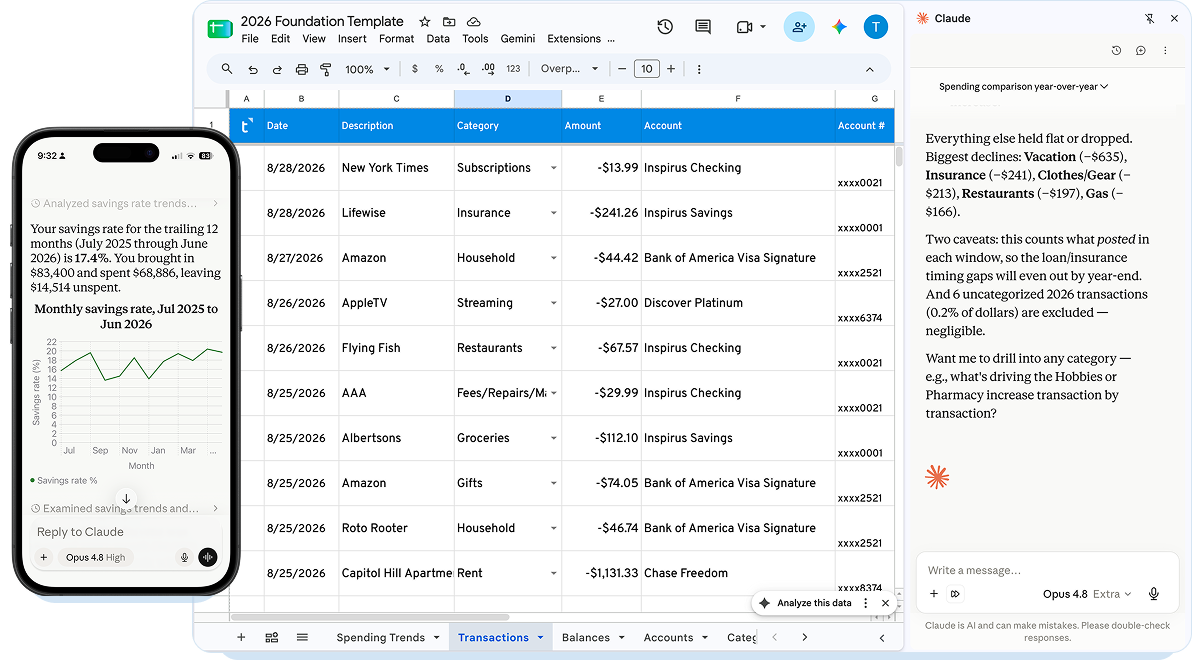
Optimized Format
Your financial life in spreadsheet, optimized for AI
A clean financial source owned by you.
Tiller spreadsheets are engineered to track your financial life across all your connected accounts in a clean, consistent format AI can readily read and analyze.
Builder’s Toolkit
Build a report for yourself, automate a workflow, or create something other Tiller customers can use. Tiller gives you structured financial data, documented conventions, sample data, and working examples to build from.
Start here
Tiller’s Builder’s Guides document the core sheets, standard headers, IDs, references, and conventions used across Tiller spreadsheets.
Follow these patterns when you want your build to work across different Tiller spreadsheets instead of depending on one specific file.
Builder’s Guide for Google Sheets
Builder’s Guide for Microsoft Excel
Test and share your build.
Sheet Sanitizer
Create a copy of a Tiller spreadsheet with sensitive financial details obscured so you can troubleshoot, demonstrate, or share your work.
Sheet Sanitizer documentation
Use the tools your build needs.
Google Sheets and Excel
Build reports, models, trackers, and dashboards with formulas, pivots, charts, queries, tables, and native spreadsheet functions.
AI
Write formulas, draft scripts, build queries, analyze financial activity, and prototype tools or interfaces.
Apps Script and Office Scripts
Automate spreadsheet tasks, process data, generate reports, and connect your spreadsheet to other workflows.
Python
Analyze Tiller data, build models, transform data, and create more complex financial tools.
Google Sheets API and Microsoft Graph
Read spreadsheet data into web apps, mobile interfaces, automations, and other software you build.
AppSheet and Power Automate
Turn spreadsheet data into workflows, interfaces, notifications, and lightweight applications with less code.
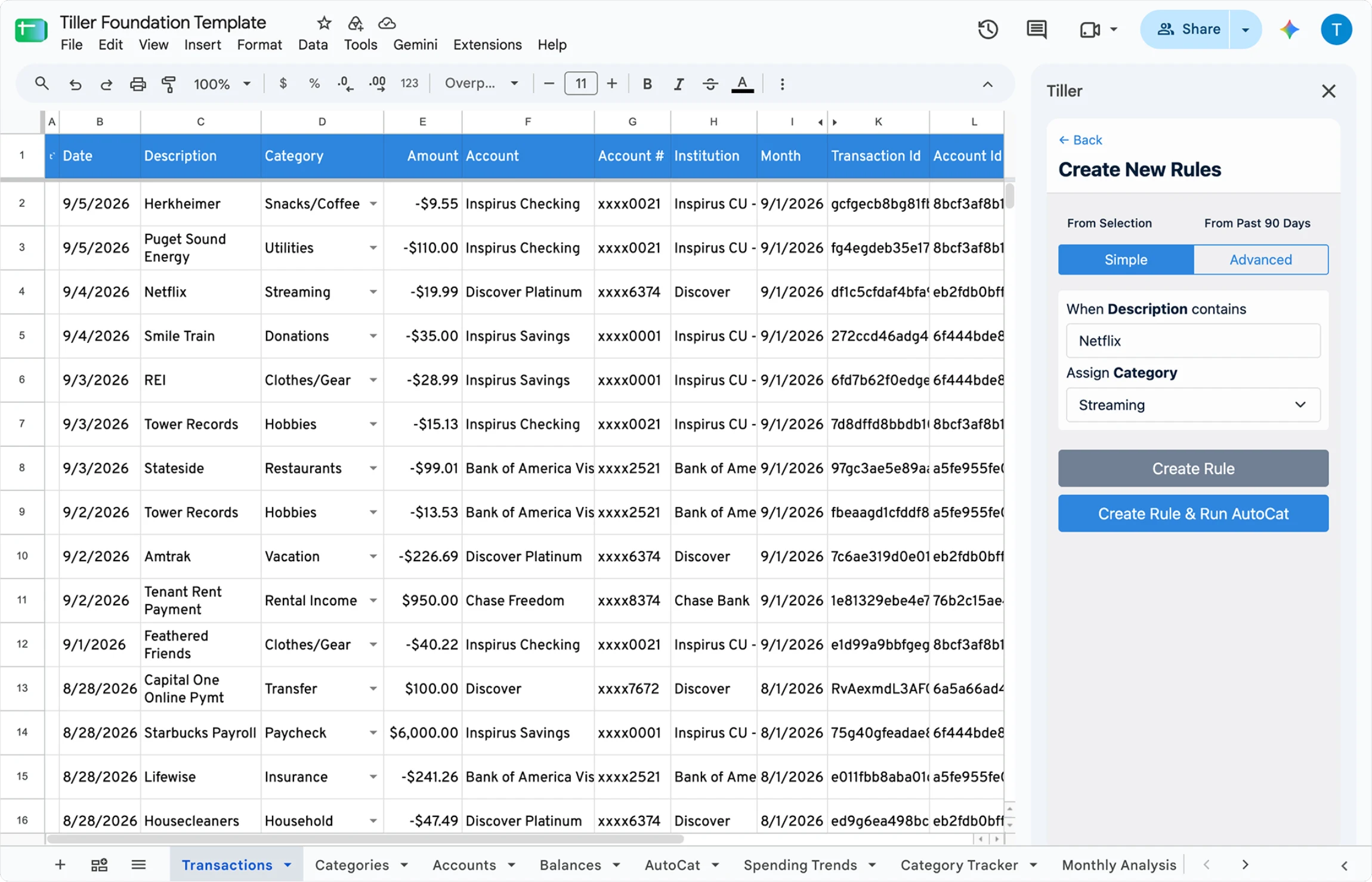
Standard headers give AI predictable fields to filter, group, and compare your financial data across institutions.
Splits, notes, category changes, and added columns inform later questions and reports
Stable Transaction, Account, and Balance IDs give AI references for account-level queries, and database-style joins.
Your category rules tell AI when a transaction is personal, reimbursable, or something else.
Foundation Template

Income, Expense, and Transfer labels tell AI how to process transactions, preventing transfers from being counted as new spending or income.
Balances and Transactions are separate from budgets and dashboards so AI doesn’t confuse them with source transactions.
AI can pull historical balances from Balance History instead of calculating past balances from daily spending rows.
Tiller’s structure lets AI query and retrieve only the exact rows it needs, reducing errors and saving token limits.
