One of the key takeaways from Tiller’s team gathering in Seattle last November was a goal of simplifying the Tiller Foundation Template.
We were responding to a clear message from some of our customers: “this needs to be simpler.”
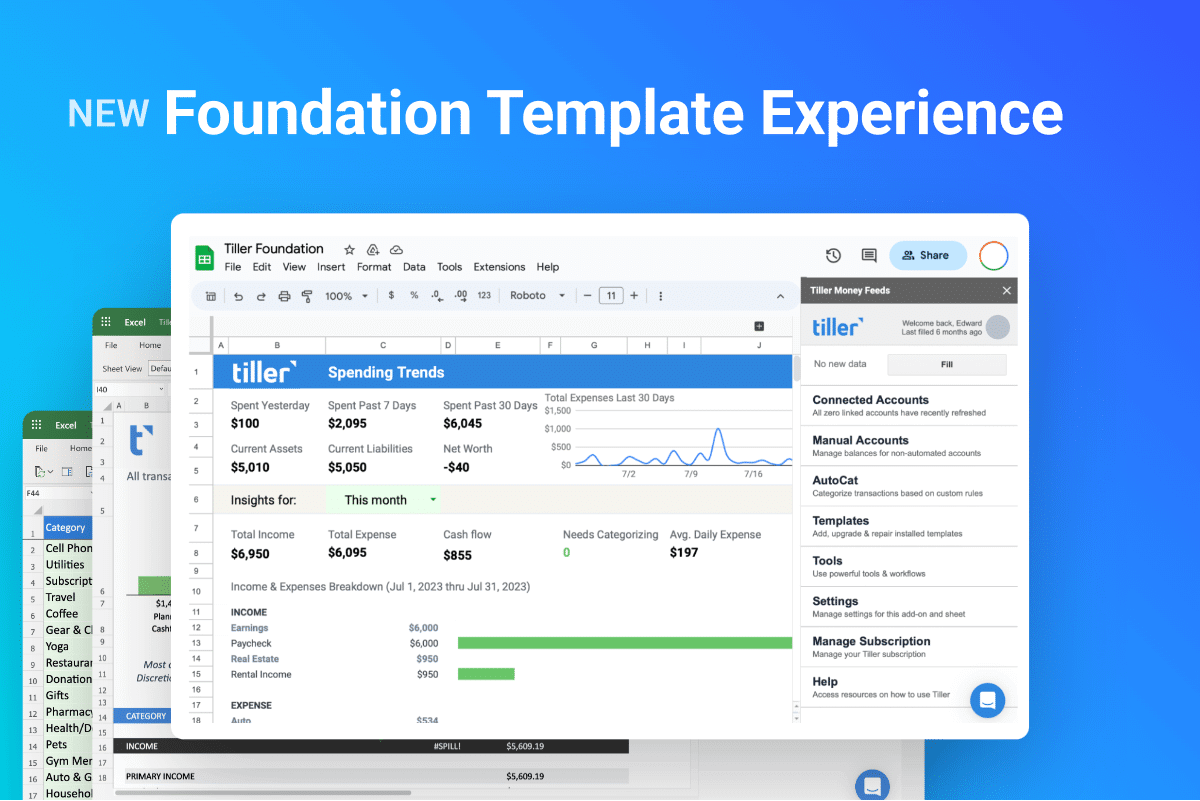
So today we’re launching a new Foundation Template experience that streamlines setup and provides faster spending insights to help you reach your financial goals.
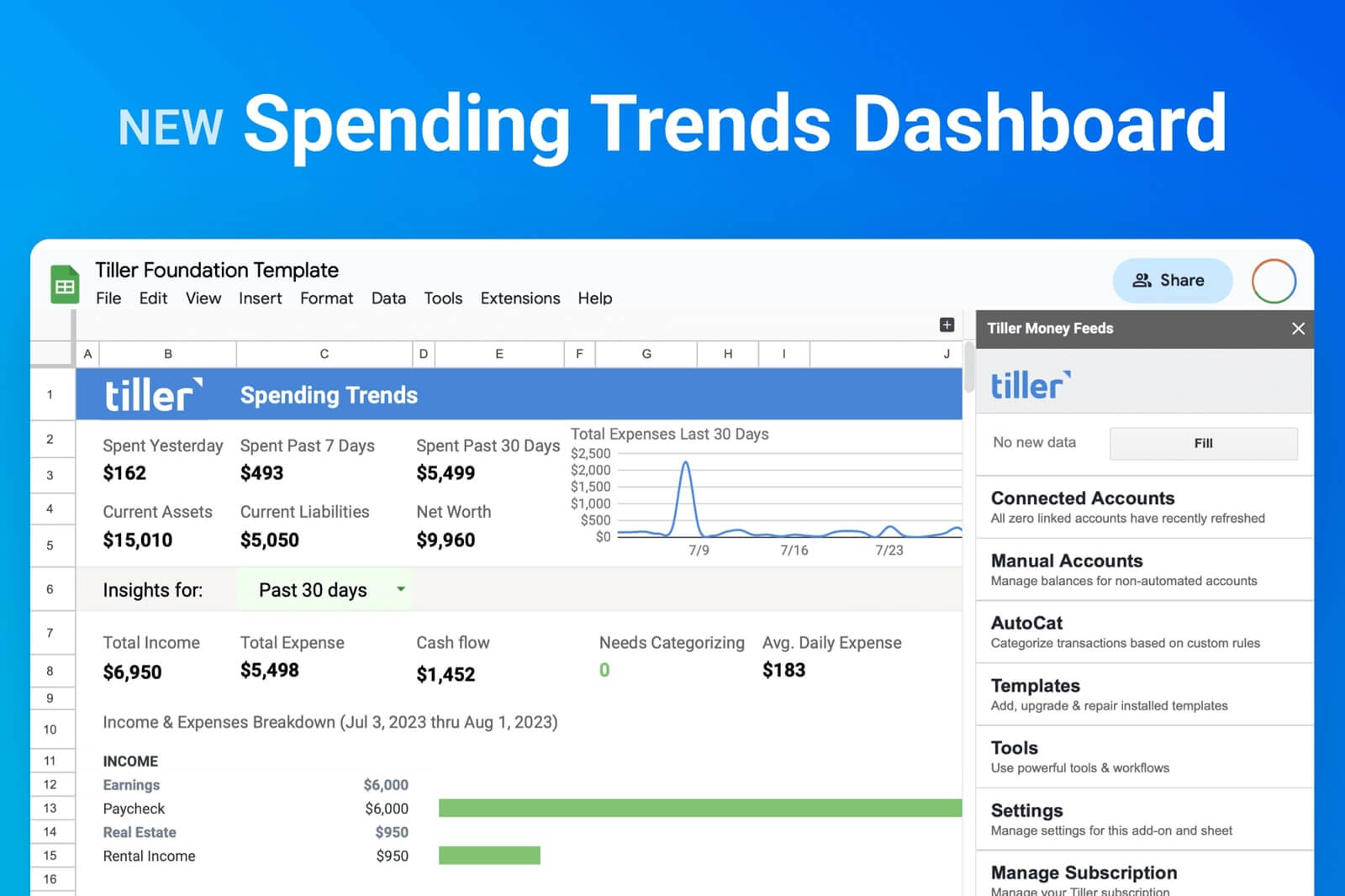
NEW Spending Trends Sheet
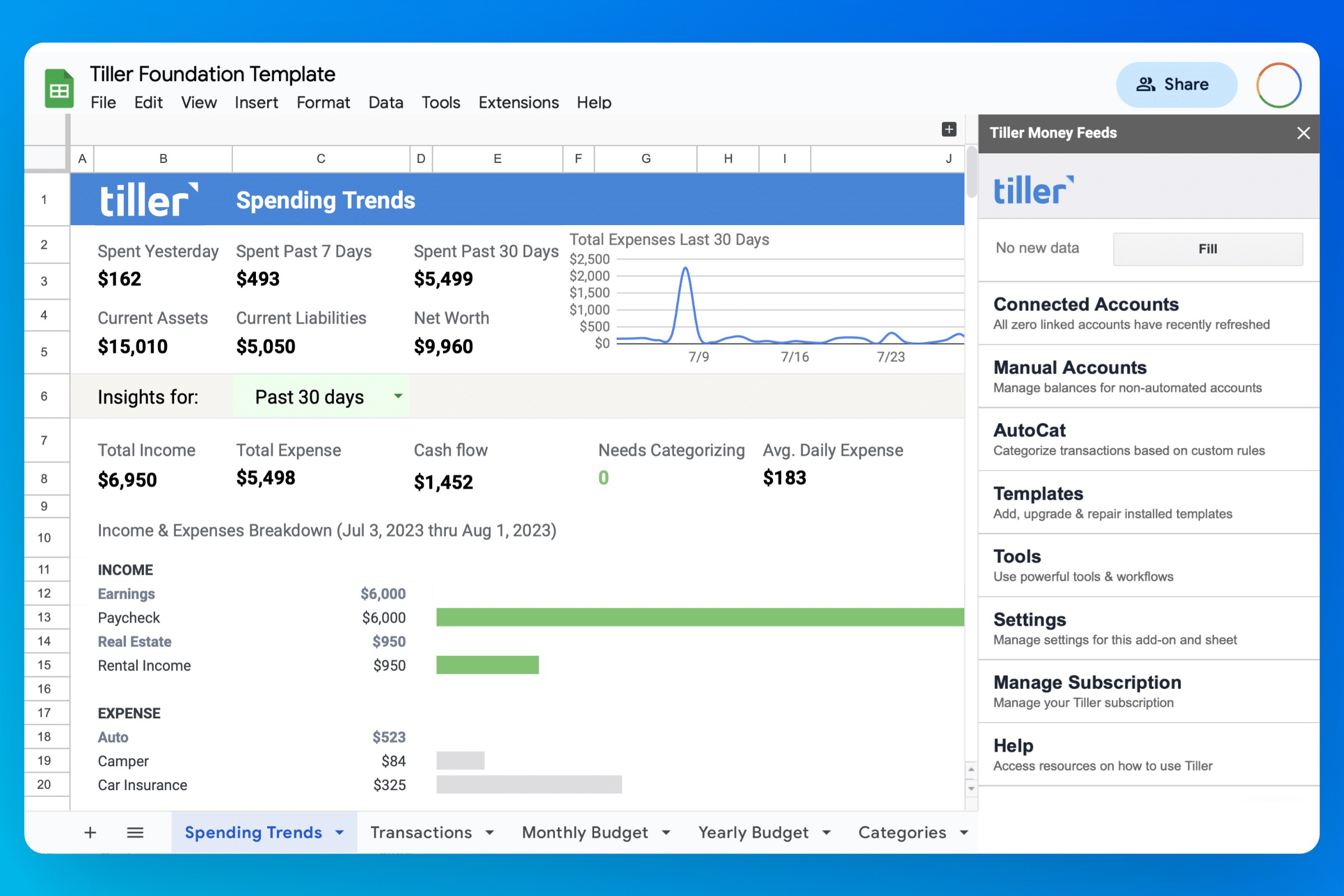
Thousands of people already use Tiller to track their finances in one place. But because spending is the foundation of healthy finances, we wanted to make it even easier for you to see where your money is going each day, month, and year.
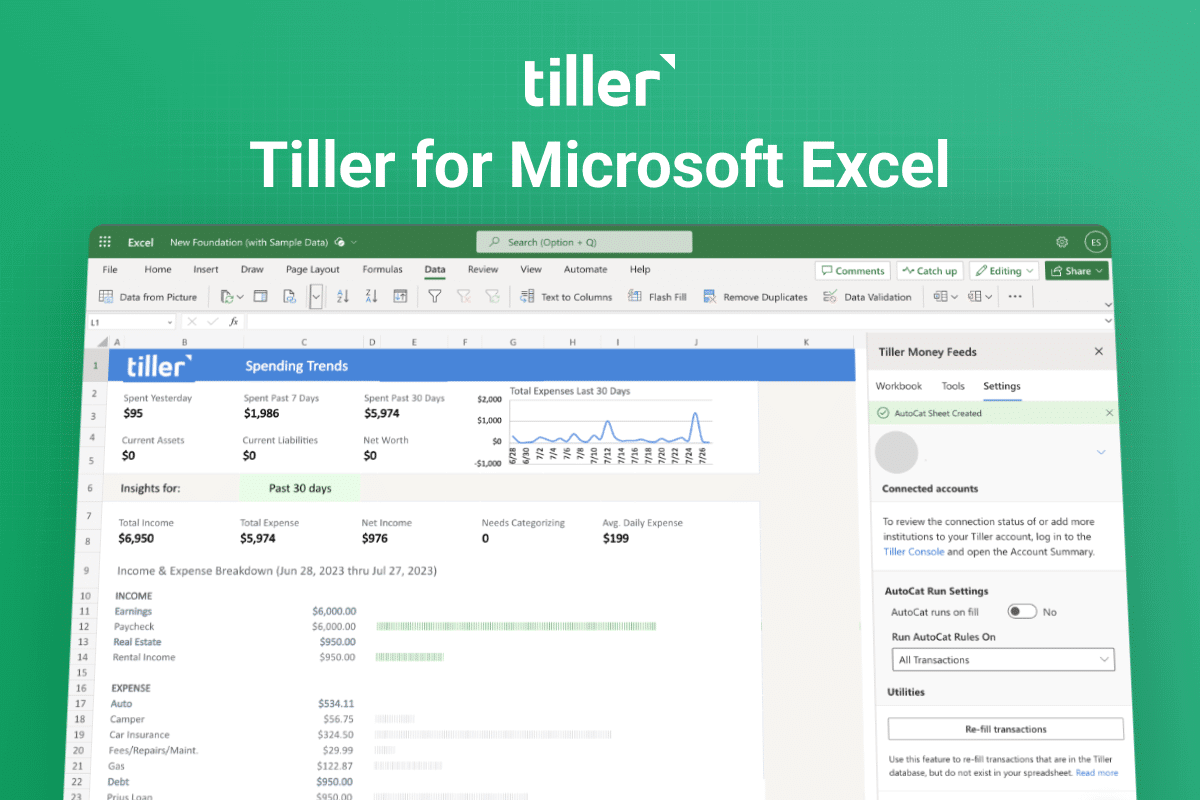
So we’re replacing the Insights sheet with an all-new Spending Trends sheet in the updated Foundation Template. This new sheet provides the fastest, simplest way to see all your spending in one place.
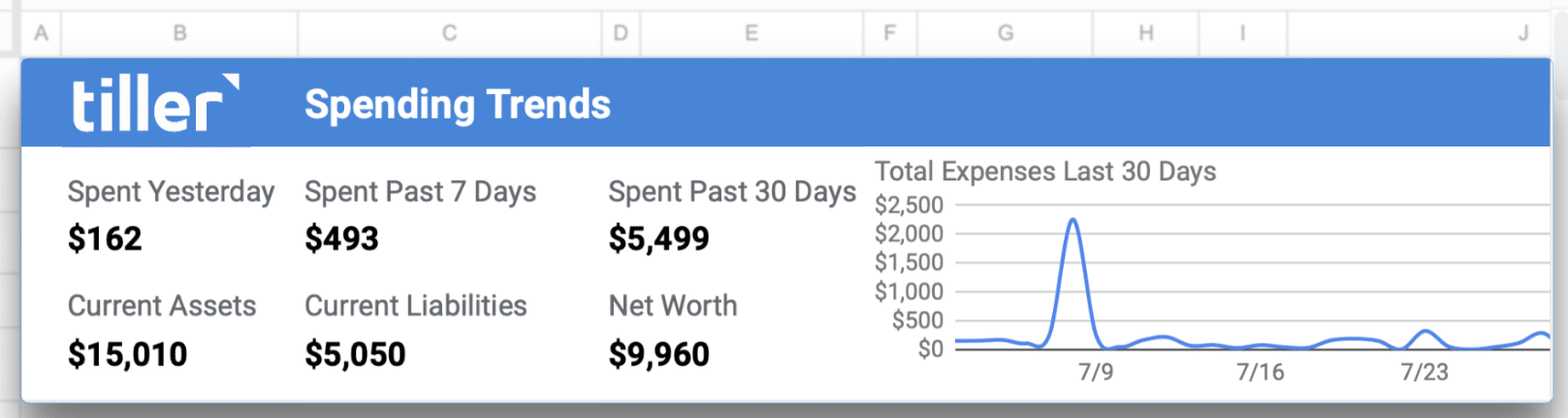
Before you even categorize any transactions, the Spending Trends dashboard shows what you spent yesterday, last week, and last month, along with a quick pulse of your net worth.
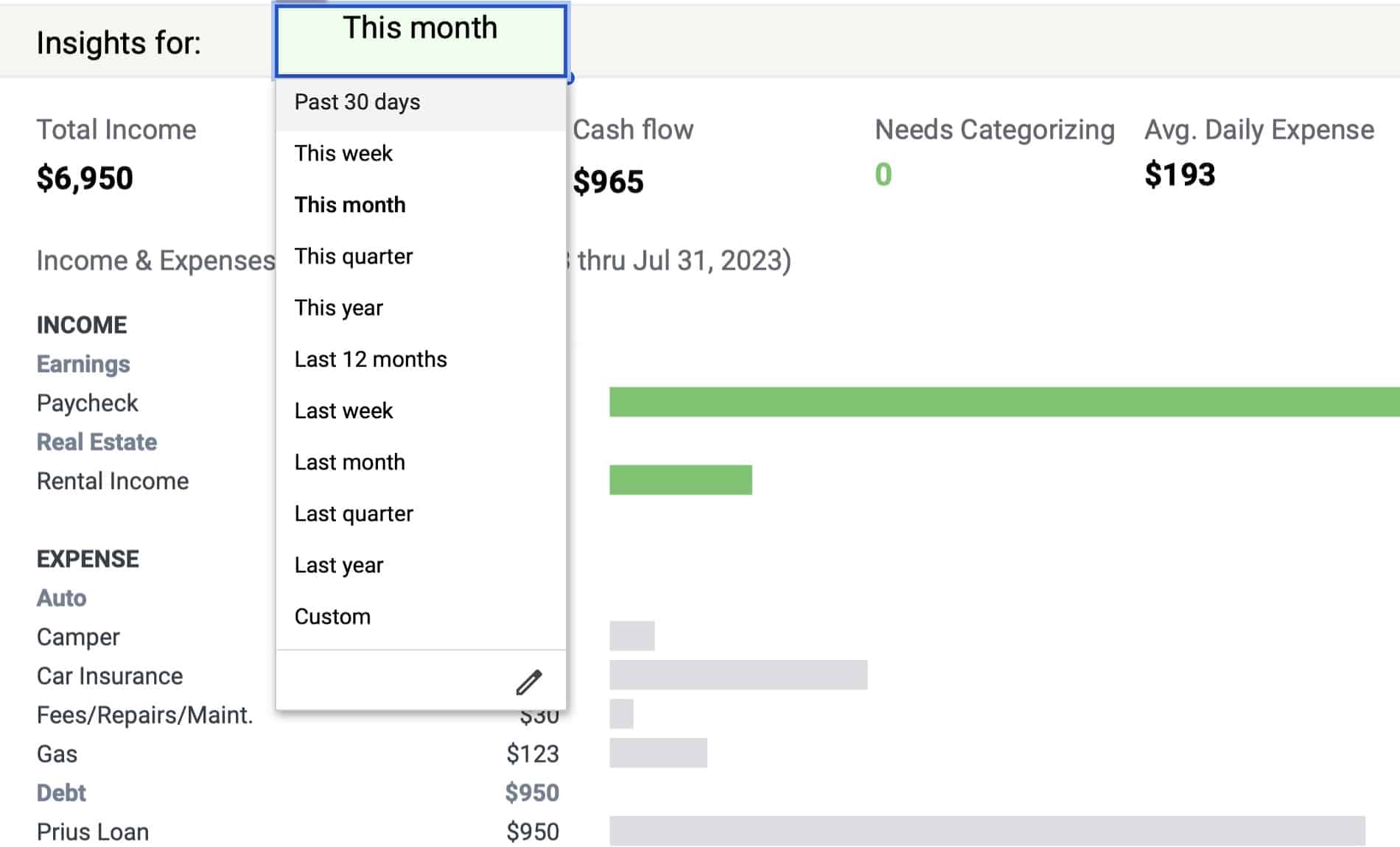
Once you’ve categorized your transactions, you’ll also see your income and expenses neatly grouped into your custom categories. You can customize the time period for this view. You’ll also see your current cash flow for your selected period.
New Help Slides
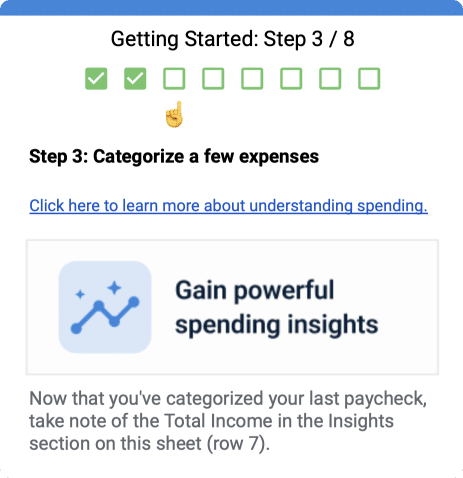
This Spending Trends sheet also includes interactive “help slides” to help you get started with the Foundation Template.
Simpler categories out of the box
We believe only you should decide how your transaction categories are named and organized. However, we also know picking categories can be a roadblock to gaining clarity about your finances.
“What categories should I use? How should I categorize credit card payments?” These are common questions our team hears daily. So when you launch a new Foundation Template, you’ll now start with a simpler set of default categories that immediately provide insights.
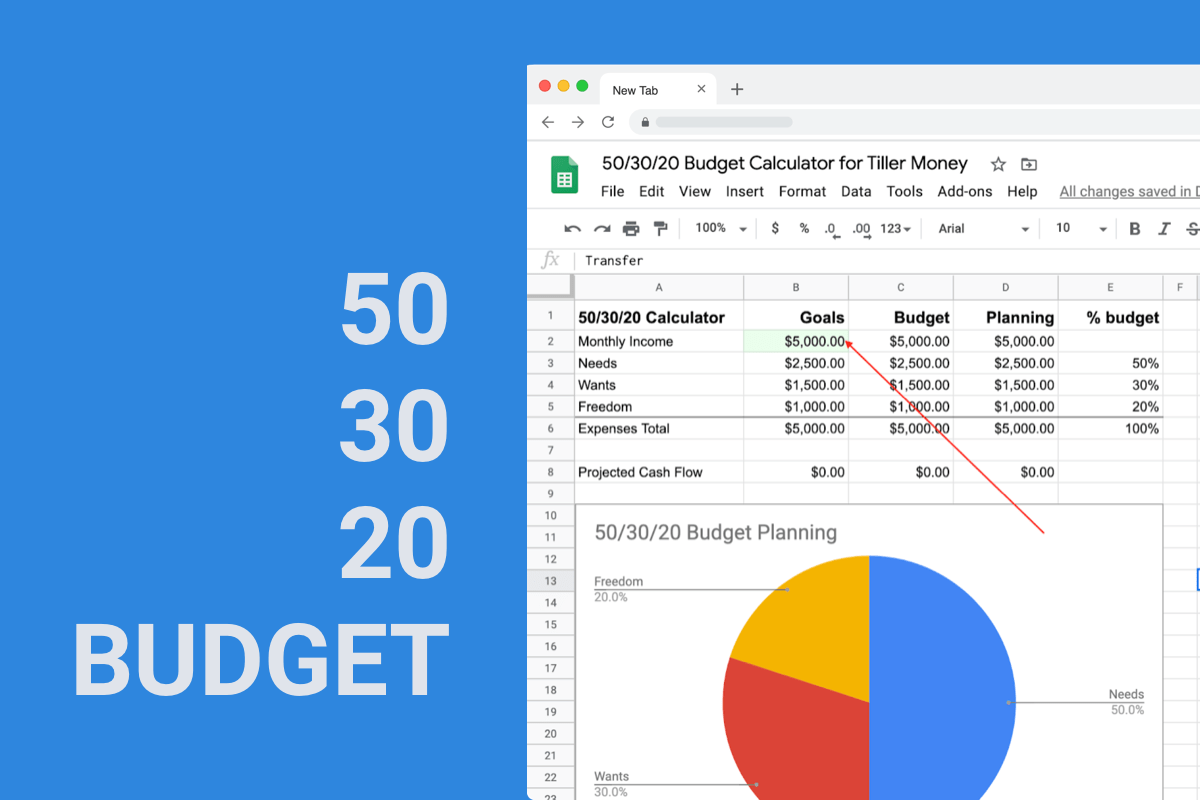
These categories focus on a group structure that supports 50/30/20 budgeting and includes groups for Needs, Wants, Freedom, and Giving.
A Transfers group with a Credit Card Payments category helps keep credit card payments organized.
These categories support upcoming workflows for tracking savings and debt payoff goals.
And as always, you can easily customize these categories and add new ones as desired.
Fewer Sheets for a Focused Start
Budgeting isn’t for everyone. Many of our customers simply want to see where their money is going.
So we’ve now hidden the Monthly and Yearly Budget sheets and collapsed the budget columns in the Categories Sheet to focus on Transactions and Spending Trends.
While they’re not visible by default, the Monthly and Yearly budgets remain easily accessible in every Foundation Template.
A more flexible Accounts sheet
We’ve also updated the Accounts sheet so it’s less likely edits and customizations will break other solutions dependent upon it. The previous version of the Accounts sheet for Google Sheets would break if a row was rearranged or deleted. New formulas now protect this sheet from most edits.
How to get the new Spending Trends sheet
If you’re already using the Foundation Template, it’s easy to install the Spending Trends sheet. You don’t need to start over with a new spreadsheet.
Simply follow the instructions in this Help Doc.
Share your feedback
We’d love to know what you think about this new template experience and the new Spending Trends sheet. Share your thoughts and feedback here in the Tiller Community.
If you find a bug or have an issue, please reach out to our support team using the Messenger tool in the lower right corner of the Tiller Console at https://my.tillerhq.com. If you have a feature request for the Foundation Template log in to the Tiller Community and add it here.