
Using Spreadsheets to Manage Your Finances
Spreadsheets are one of the most flexible ways to track, plan, and manage your money. Whether you use Google Sheets or Excel, a well-built spreadsheet can give you a clear, up-to-date view of your full financial picture—on your terms.
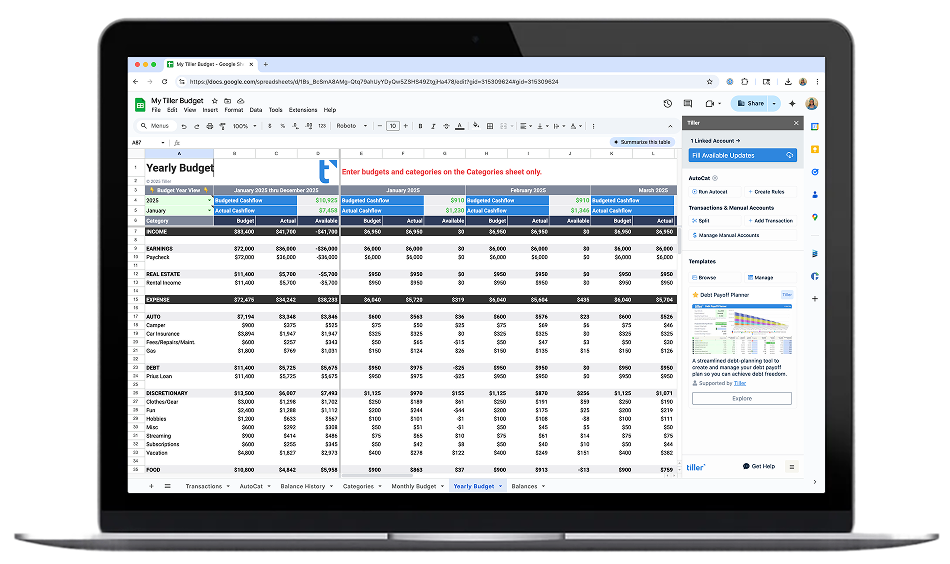
A spreadsheet-based financial system puts you in control of how you organize and act on your money. Unlike rigid budgeting apps, spreadsheets let you design workflows that match the way you actually think—whether that’s a simple monthly budget, a debt payoff tracker, or a full net worth overview.
The real power comes when your spreadsheet stays connected to your financial data. Instead of manual entry or CSV downloads, a connected system lets spending, balances, and account activity flow in automatically—turning a static document into a living financial dashboard you can customize and trust.
Tiller is one way to bring this to life. It connects to your bank accounts and updates your Google Sheets or Excel spreadsheet with daily transaction data, giving you a ready-made foundation you can use as-is or build on however you like.
Try Tiller free for 30 days
Automated Personal Finance in Spreadsheets
Automation takes the busywork out of managing your finances in a spreadsheet. Instead of manually entering transactions or downloading statements, a connected spreadsheet pulls in your financial data automatically—so your numbers are always current without the effort.
With Tiller, your transactions flow into Google Sheets or Excel daily, already categorized and ready to work with. From there, you can build whatever makes sense for you: budgets, trackers, planners, dashboards—whatever helps you stay on top of your money.
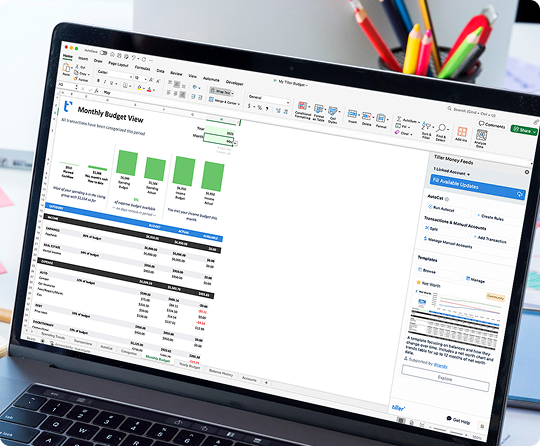
Benefits of Automating:
Budgeting in Spreadsheets
Budgeting methods vary widely—zero-based budgeting, envelope systems, the 50/30/20 rule, shared expense tracking for couples, or flexible monthly planning. The right approach depends on your habits, goals, and how much detail you want.
Spreadsheets give you the flexibility to set up any budgeting method and adjust it as your life changes. With tools like Tiller that automatically pull in your transactions, your budget stays current without the manual upkeep—so you spend more time making decisions and less time entering data.
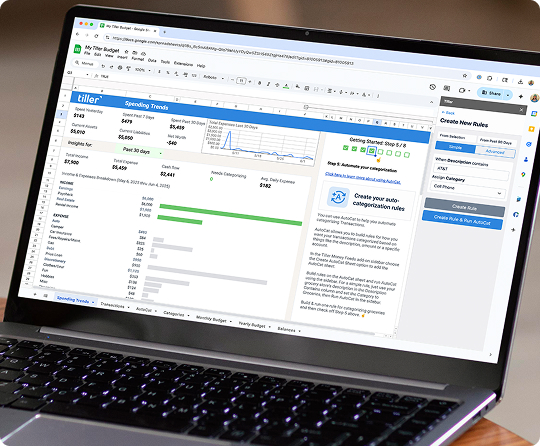
What you can build:
Net Worth & Cash Flow Spreadsheets
Budgeting shows where your money goes each month, but net worth and cash flow tracking give you the bigger picture—where you stand financially and where you’re headed.
A well-structured spreadsheet can bring assets, liabilities, income, and expenses together in one place, making it easier to spot trends, understand cash flow patterns, and track progress over time. When budgeting and net worth live side by side, you move from just tracking spending to actually planning your financial future.
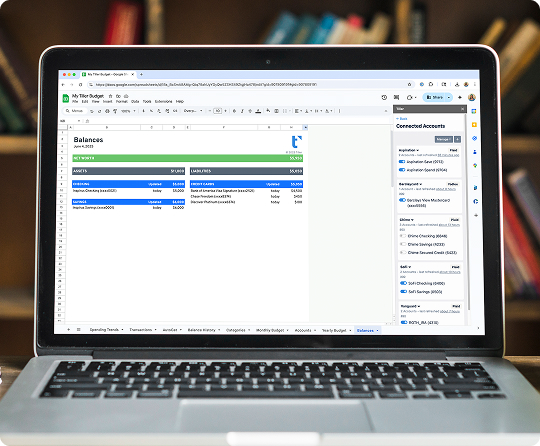
What you can build:
Doing your Taxes in Spreadsheets
Tax season is easier when your finances are already organized in a spreadsheet. This hub covers how to track deductible expenses, categorize transactions for your accountant, and build a tax-ready view of your financial year — all from the spreadsheet you’re already using.

What you can build:
Why Build Your Financial System in a Spreadsheet?
Spreadsheets give you something most finance apps can’t: complete flexibility and total ownership. You’re not locked into someone else’s categories, budgeting philosophy, or feature roadmap. You build what works for you.
When you need to track something new—a side business, rental property income, college savings, debt payoff—you just add it to your system. No waiting for app updates, no feature requests, no workarounds. The power of formulas, pivot tables, and charts is already there.
And your data stays yours. Always. No company holds it, no algorithm analyzes it for marketing, no terms of service can take it away. You export it, back it up, share it with your partner, or hand it to your financial advisor—on your terms.
Tiller simply automates the annoying part (getting transactions into your spreadsheet) while preserving everything that makes spreadsheets powerful. You get automation AND control.
