Our 11 Favorite Free Google Sheets Budget Templates for 2026
Discover top free Google Sheets budget templates for monthly, annual, savings & 50/30/20 budgeting. Preview screenshots, compare features, and download the best template for your needs.
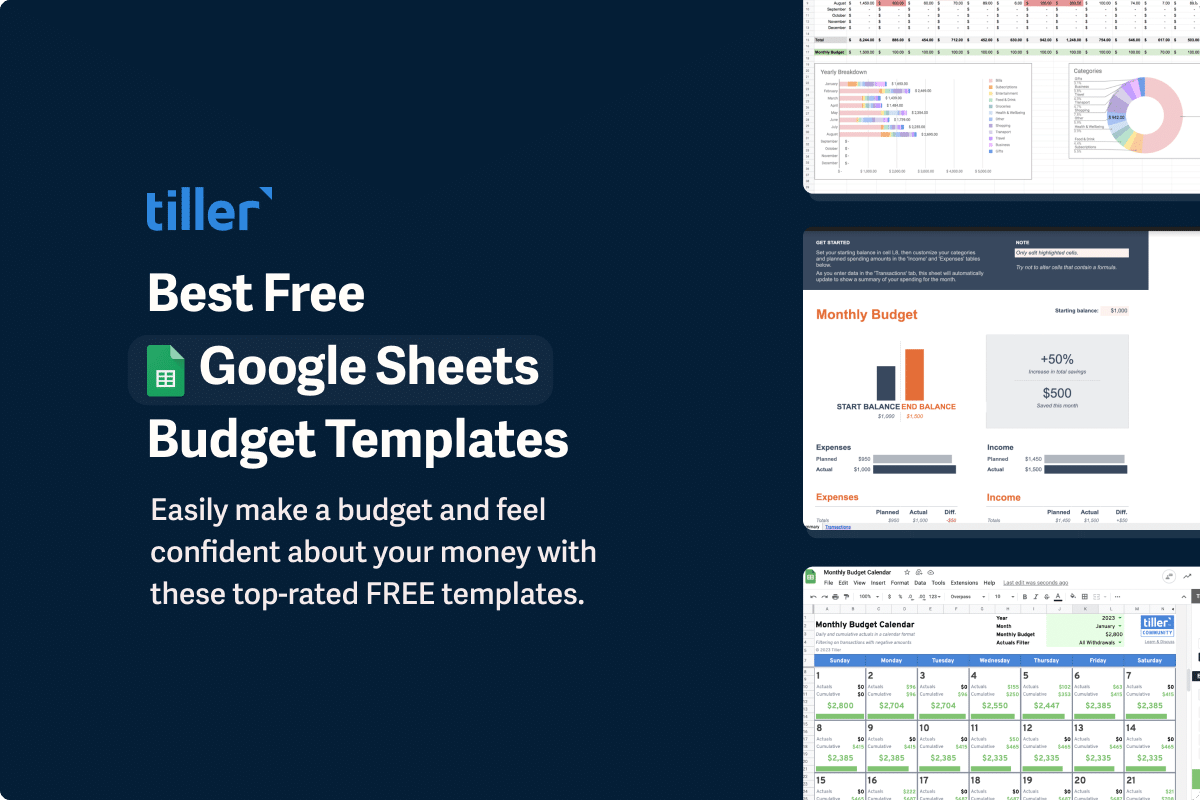
One of the easiest ways to feel in control of your money is by making a simple spreadsheet budget in Google Sheets.
That’s because Google Sheets is one of the most powerful, popular, and versatile tools for understanding your money.
Whether you’re a seasoned budgeting pro or just starting, Google Sheets offers the budget templates you need.
And while it’s easy to make your own Google Sheets budget template, there are already thousands of free templates to help you get started. But with so many templates available, it’s hard to know where to begin. So we’ve curated a list of the top recommended Google Sheets templates below.
The best budget templates for Google Sheets:
- Tiller Foundation Template for Google Sheets
- Monthly Budget Template for Google Sheets
- Annual Budget Template for Google Sheets
- 50/30/20 Instant Budget Calculator
- Viral Expense Tracker Template by Deborah Ho
- The Budgeting Spreadsheet for People Who Don’t Know How to Budget
- Budget Planner by 20 Something Finance
- Budget and Transaction Tracker with Google Sheets
- RegPaq Google Budget Sheet
- Monthly Budget Calendar for Google Sheets
- Savings Budget Spreadsheet
Video: Top Google Sheets Budget Templates for 2026
Features to Look for in a Google Sheets Budget Template
Getting the right budget template can go a long way toward helping you be more consistent with budgeting and in your long-term financial planning. Here are a few features to look for in a Google Sheets budget template.
- The Basics. Make sure the template you choose includes all of the information you want to track (or makes it easy for you to edit the spreadsheet). This could include account balances, monthly and yearly columns, categorization, tracking transactions, planning charts, visual summaries and overviews, and more.
- How to Add Your Information to the Template. This is especially important if you’ll also be using the budget template to track your money through the year. Can you automatically add your accounts into the template? Does the template make it easy to import CSV files? Or do you have to add your information manually?
- Flexibility. Your budgeting needs will change over time. Be sure the template includes enough flexibility that you can adjust when you need to. Otherwise, you’ll have to start over with a new template.
- Advanced Features. This includes things like tracking your net worth or investments, savings goals, debt payoff, and so on. If the template doesn’t have these things, can you easily add them using your existing data?
How to Set Up a Template in Google Sheets
Many Google Sheets templates provide instructions for getting the template into your Google account. That usually involves making a copy of the spreadsheet into your Google Drive. Once the template is in your account, you can rename it. For example, you might create a new sheet every year and add the year to the beginning or end of the file name.
Many of the budget templates below have instructions for how to customize them, either on the page where you downloaded the template or in the template itself.
If you are using the budget spreadsheet to also track your spending, you’ll want to set that up in a way that works for you and your accounts. Do you want a separate sheet for each account? Or a column to select which account a transaction is from?
Now it’s time to start tracking your budget and keeping your financial life in order.
1. Tiller Foundation Template for Google Sheets
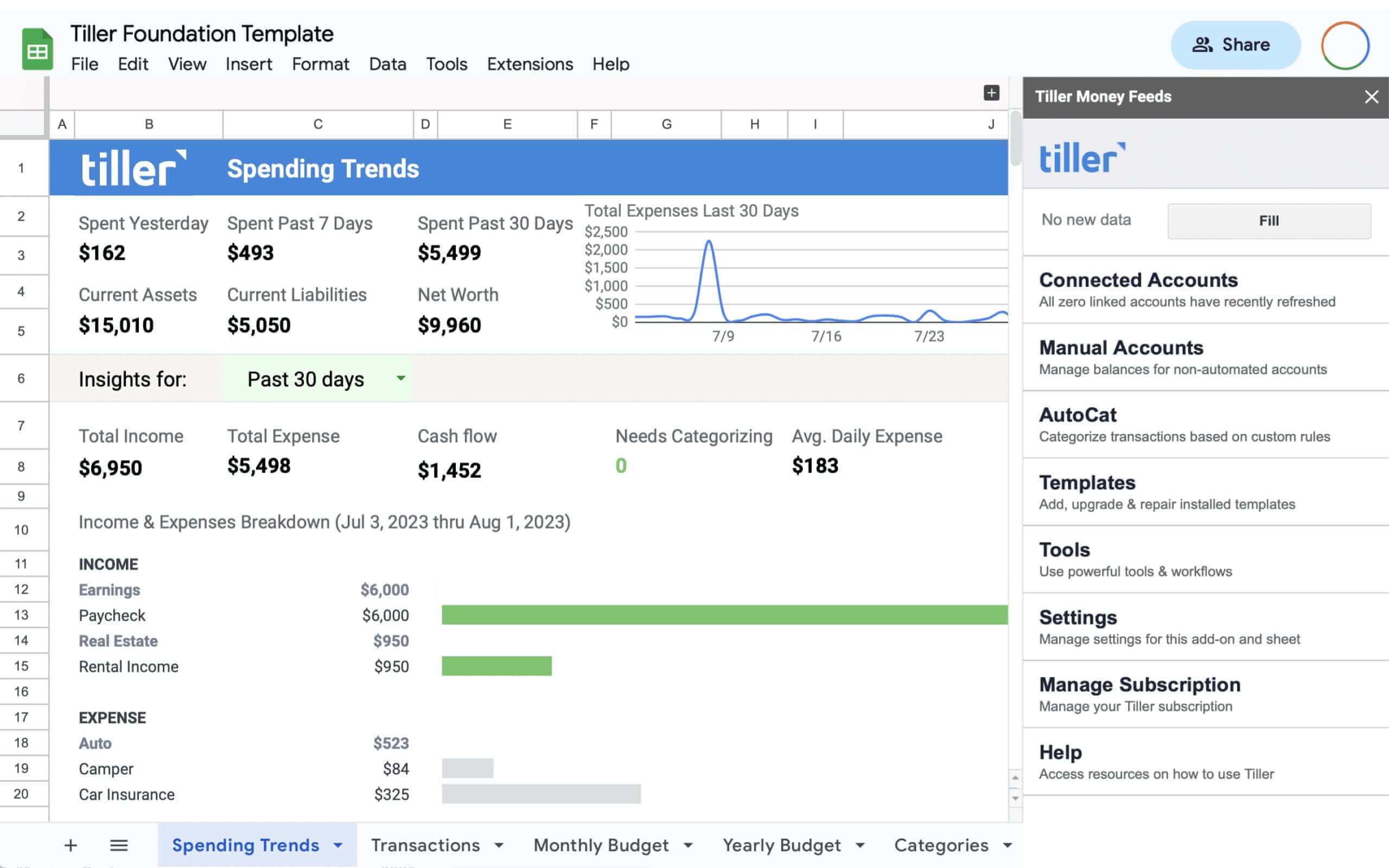
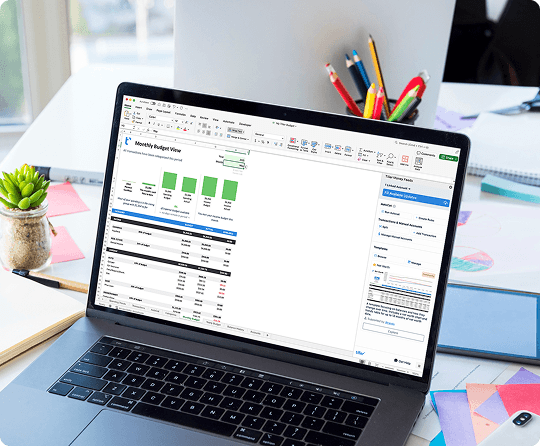
Created by the experts at Tiller, the Foundation Template is the only budget for Google Sheets and Excel that automatically tracks your daily spending, income, and account balances.
This comprehensive template covers all aspects of your finances, with sheets and utilities for tracking:
- Monthly Budget
- Yearly Budget
- Net Worth
- Spending Insights
- Debt Payoff
- Account Balances
- Transactions
Pros:
- Automated tracking of daily spending, income, and account balances.
- Shares data with other Tiller and community templates.
Cons:
- Available only with a Tiller subscription.
Who It’s For:
- Anyone who doesn’t want to have to manually add transactions.
- Someone who wants complete control over tracking their finances, including their budgets.
Learn more about the Tiller Foundation Template →
- Automatically tracks your daily finances with Tiller Money Feeds
- Works with AutoCat for automatic categorization based on your rules
2. Monthly Budget Template for Google Sheets
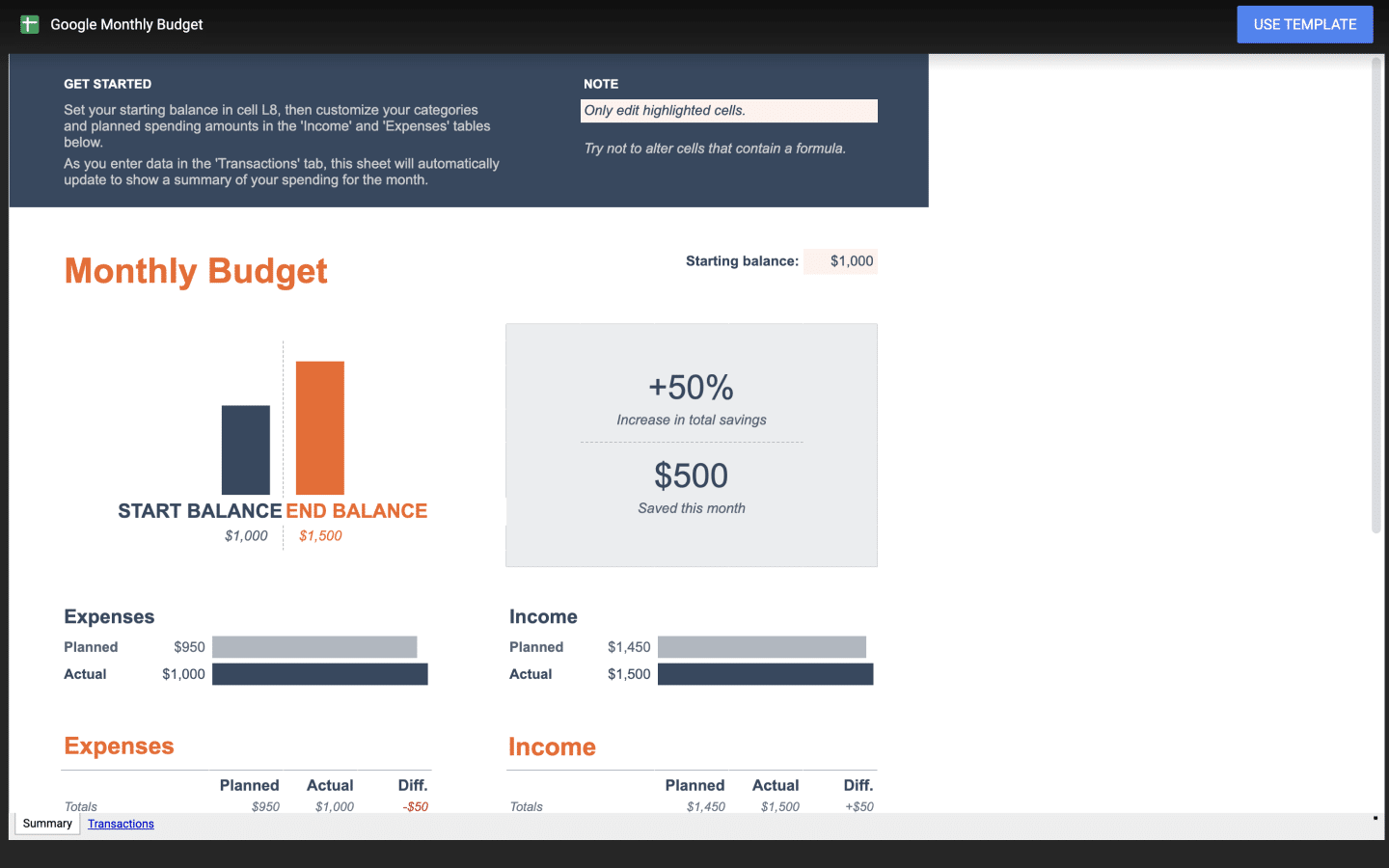
Google Sheets’ native free monthly budget template is a user-friendly income and expense tracker. It allows you to plan and track your expenses every month, ensuring you stay on top of your financial goals.
It also provides a dashboard that can be customized with your desired income and expenses by category so you can track your budget throughout the month.
Pros:
- Simple with no visual clutter.
- Can be used with Tiller for automated tracking.
Cons:
- Must create a new document for each month or start over at 0 each month.
- Does not provide yearly or historical tracking.
- Too simple for advanced users.
Who It’s For:
- Beginners or those wanting a very simple budget.
Open free Monthly Budget Template preview ↗
- Manual data entry
3. Annual Budget Template for Google Sheets
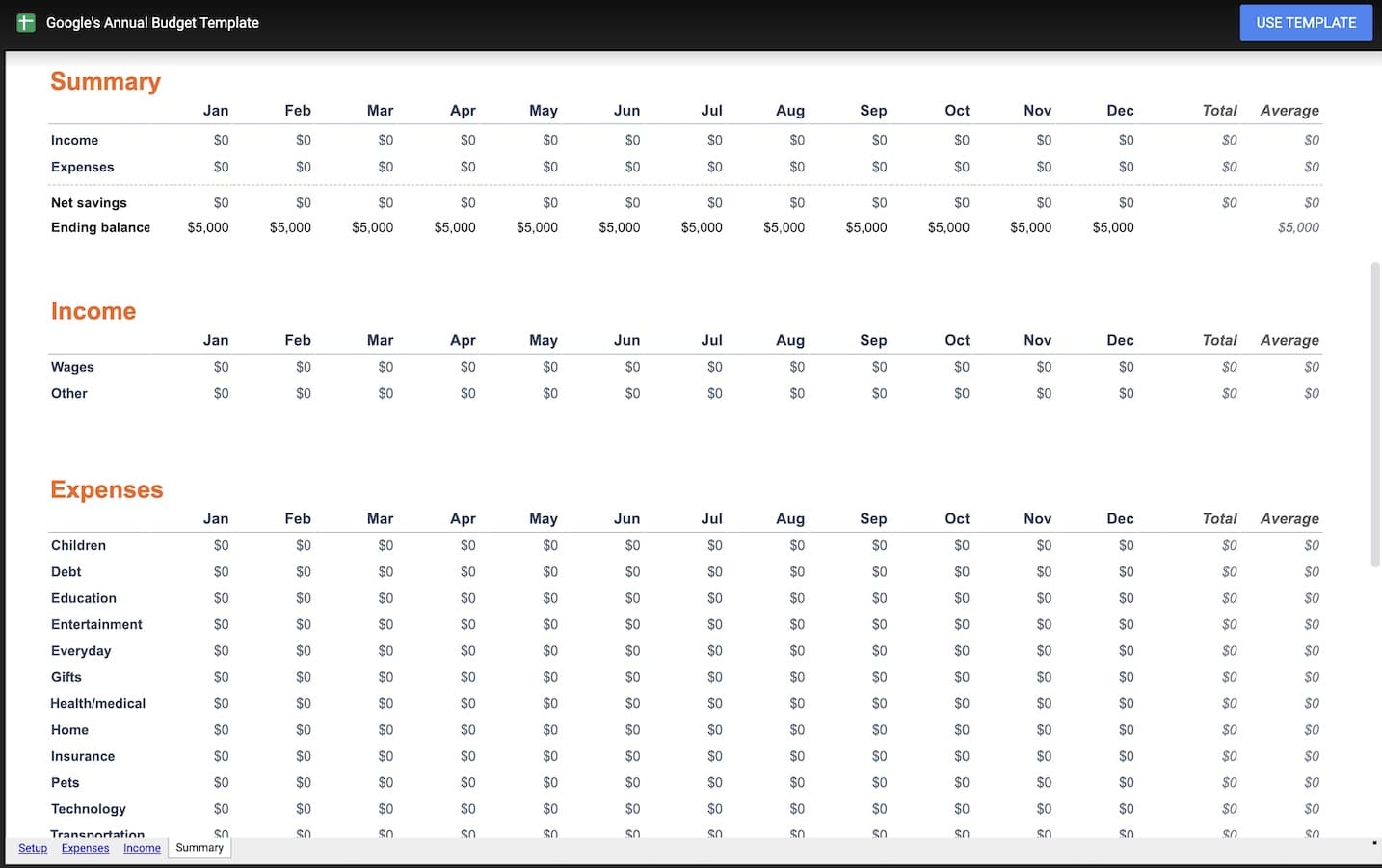
Google Sheets’ native annual budget template provides a very simple overview of yearly income and expenses. It works best when used in conjunction with Sheets’ monthly budget template.
At the end of each month, simply transfer the totals for each category from the monthly budget template to the annual budget template to see a broader view of your finances.
Pros:
- Designed by Google.
- Lots of pre-built categories.
- Includes a helpful Summary sheet.
Cons:
- Not automated
- Does not include an automated sheet for tracking expenses.
- Requires you to add monthly totals manually.
Who It’s For:
- Someone who wants a detailed but still simple budget that provides a well-organized view of your budget.
Open Annual Budget Template Preview ↗
- Manual data entry
4. 50/30/20 Instant Budget Calculator
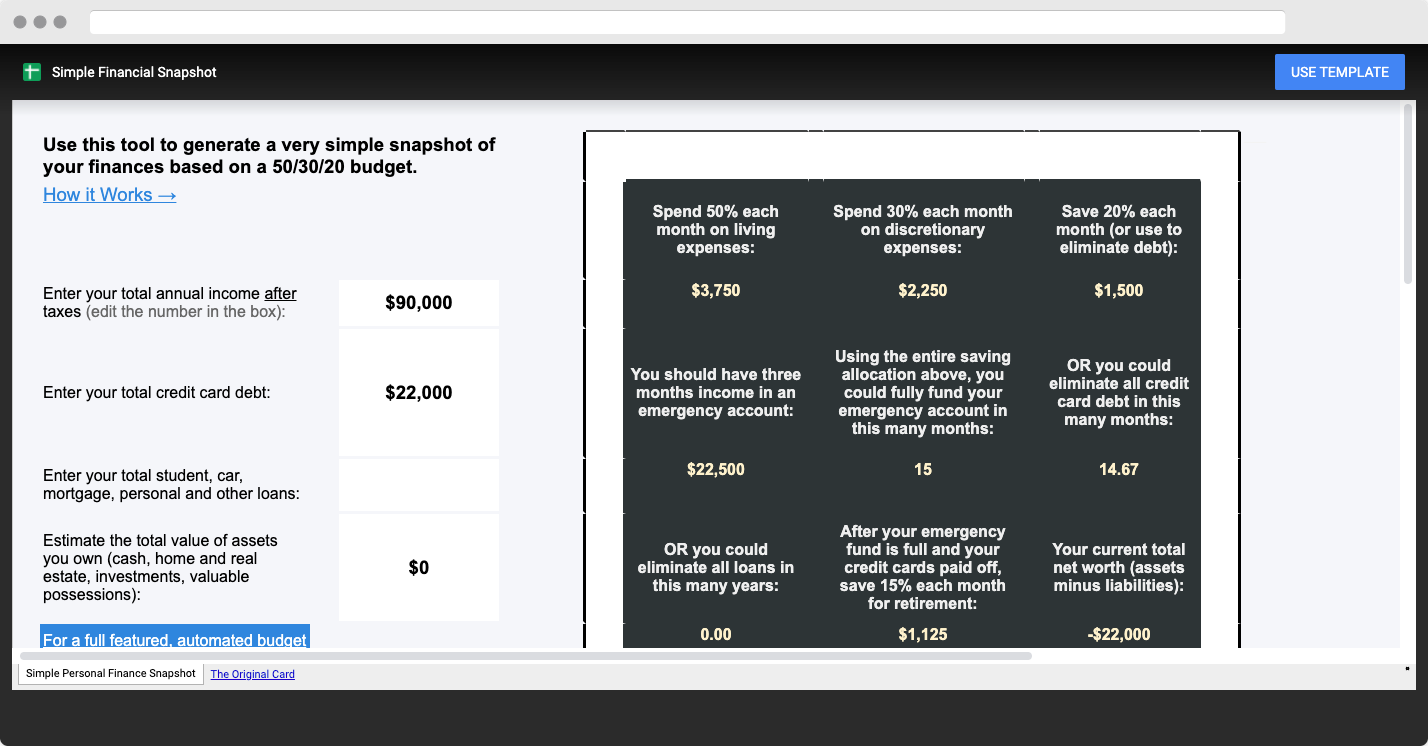
This super-simple budget calculator will quickly show you how much you can afford to spend and save with just a few clicks.
It follows the popular 50/30/20 rule for budgeting – allocating 50% to needs, 30% to wants, and 20% to savings. It’s a simple yet effective way to manage your finances.
Pros:
- Prebuilt a well-established budgeting system.
- Provides solid guidelines for a successful budget.
Cons:
- Does not include tracking.
- Does not break out detailed categories.
Who It’s For:
- Someone who wants a simple way to calculate a 50/30/20 budget.
- Ideal for adding a summary view to a more complete budget template.
Open the 50/30/20 Budget Calculator Template Preview ↗
- Manual data entry
5. Viral Expense Tracker Template by Deborah Ho
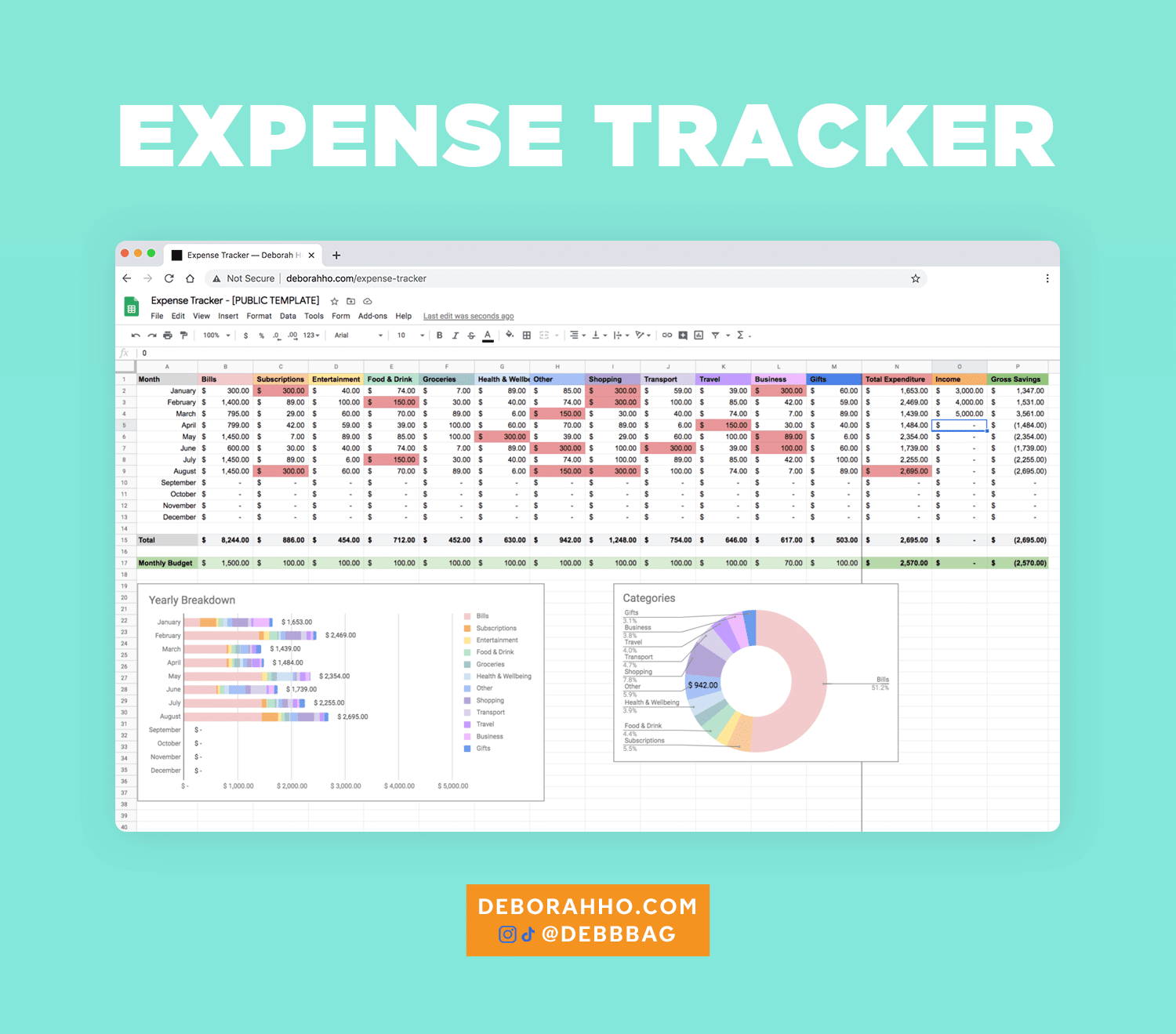
This popular and well designed Google Sheets template blends expense tracking with budgeting. Get the free expense tracker template from designer Deborah Ho’s website.
Pros:
- Originally went viral and has proven to have strong staying power.
- Updated several times over the years based on user feedback.
- Includes many helpful videos on how to set up and use.
Cons:
- Setup and customization can take some time.
- Does not provide automated spending tracking.
Who It’s For:
- Someone who wants a very detailed budget template.
- Someone not intimidated by spreadsheets.
Browse more free expense tracking templates ↗
6. The Budgeting Spreadsheet for People Who Don’t Know How to Budget
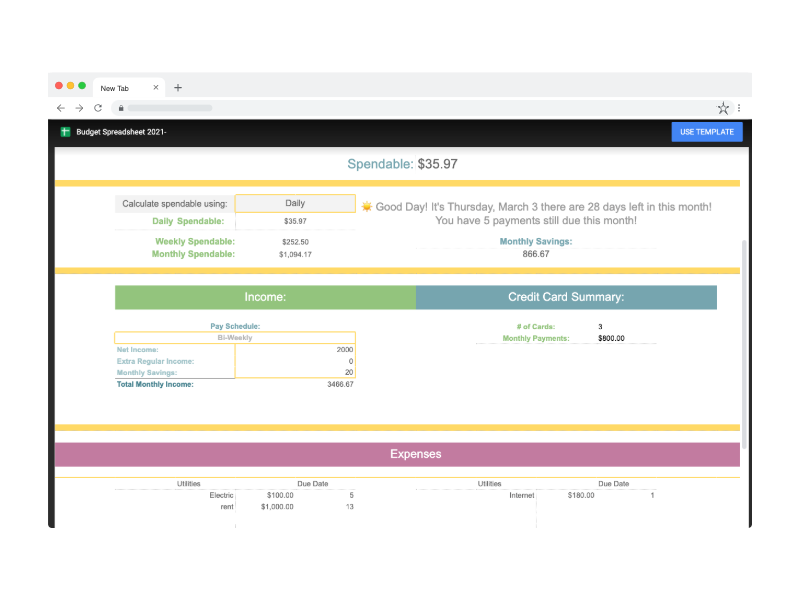
Reddit user Celesmeh created this great budget spreadsheet for people who feel intimidated by budgeting. She used to be one of those people herself, but after practicing on budgeting apps and asking for input from people who were good at the whole money thing, she created a worksheet that made the process easy for her.
The sheet has over 10,000 upvotes and is one of the most popular on Reddit.
Pros:
- Provides tracking for several major financial goals (savings goals, credit card tracker, stocks, etc.).
- Gives good big-picture views of your finances.
Cons:
- Manual data entry required.
- Doesn’t provide monthly or yearly views.
Who It’s For:
- Someone who doesn’t need monthly and yearly tracking.
- Someone tracking big-picture and long-term financial data.
Open the Spreadsheet for People Who Don’t Know How to Budget template preview ↗
- Manual data entry
7. Budget Planner by 20 Something Finance
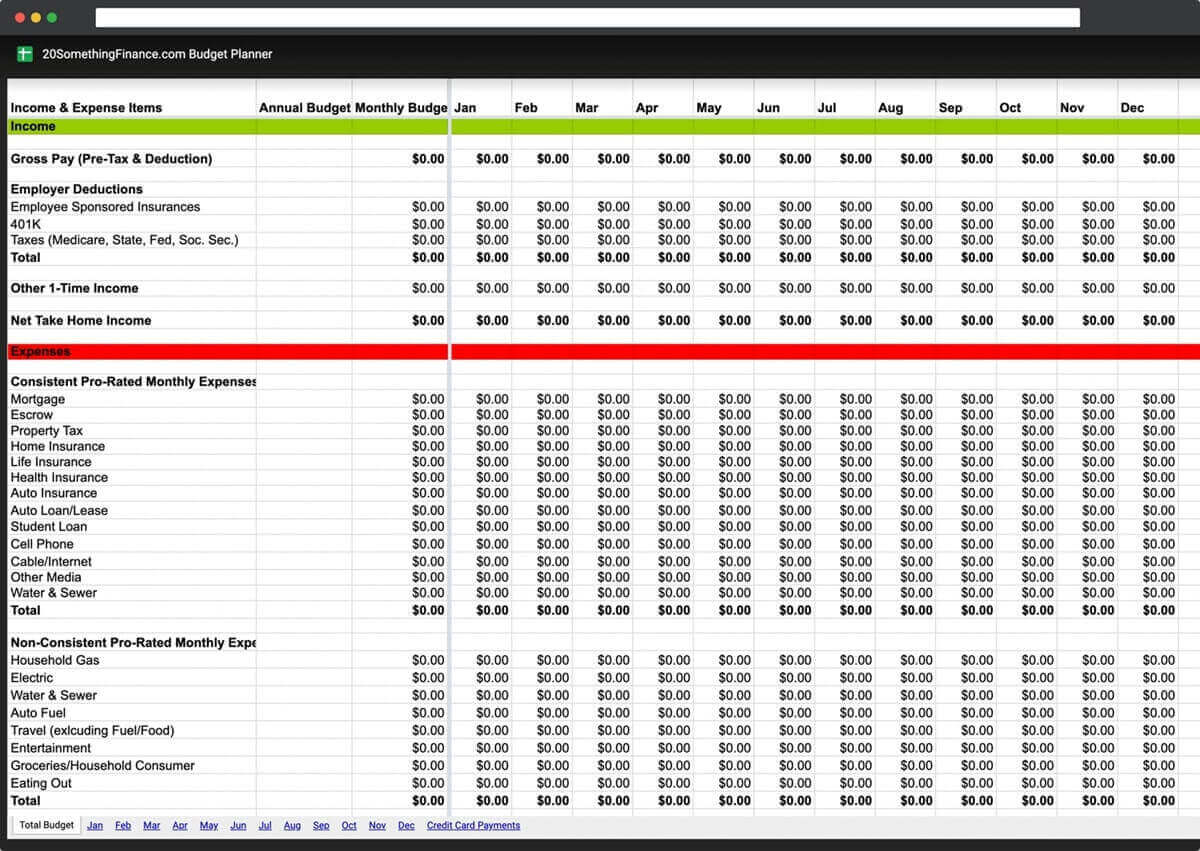
This unique budget spreadsheet from 20 Something Finance breaks down income and expenses into regular and one-time transactions, making it easier to plan if your budget varies each month.
Pros:
- Uses common categories and breaks them out by whether they are the same month to month or variable.
- Includes helpful monthly and yearly views of finances.
Cons:
- Does not provide a way to track daily expenses—you must enter total amounts into the spreadsheet.
Who It’s For:
- Someone who wants to track variable vs. nonvariable expenses.
- Someone looking for a big-picture view of their finances.
Budget Planner by 20 Something Finance Template Preview ↗
- Manual data entry
8. Budget and Transaction Tracker with Google Sheets
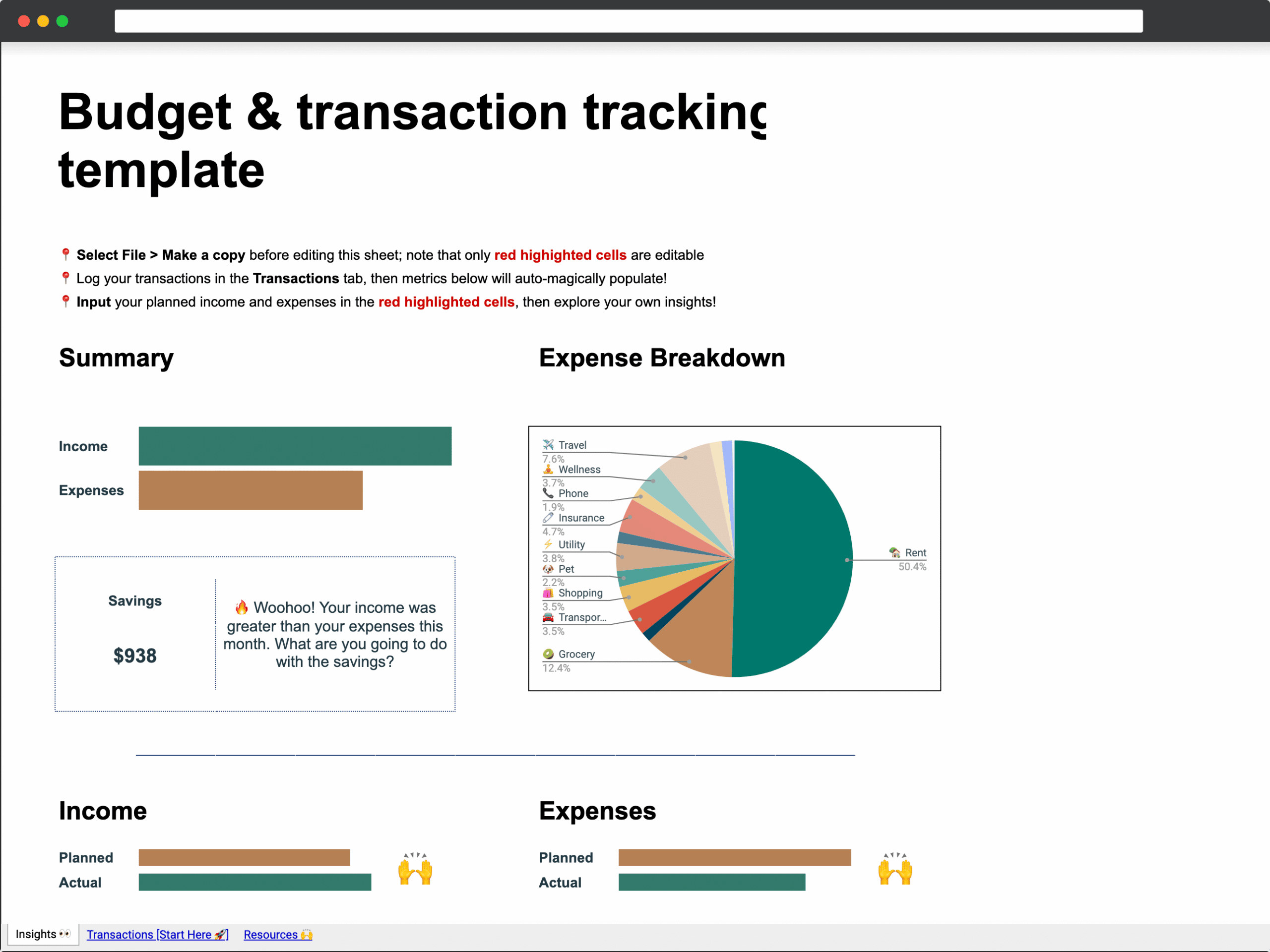
Here’s a transaction tracker with a budget with clear instructions for modifying it or making your own from scratch.
Pros:
- Provides a simple, clear overview of your income and spending.
Cons:
- You have to enter transactions manually.
- Lacks advanced features.
Who It’s For:
- Someone looking for a simple, glanceable look into their monthly spending.
Budget and Transaction Tracker with Google Sheets ↗
- Manual data entry
9. RegPaq Google Budget Sheet
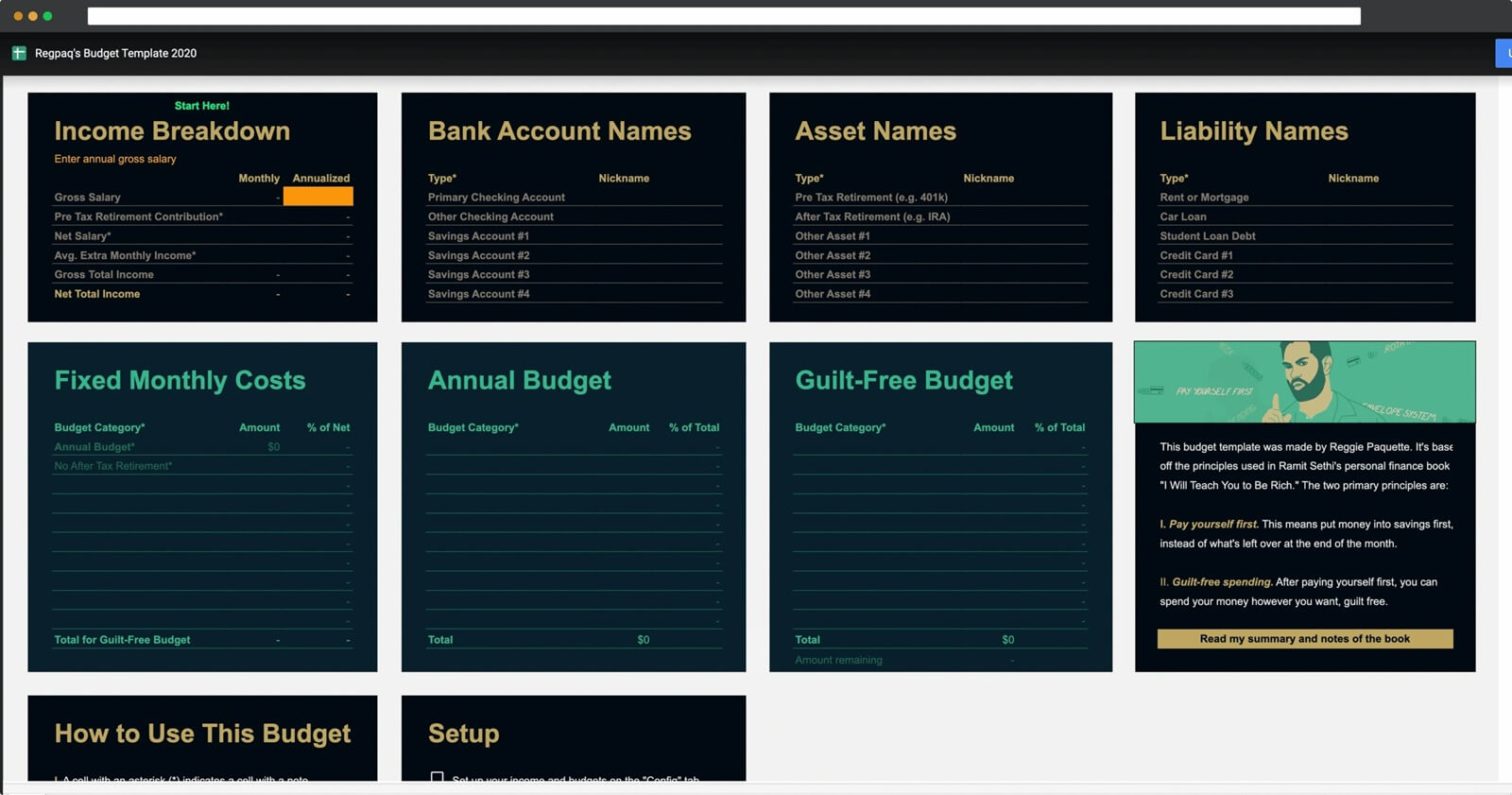
This template is inspired by the concepts from the best-selling personal finance book“I Will Teach You to Be Rich.” Read the post about how to use the spreadsheet here.
Pros:
- Based on the solid advice of Ramit Sethi’s I Will Teach You to Be Rich.
- Visual dashboards showing your financial info at a glance.
Cons:
- Manual transaction entry.
- Doesn’t offer much customization beyond Sethi’s system.
Who It’s For:
- Those heavily invested in or wanting to learn Ramit Sethi’s money system.
- People who like clear dashboards.
Learn more about the RegPaq Google Sheets Budget ↗
- Manual data entry
10. Monthly Budget Calendar for Google Sheets
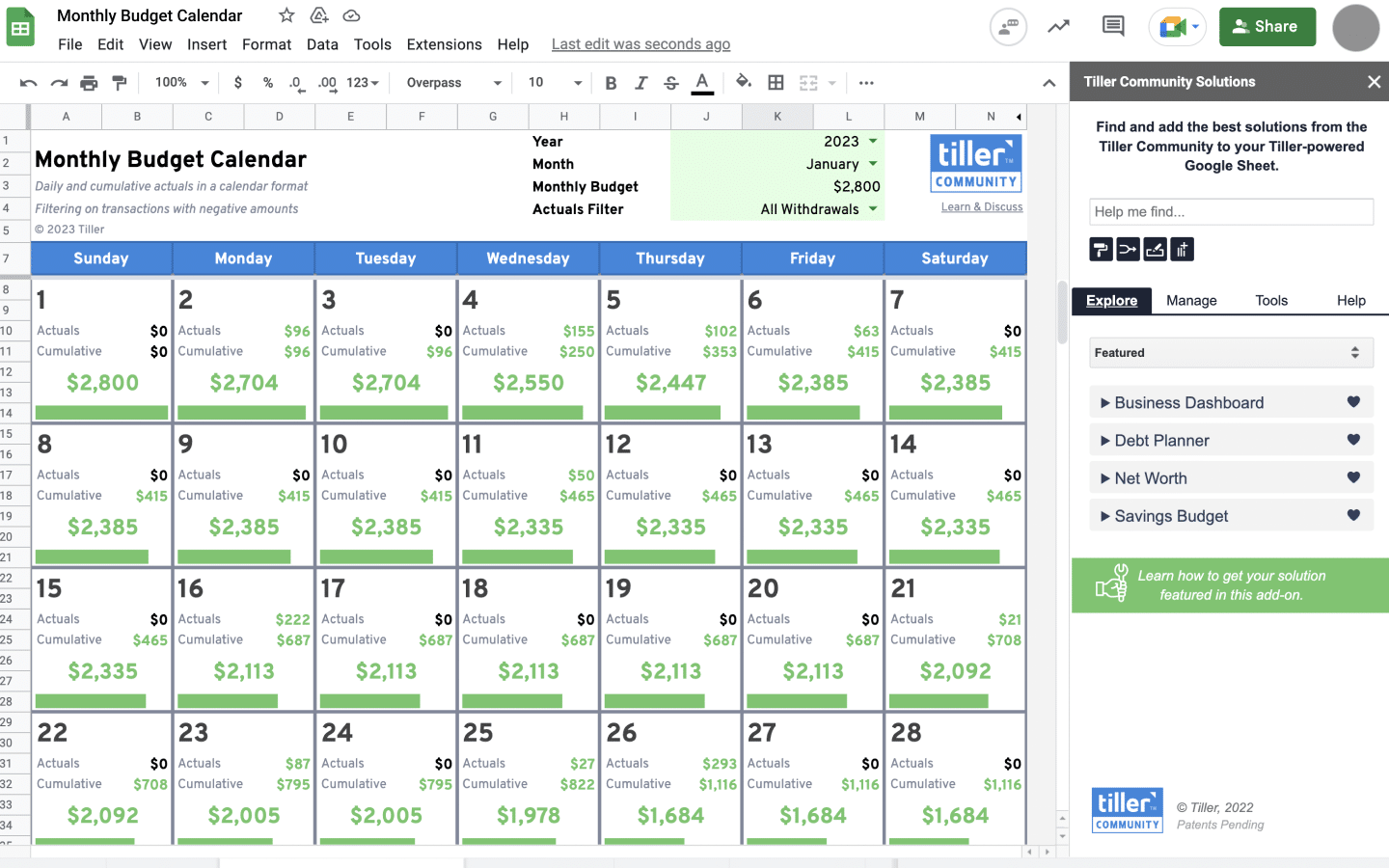
If you like visualizing your budget on a calendar, this template is for you. It provides a clear view of your monthly expenses, making it easier to manage your money effectively.
Also powered by Tiller (but can be used without a Tiller subscription), the Monthly Budget Calendar is a minimalist spending tracker and monthly budget for Google Sheets.
- Set your monthly spending target
- See your daily spending total
- See your cumulative spending for the month
- See how much you have left before you hit your target, or before the month ends – whichever comes first
- Choose manual or automatic spending updates
Pros:
- Clear visualization of your monthly budget.
- Integrates with Tiller’s automatic transaction data.
Cons:
- Not ideal if you’re looking to see the month as a whole.
Who It’s For:
- Those looking to hit daily or monthly spending targets.
- People who like calendar visuals.
Learn more about the Monthly Budget Calendar ↗
- Manual or automatic data entry with Tiller Money Feeds
11. Savings Budget Spreadsheet
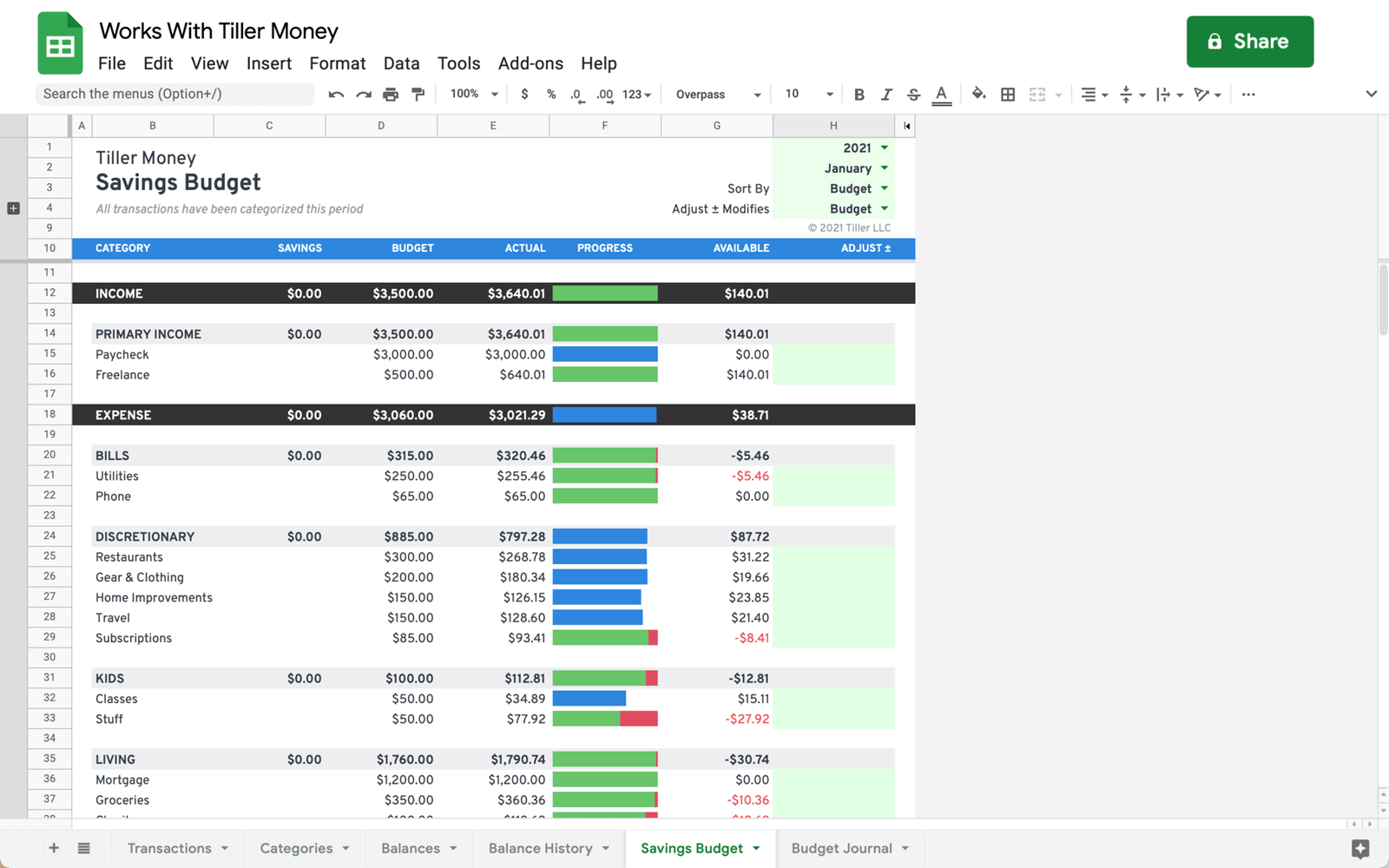
The Savings Budget Spreadsheet template is a simple envelope/rollover savings concept for Google Sheets.
This popular budgeting system involves making categories for all your expenses, writing those categories on a bunch of envelopes, and then putting a set amount of cash inside each envelope each paycheck. Once you use all of the cash in the envelope, you cannot spend any more that month. If you don’t spend all the money in a month, it rolls over into the next month. The idea is to make sure you never spend more than you can afford.
Pros:
- Based on the popular envelope budgeting method.
- Compatible with Tiller’s Foundation Template.
Cons:
- Not much flexibility beyond the envelope system.
Who It’s For:
- People who follow or want to learn the envelope budgeting system.
Learn more about the Savings Budget Spreadsheet ↗
- Manual or automatic data entry with Tiller Money Feeds
Conclusion
Whether you’re a budgeting novice or an experienced financial guru, these templates offer a range of options to help you manage your money effectively.
At Tiller, we’re dedicated to helping you achieve your financial goals. Try Tiller for free for 30 days and access exclusive budgeting templates to streamline your financial journey.
Additional Spreadsheet Template Resources