A simple investment spreadsheet remains one of the most popular and flexible tools for tracking your portfolio.
“Every serious DIY investor still uses stock tracking spreadsheets.”
OldSchoolValue.com
The benefits of using your own spreadsheet to track your investments include privacy, simplicity, and endless flexibility.
With a spreadsheet, you can track the value of your stocks, mutual funds, ETFs, and more. Or you can run custom reports and analyze trends, project your tax liability, and visualize retirement income scenarios.
Keeping Your Holdings Data Current

Both Google Sheets and Excel (with a 365 subscription) make it easy to automate current and historic stock pricing data in your spreadsheets. Tiller will soon offer automatically updating holdings data in it’s daily updating spreadsheets.
Updated stock data in Excel
Stocks is a new Excel feature for Microsoft 365 subscribers. It’s a type of “linked data” because it connects to an online data source. Use to keep your stock prices updated with a refresh of your workbook. Learn more here.
Meanwhile, the STOCKHISTORY function retrieves historical data about a financial instrument and loads it as an array. Learn more here.
Updated stock data in Google Sheets
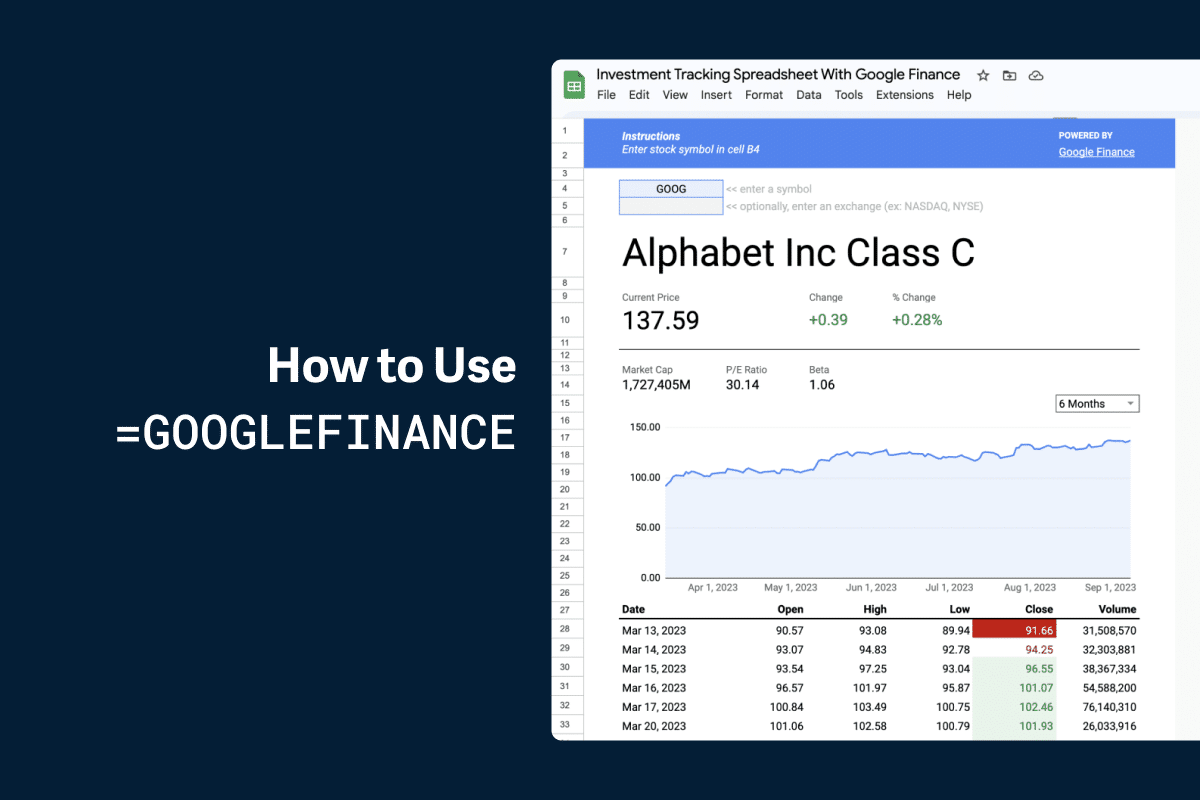
There are more high-quality, free investment trackers for Google Sheets than Microsoft Excel. That’s because of Google Sheets has long supported the GOOGLEFINANCE function.
Unlike the Stocks data type in Excel, GOOGLEFINANCE automatically updates your spreadsheet with the latest prices every 20 minutes.
Updated stock data with Tiller
Tiller’s Investments (Beta), which offers a daily automatic feed of holdings data for supported investment accounts is now available. Tiller pulls your investment holdings automatically into a Google Sheet every day.
Table of Contents
➜ You might also consider using a net worth template or retirement planning template along with one of the free templates below.
Free Investment Templates for Google Sheets
Investment Tracking Spreadsheet for Google Sheets
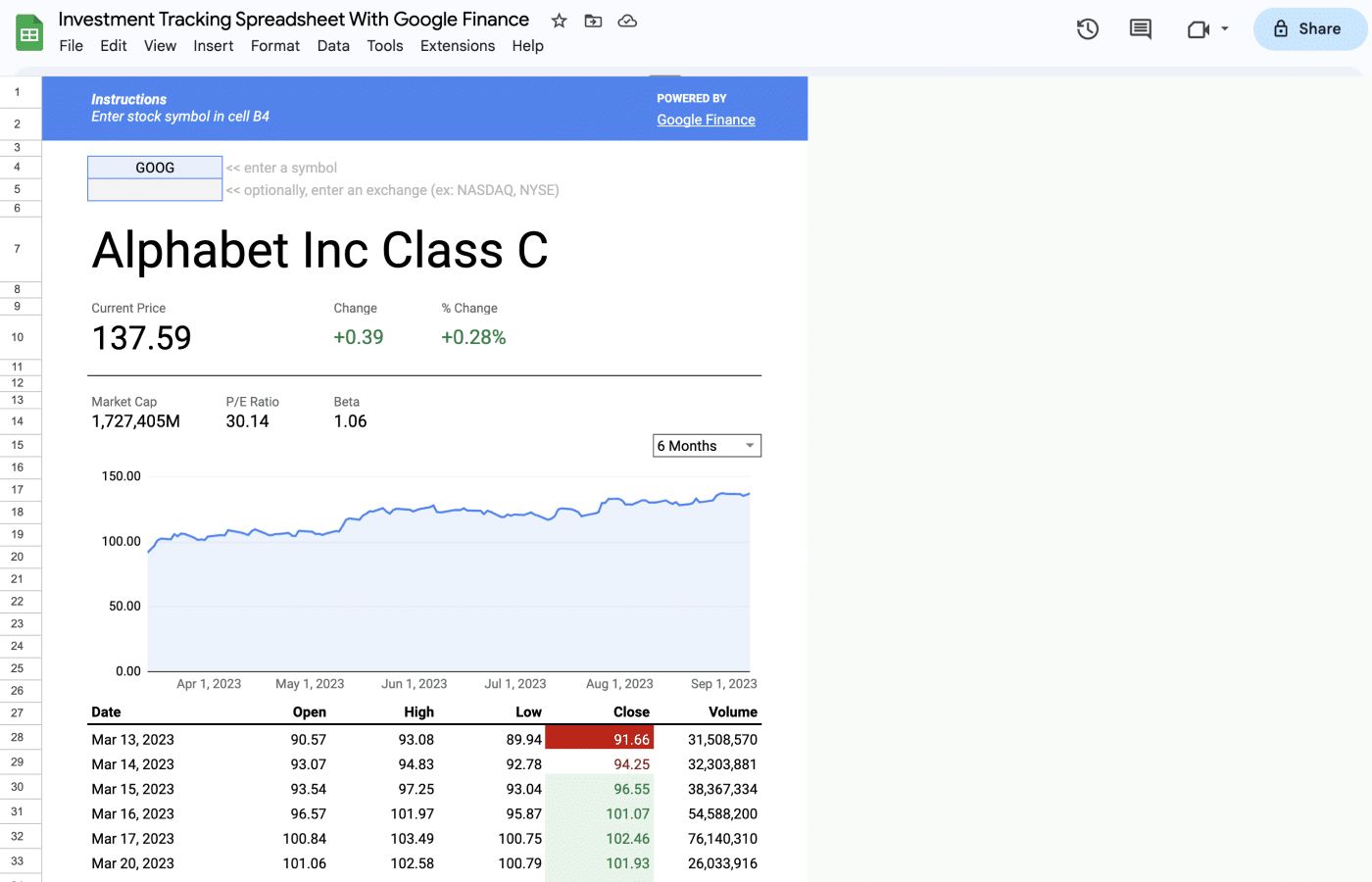
Track the daily price history of your stocks in Google Sheets with this simple template powered by Google Finance.
Or, read how to make your own investment tracker for Google Sheets in this post.
“Ultimate Investment Tracking Spreadsheet” from Rob Berger
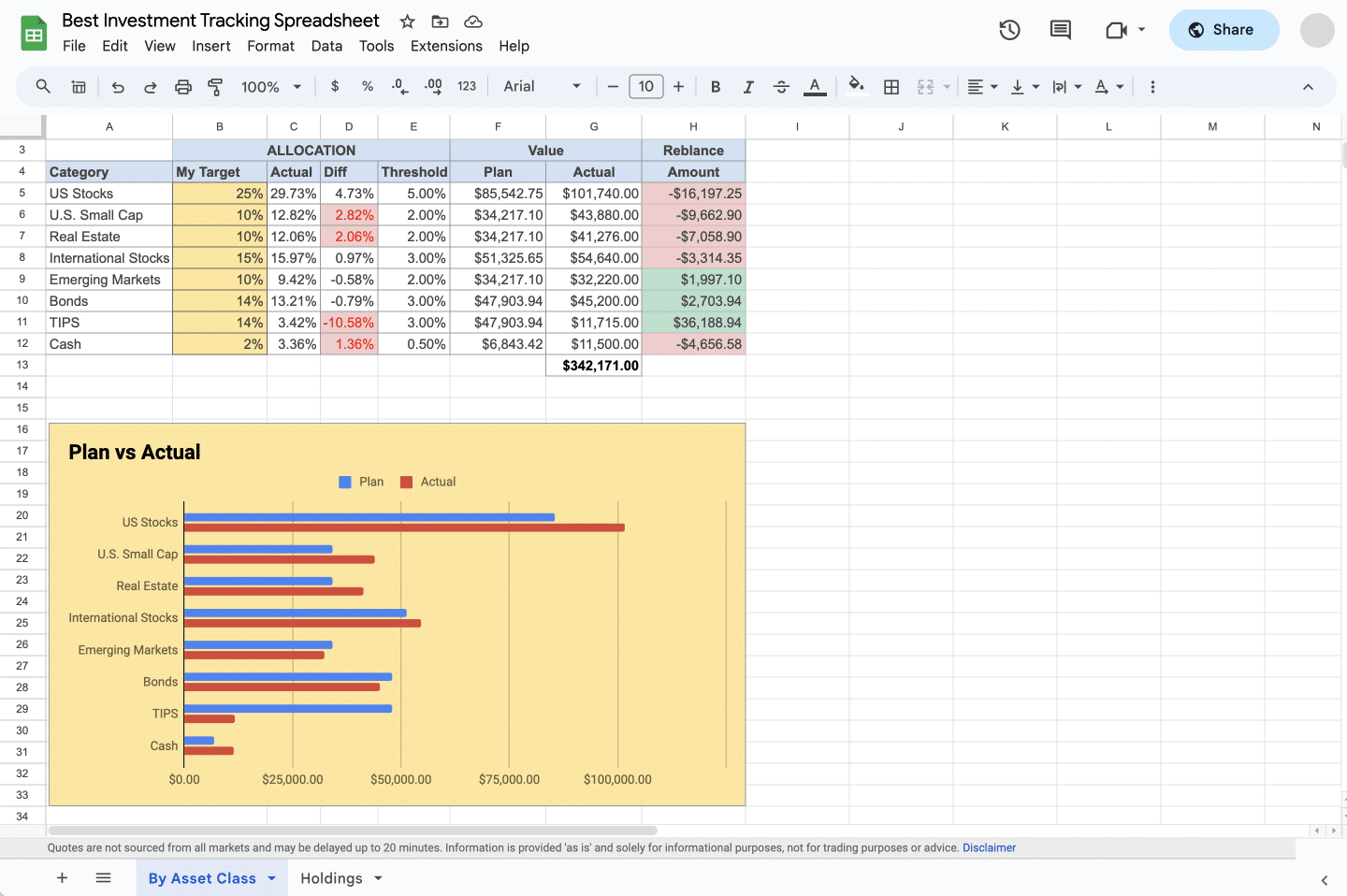
Leading money expert (and founder of Dough Roller) Rob Berger has shared an excellent Google Sheets investment tracker on his site. It tracks fundamentals for your holdings such as purchase price, current value, and expense ratio. But you can also designate an asset class for each of your holdings. The template then automatically tracks your allocations over time, so you can see when you it’s time to rebalance your portfolio.
Rob has detailed instructions and a video on his blog.
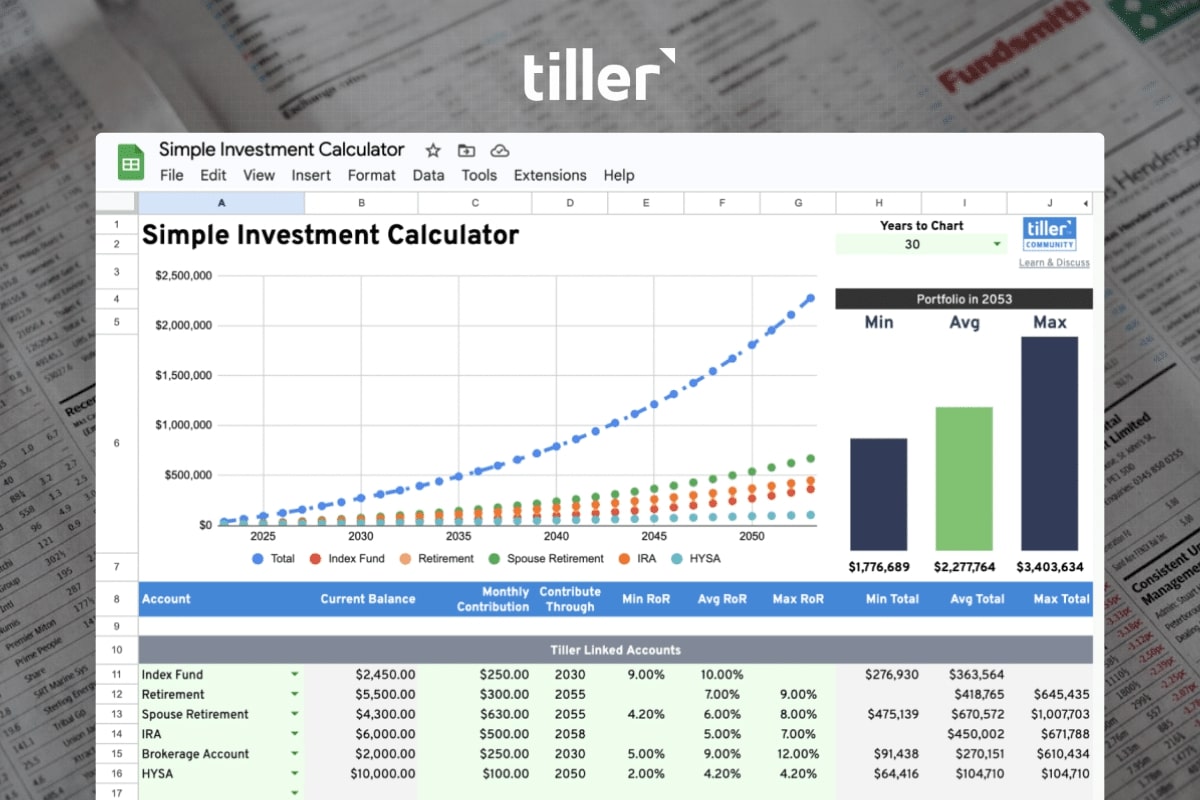
Bonus: Simple Investment Calculator for Google Sheets
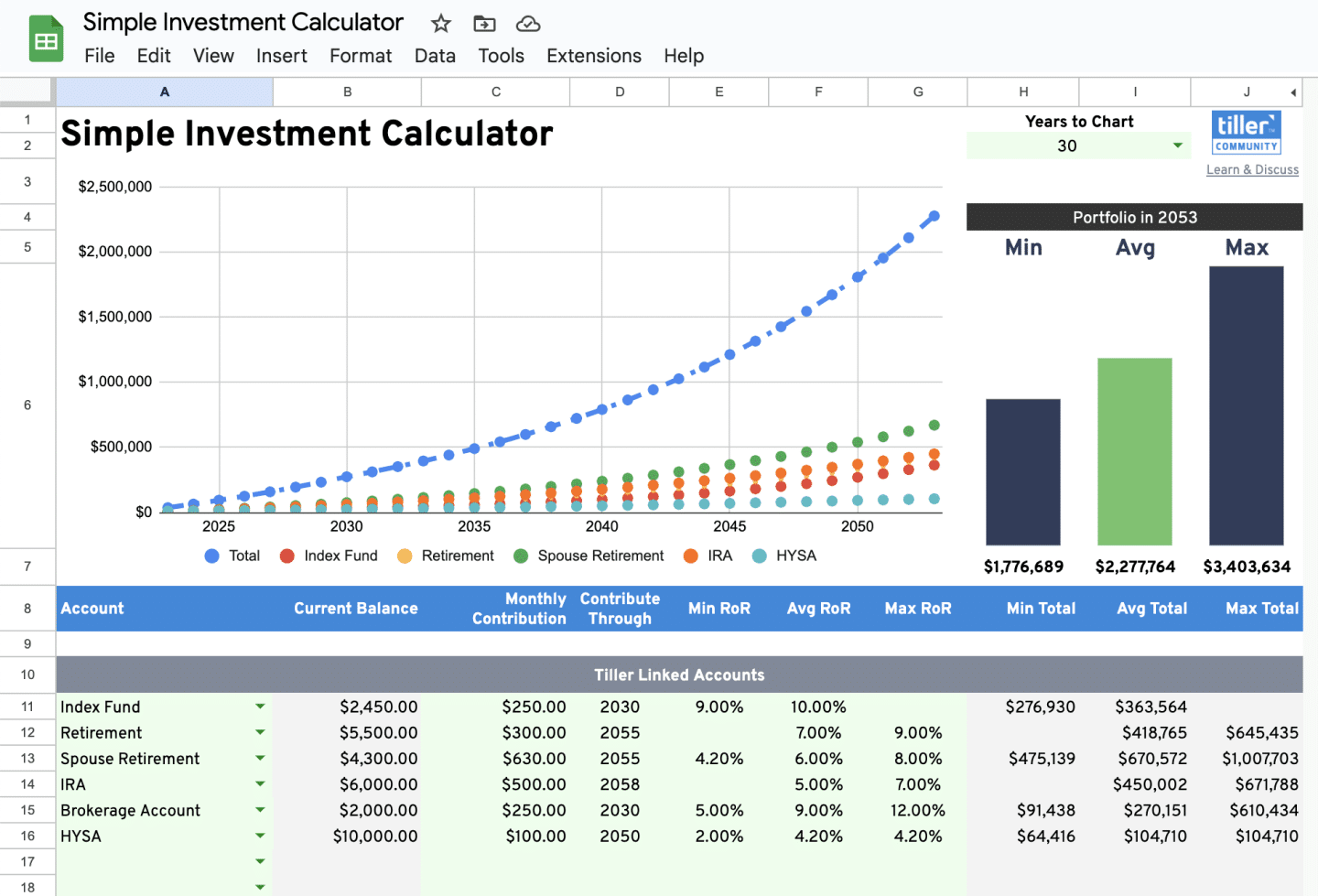
See if you’re on track with your investment goals and model how changes to your strategy might impact the end result with this free investment calculator for Google Sheets.
Free Investment Templates for Excel
Simple Investment Tracker for Excel
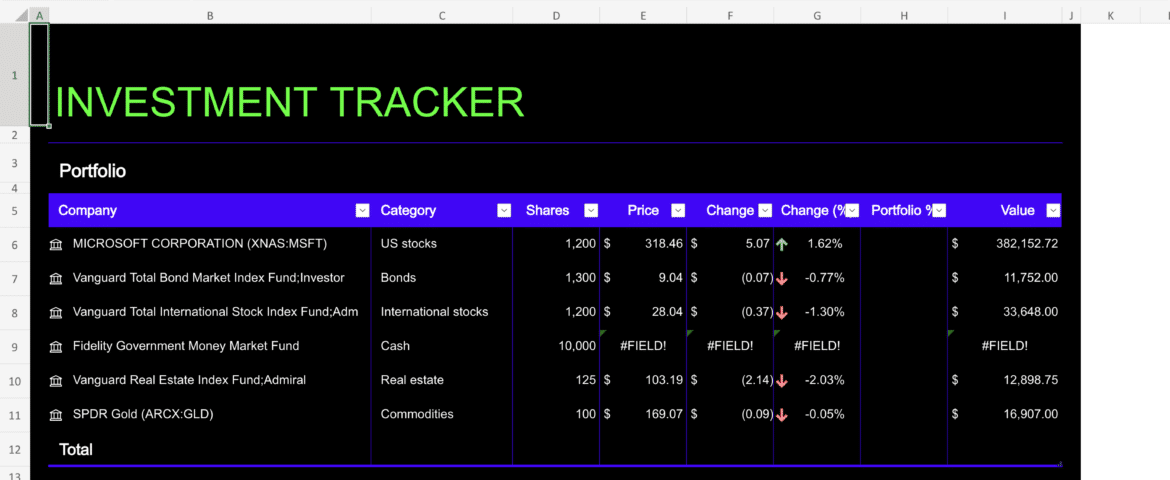
Use Excel to track your investments. It’s as easy as typing text into a cell and converting it to the Stocks data type. That connection allows you to bring back rich, interesting information that you can work with and refresh. This accessible investment tracking spreadsheet template is perfect for stock portfolio tracking and gives you a simple overview of your current portfolio with current prices and details of your assets.
Free Stock Quotes in Excel from Vertex42
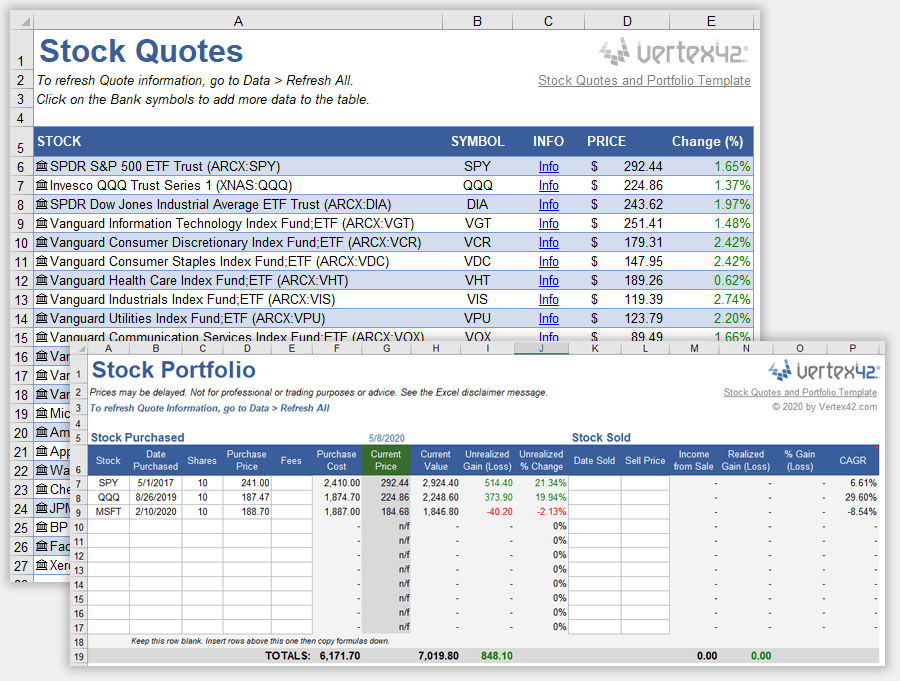
This simple template from Vertex42 uses Excel’s Stock data type to get price updates, and also contains a basic stock portfolio worksheet that uses VLOOKUP to get the current price based on the stock symbol.
Stock Portfolio Tracker Excel Template
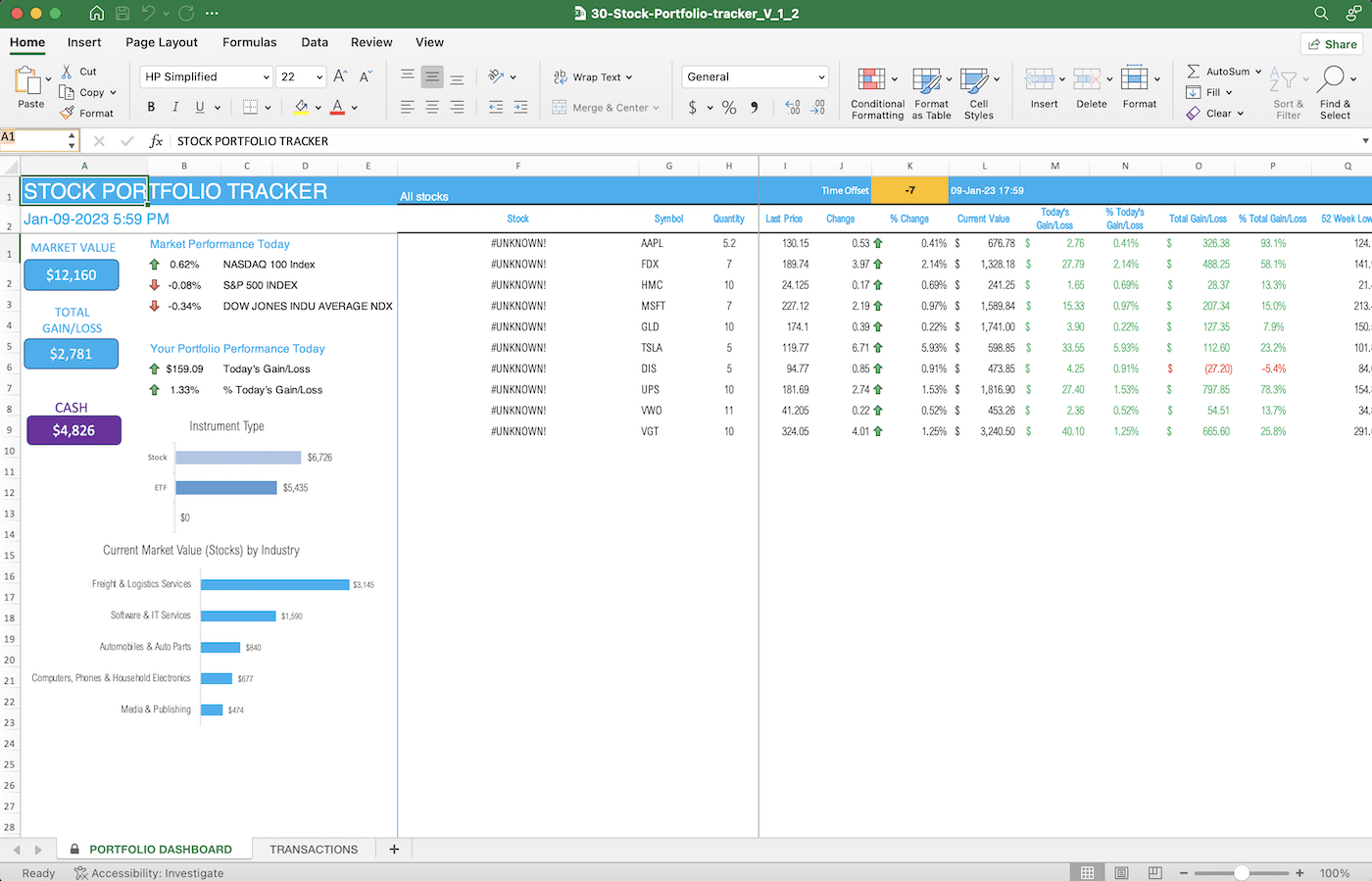
The Stock portfolio tracker Excel template from Indzara shows:
- Current market value of all your stocks and the Cash balance
- Portfolio mix by instrument type and industry
- Today’s market performance and your portfolio performance
- List of all your stocks with performance data (Quantity, Gain/Loss, % Gain/Loss, etc.)
FAQ
What’s the best free investment tracking spreadsheet?
It depends on your platform and needs. For Google Sheets, the Investment Tracking Spreadsheet is a simple, GOOGLEFINANCE-powered option, while Rob Berger’s “Ultimate Investment Tracking Spreadsheet” adds asset allocation tracking for rebalancing. For Excel, Vertex42’s Free Stock Quotes template and Indzara’s Stock Portfolio Tracker are popular no-cost picks.
Do these spreadsheets update stock prices automatically?
Yes, but the method differs by platform. Google Sheets templates use the built-in GOOGLEFINANCE function, which refreshes prices roughly every 20 minutes. Excel templates rely on the Stocks linked data type (Microsoft 365 only) or the STOCKHISTORY function for historical data.
Do I need a Microsoft 365 subscription to track stocks in Excel?
Yes, for real-time price updates. The Stocks data type and STOCKHISTORY function are both Microsoft 365 features — they aren’t available in older, non-subscription versions of Excel.
Can I track asset allocation with these templates?
Yes — Rob Berger’s Ultimate Investment Tracking Spreadsheet is built specifically for this. It lets you assign an asset class to each holding and automatically tracks your allocation over time so you can see when to rebalance.
Are any of these templates built by Tiller?
The Investment Tracking Spreadsheet and Simple Investment Calculator are Tiller-published templates. The others (Rob Berger’s tracker, Vertex42’s stock quotes template, and Indzara’s Stock Portfolio Tracker) are free third-party tools Tiller is recommending.
Do I need a Tiller subscription to use these?
No. All the templates in this roundup are freestanding Google Sheets or Excel files — you can copy and use them without a Tiller account. (Tiller’s own automated bank-transaction features are separate and require a subscription.)
What other templates pair well with an investment tracker?
Tiller suggests pairing an investment spreadsheet with a net worth template or a retirement planning template for a fuller financial picture.
Does Tiller offer automated investment and stock data feeds?
You can connect your investment accounts to Tiller today to pull your account balances and monitor your net worth. Tiller can now also pull in your investment holdings and stock positions automatically into Google Sheets with the new Investments (Beta) feature.