“Where did my money go?”
If you’ve ever stared at a lower-than-expected bank balance and wondered where it went, you’re not alone. With multiple accounts, recurring subscriptions, fees, and the steady creep of everyday costs, spending is easy to do and hard to track.
Most people underestimate what they actually spend each day. The Spending Trends sheet was designed to address that without requiring you to build anything yourself.
What Spending Trends Shows You
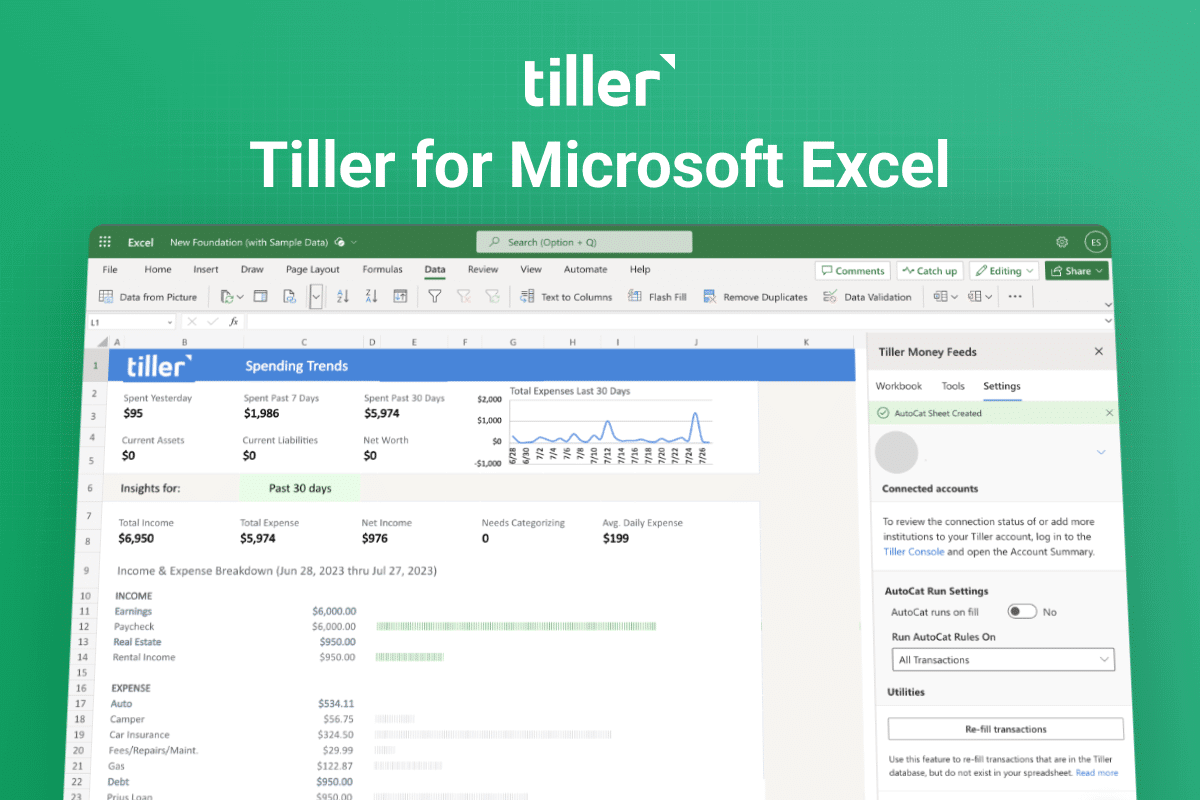
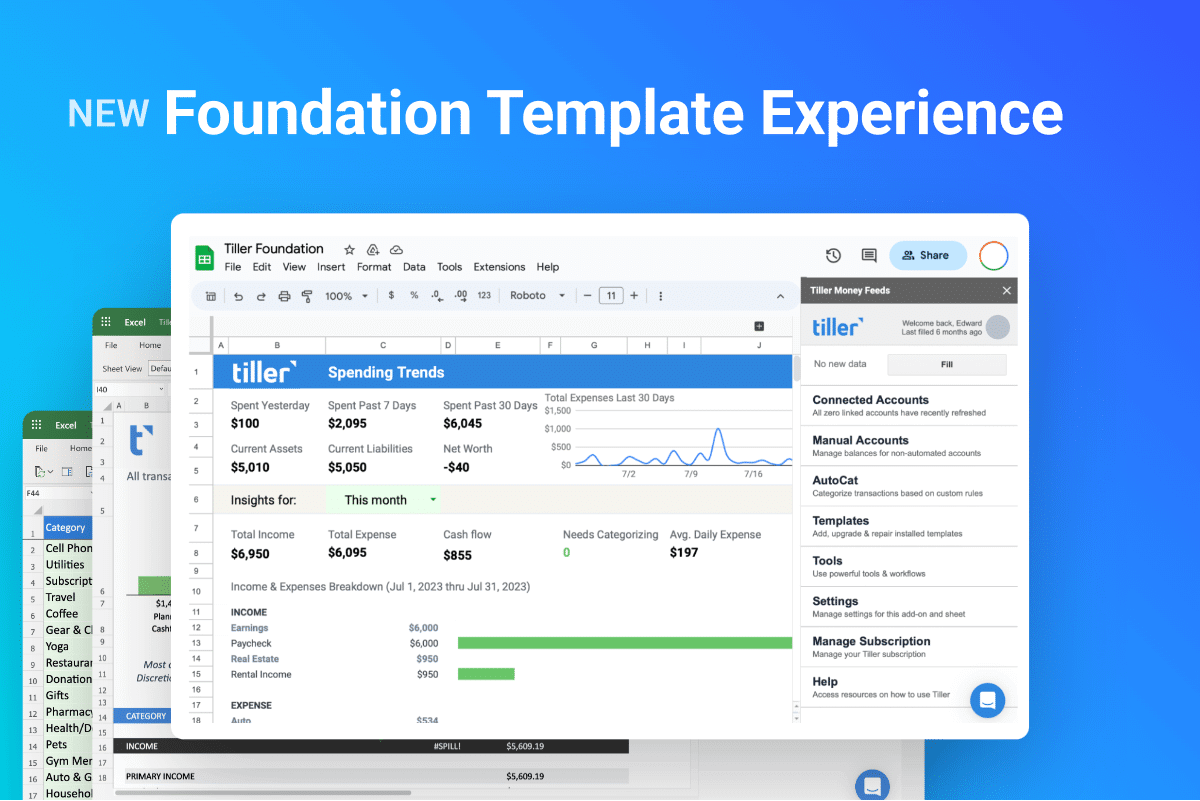
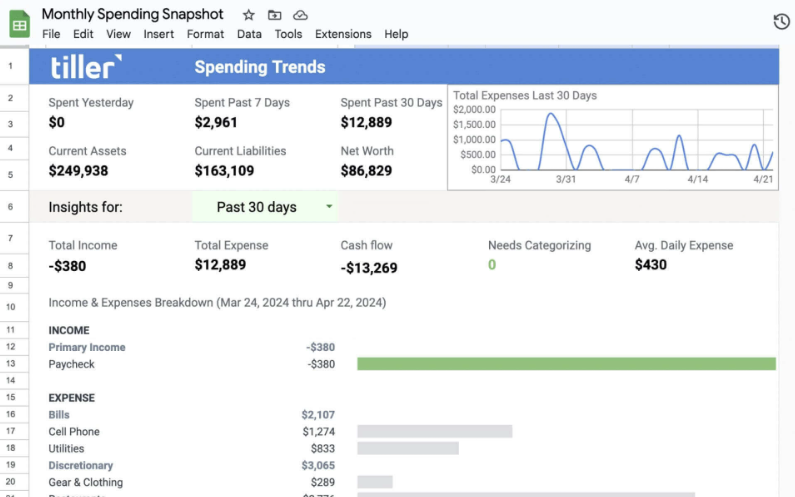
Spending Trends gives you a clean, scannable picture of your finances every time you open your sheet. It updates automatically as you categorize transactions in your Foundation Template.
At the top of the sheet, you’ll see:
- Current assets, current liabilities, and net worth across your linked accounts
- Recent spending totals for context — yesterday, the past 7 days, and the past 30 days
- Cash flow for the time period you select
Below that, the Income & Expenses Breakdown shows exactly how much you’ve earned and spent in each of your custom categories — and flags any transactions that still need to be categorized.
Pick any time period from the dropdown — last month, last quarter, year-to-date, or a custom range — and the sheet adjusts.
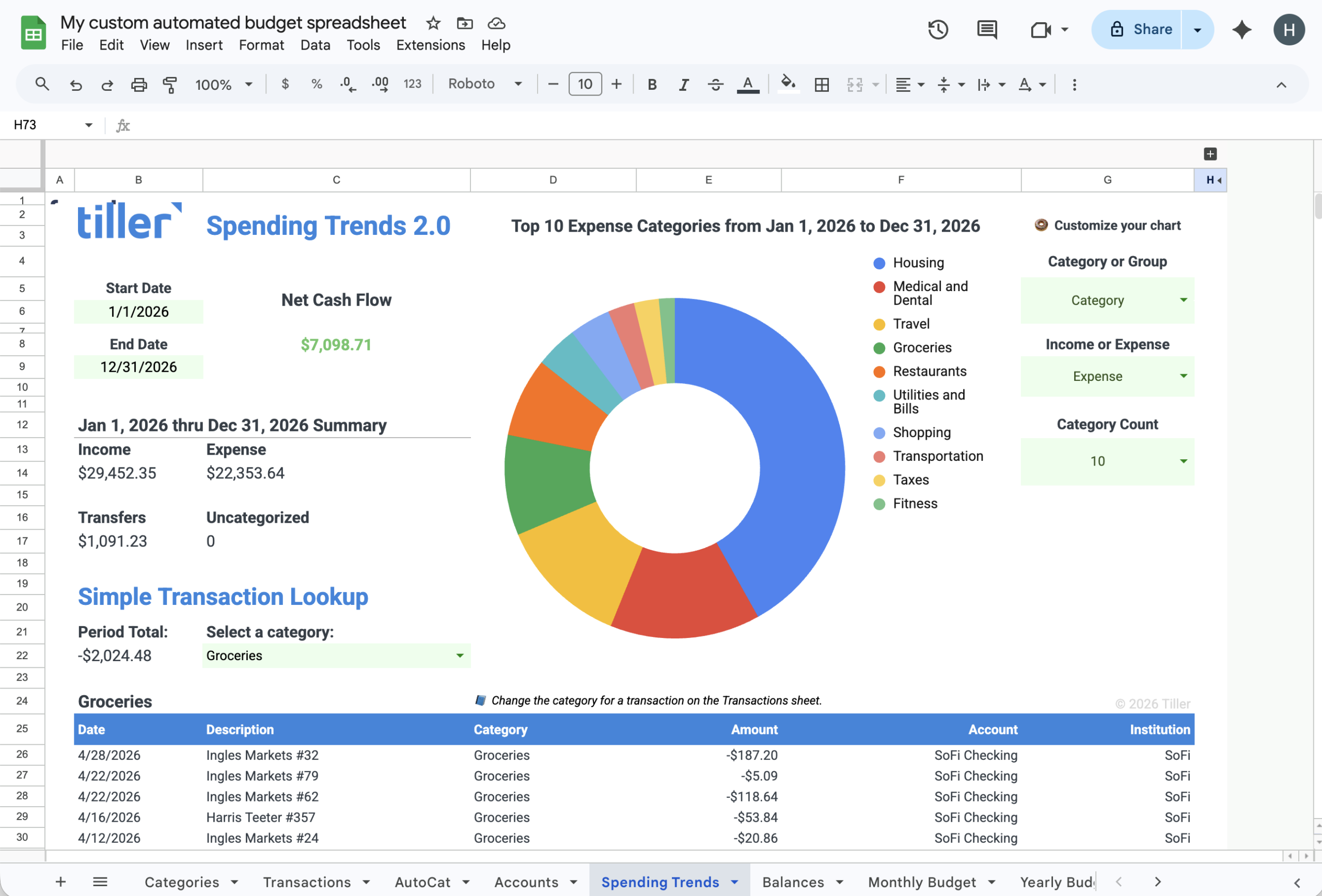
New in Spending Trends 2.0 (Google Sheets)
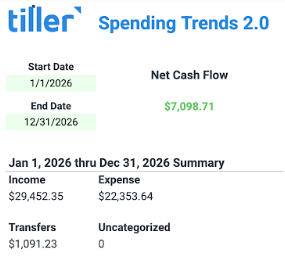
Spending Trends 2.0 is a streamlined version of the sheet, rolling out now to Tiller customers on Google Sheets. It includes three new things:
- Cash flow at a glance. A simplified summary of income minus expenses for any time period, plus the total of transfers and the dollar amount of uncategorized transactions you still need to clean up.
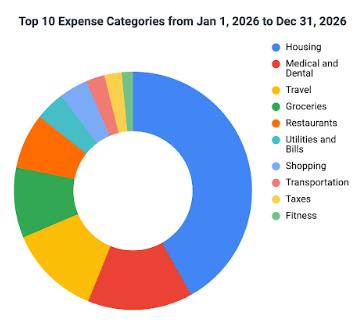
- A customizable donut chart. Defaults to your top 10 spending categories so you see where your money is really going. Adjust it to show whatever matters most to you.
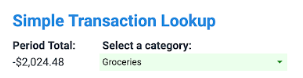
- A Simple Transaction Lookup tool. Search your transactions right from the sheet — no filtering or scrolling required.
The redesign was inspired by what we heard from customers: people wanted a faster way to find a transaction, and a cleaner starting point when they opened their sheet each week.
Spending Trends 2.0 is currently available for Google Sheets only.
How to get Spending Trends
The Spending Trends dashboard is included with every new installation of the Tiller Foundation Template for Google Sheets and Excel.
For Google Sheets
Spending Trends 2.0 is rolling out to Tiller customers on Google Sheets. If you have it, you’ll see the new layout when you open your Foundation Template.
To install or restore Spending Trends 2.0, follow the steps in our Help Center guide.
For Microsoft Excel
If you’ve been with Tiller for a while and are already using our Foundation Template, you can get the spending trends sheet from Tiller Money Feeds.