

Your Money, Ready for the AI You Choose
Get answers about your spending, analyze your finances, and build custom dashboards with AI, all based on the clean, current data in your Tiller spreadsheets.
for Google Sheets and Microsoft Excel


Sovereignty
Apps come and go. AI models change. Your spreadsheet is forever.
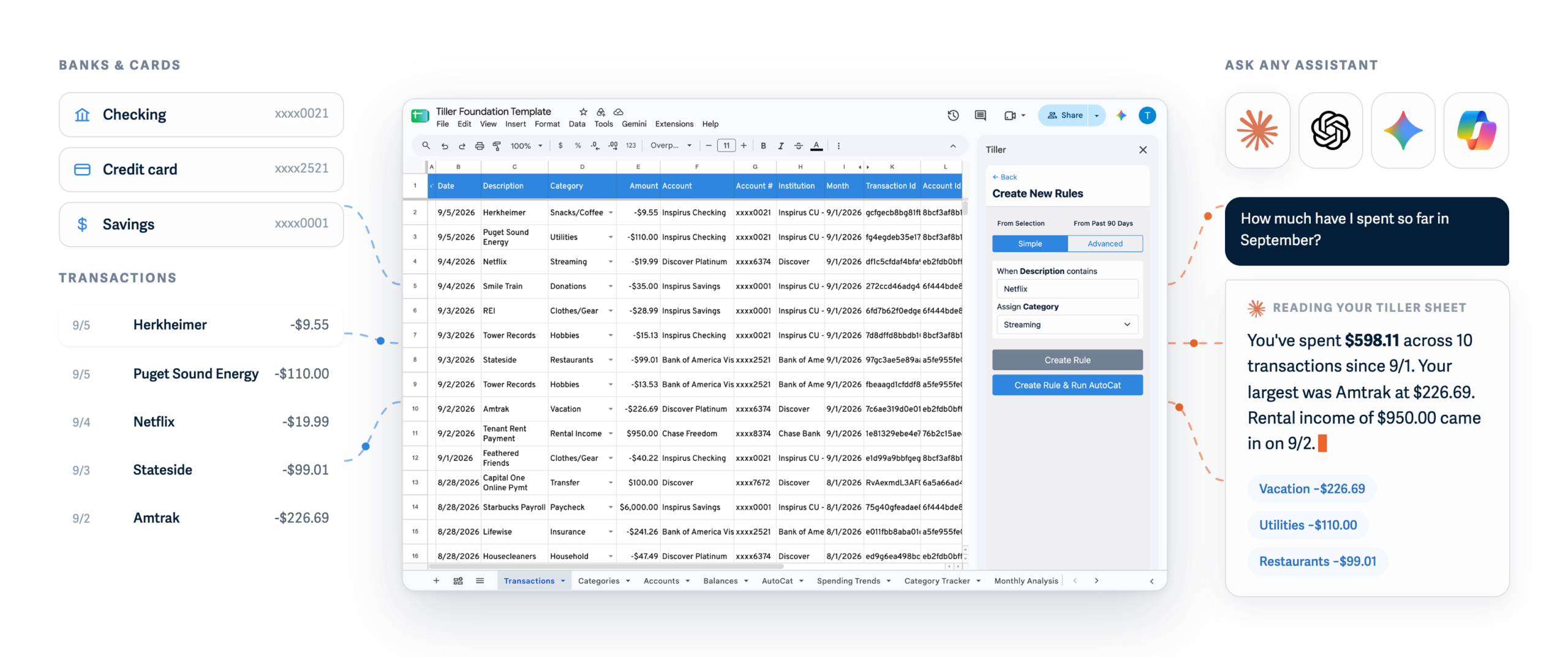
Unlike apps or AI bank connections, Tiller builds a financial source of truth you own in Google Sheets and Excel. Point AI at your spreadsheet instead of linking your banks. Ask questions about your money and explore your finances with any AI you choose. Your spreadsheet is yours, even without Tiller.
All your finances, unified in one place
Tiller keeps your finances updated and ready for AI questions and analysis.
A safe layer between your banks and AI
Point AI at your spreadsheets instead of linking banks directly.
Universal format with no data lock-in
You own the data in your spreadsheet. Take it with you wherever you go.
Tiller automatically imports your spending, transactions, and balances into Google Sheets and Microsoft Excel and keeps everything organized by your custom categories and rules.
Choice
More ways to use AI than any app.
With a Tiller spreadsheet, you can pick the best AI model for each job and work natively with chatbots, agents, coding tools, and whatever comes next.

Tiller MCP for Google Sheets
Best for: Questions, categorization, reports, and recurring analysis in Claude.

ChatGPT in Excel or Google Sheets
Best for: Analysis, formulas, reports, spreadsheet builds.

Gemini in Google Sheets
Best for: Analysis, formulas, charts, tables, and pivots.

Microsoft Copilot in Excel
Best for: Analysis, formulas, charts, trends, PivotTables.

Claude for Google Sheets and Excel
Best for: Analysis, formulas, reports, spreadsheet builds.
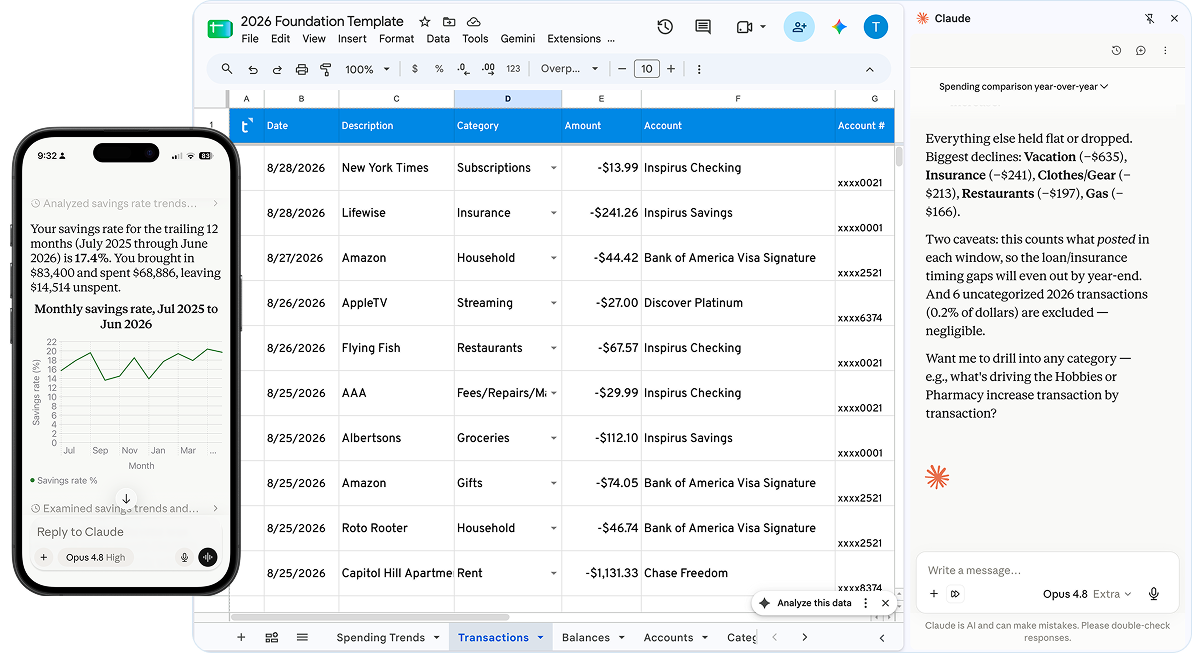
Ask AI questions about your money
Know where you stand, see how you got there, and decide where to go next.
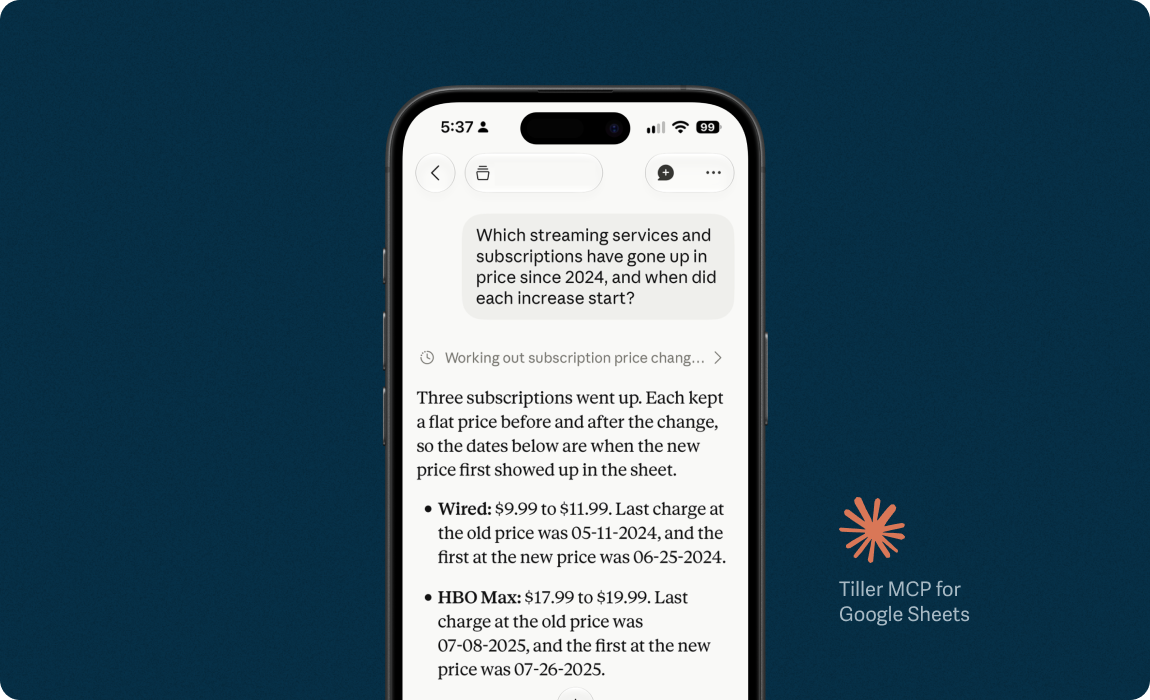
“Which subscriptions and streaming services have gone up since 2024, and when did they start?”
Tiller MCP for Google Sheets
“Why did we have about $7,000 left over in August when most months it’s closer to $1,000?”
ChatGPT in Microsoft Excel
“How has our total debt changed since January, counting mortgage, loans, and credit cards?”
Tiller MCP for Google Sheets
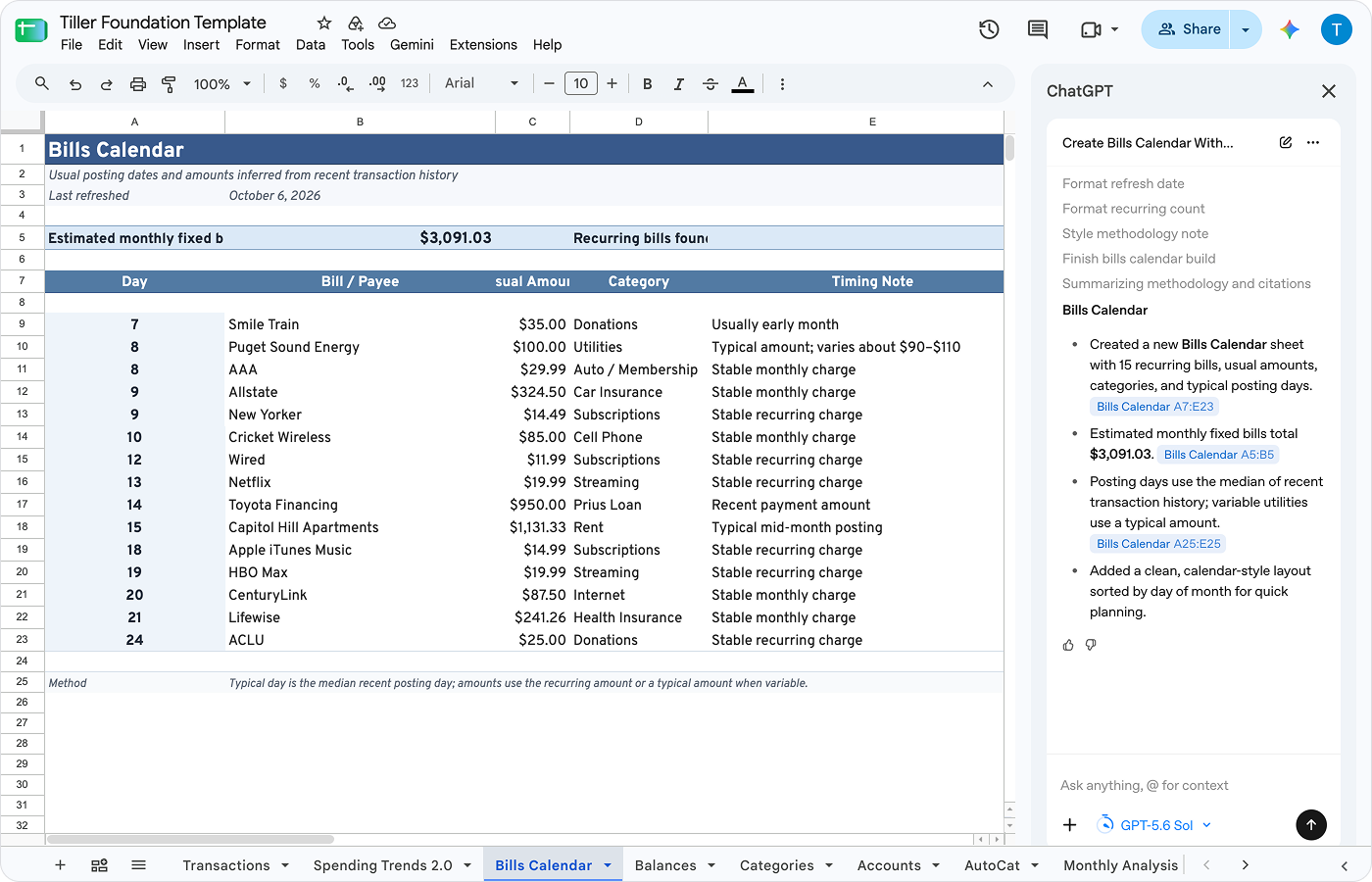
Build your own way to understand your money
AI can help you build dashboards and apps powered by the clean, structured data in your Tiller spreadsheets. Read: 17 Tiller projects built with AI ›
“Can you build a payoff timeline for the Prius from our Toyota Financing payments, with the month we’ll be done?”
ChatGPT, Claude, Gemini in Google Sheets, or ChatGPT, Claude, Copilot in Excel.
“Can you build a bills calendar that shows each fixed bill, its usual amount, and the day of the month it posts”
ChatGPT, Claude, Gemini in Google Sheets, or ChatGPT, Claude, Copilot in Excel.
“Can you build a subscription sheet that lists each service, what it costs now, and when the price last went up?”
ChatGPT, Claude, Gemini in Google Sheets, or ChatGPT, Claude, Copilot in Excel.
“Using AI, I no longer spend hours designing solutions from scratch. I use tools like Claude Code to define requirements and roll them out seamlessly. Tiller is a fantastic solution for anyone who wants complete control over their financial data without limitations of traditional budgeting apps.”


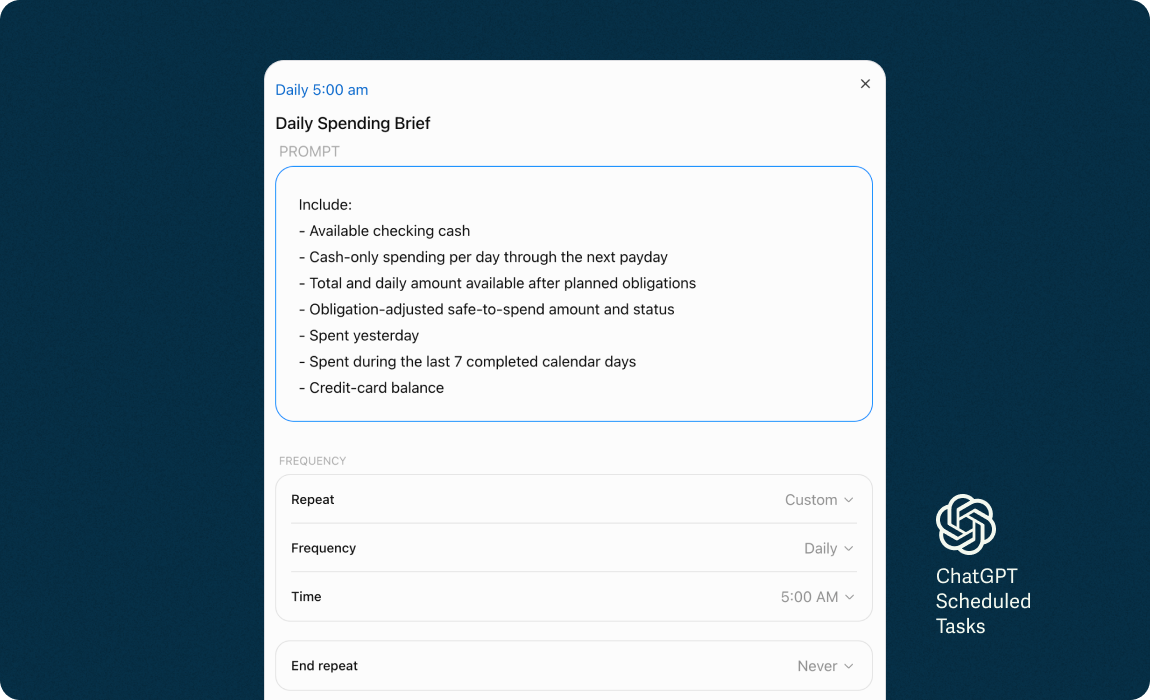
Schedule a weekly financial briefing
“Can you summarize last week and flag charges that are higher than usual or posted twice?”
ChatGPT, Claude, Gemini in Google Sheets, or ChatGPT, Claude, Copilot in Excel.
“Can each summary show what’s left in every budget category for the rest of the month?”
ChatGPT, Claude, Gemini in Google Sheets, or ChatGPT, Claude, Copilot in Excel.
“Can each summary list bills due before the 1st and whether checking covers them?”
ChatGPT, Claude, Gemini in Google Sheets, or ChatGPT, Claude, Copilot in Excel.
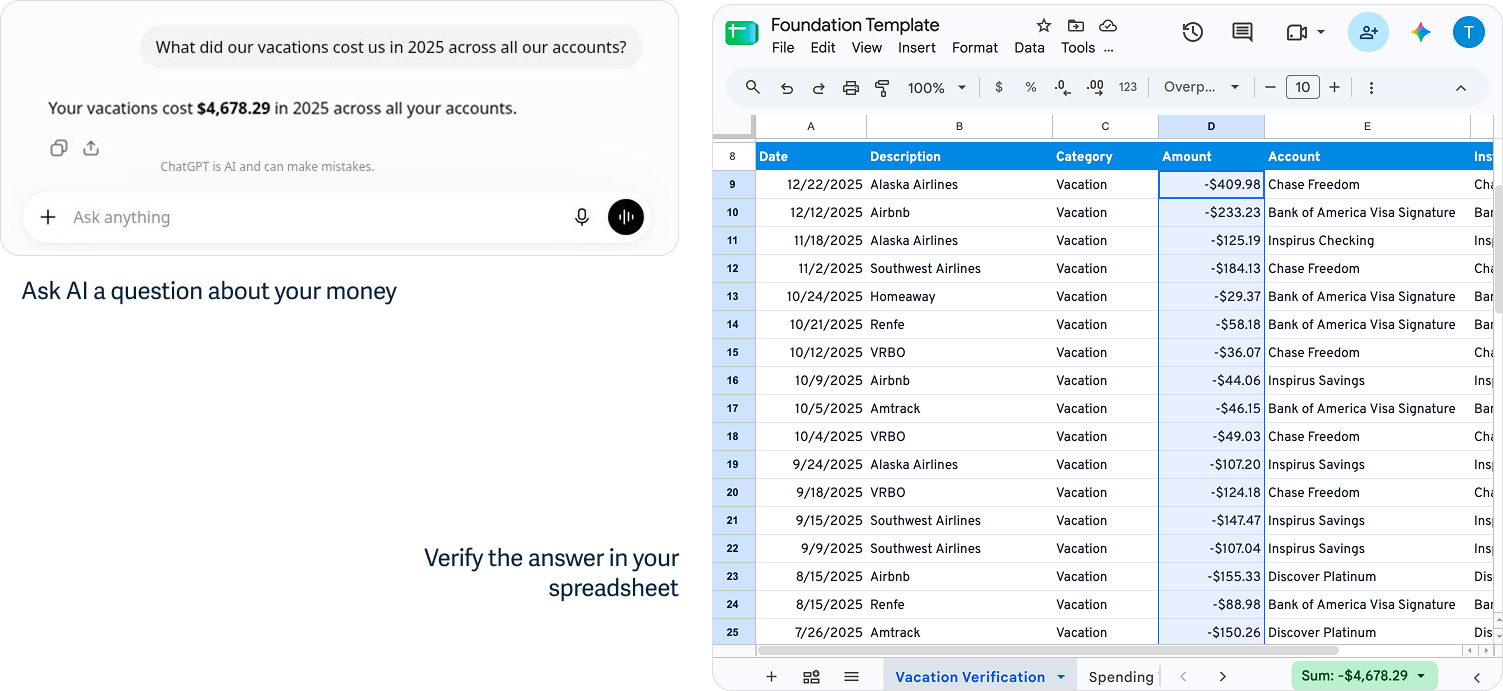
Verification
See the answer. Check the source.
AI is only as trustworthy as the source behind it. Unlike apps or MCPs, with Tiller you can verify answers directly in your spreadsheet; no export required.
Performance
Engineered for both humans and AI.
Tiller spreadsheets have transformed hundreds of millions of customer transactions into a structured source of financial truth. AI efficiently reads that structure to help you understand your money and navigate your financial life.
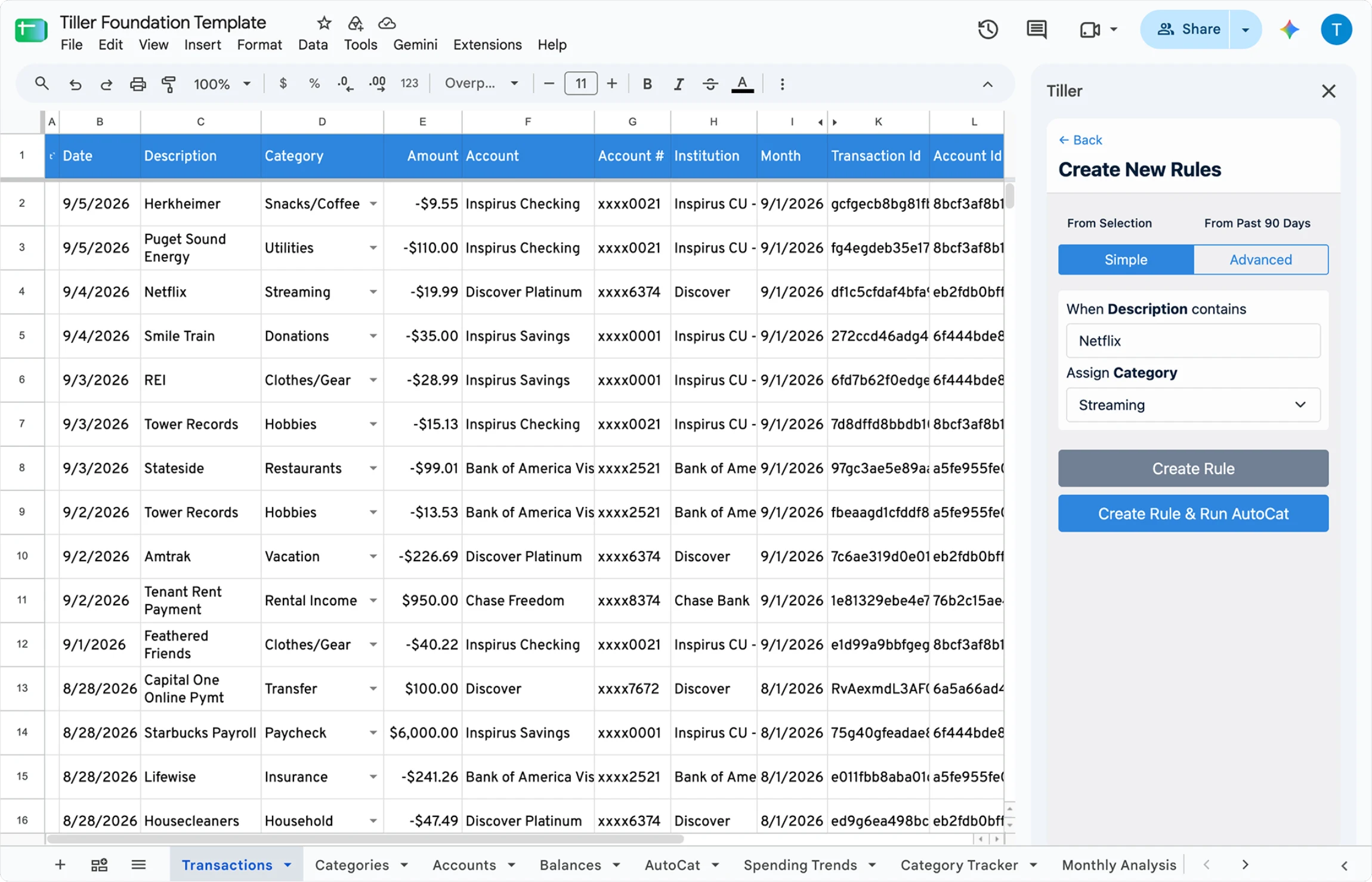
Standard headers give AI predictable fields to filter, group, and compare your financial data across institutions.
Splits, notes, category changes, and added columns inform later questions and reports
Stable Transaction, Account, and Balance IDs give AI references for account-level queries, and database-style joins.
Your category rules tell AI when a transaction is personal, reimbursable, or something else.
One consistent structure for every account. Standard headers give AI predictable fields to filter, group, and compare your financial data across institutions.
Unique IDs enable reliable matching. Stable Transaction, Account, and Balance IDs give AI references for account-level queries, and database-style joins.
Direct table queries protect context limits. Tiller’s structure lets AI query and retrieve only the exact rows it needs, reducing errors and saving token limits.
Your categories tell AI what transactions mean to you. Your category rules tell AI when a transaction is personal, reimbursable, or something else.
Dedicated balance history prevents guesswork. AI can pull historical balances from Balance History instead of calculating past balances from daily spending rows.
Saved edits carry your financial context forward. Splits, notes, category changes, and added columns inform later questions and reports
Explicit logic handles financial edge cases. Income, Expense, and Transfer labels tell AI how to process transactions, preventing transfers from being counted as new spending or income.
Separate sheets isolate raw activity from reports. Balances and Transactions are separate from budgets and dashboards so AI doesn’t confuse them with source transactions.
Spreadsheet math ensures verifiable calculations. Formulas, pivots, queries, and scripts execute directly in the sheet, letting you audit AI answers in place outside the chat.
How people are answering their money questions with Tiller and AI
“Tiller provides the structured financial data, while I use AI to help investigate unclear transactions, compare information from Tiller with bank exports, and organize receipts and warranties.” – David O., Tiller Community
“The power of Tiller is the customizations within the Google Sheets, and with AI it’s a TOTAL step change to get exactly what you want.” – Kevin B., Tiller Community
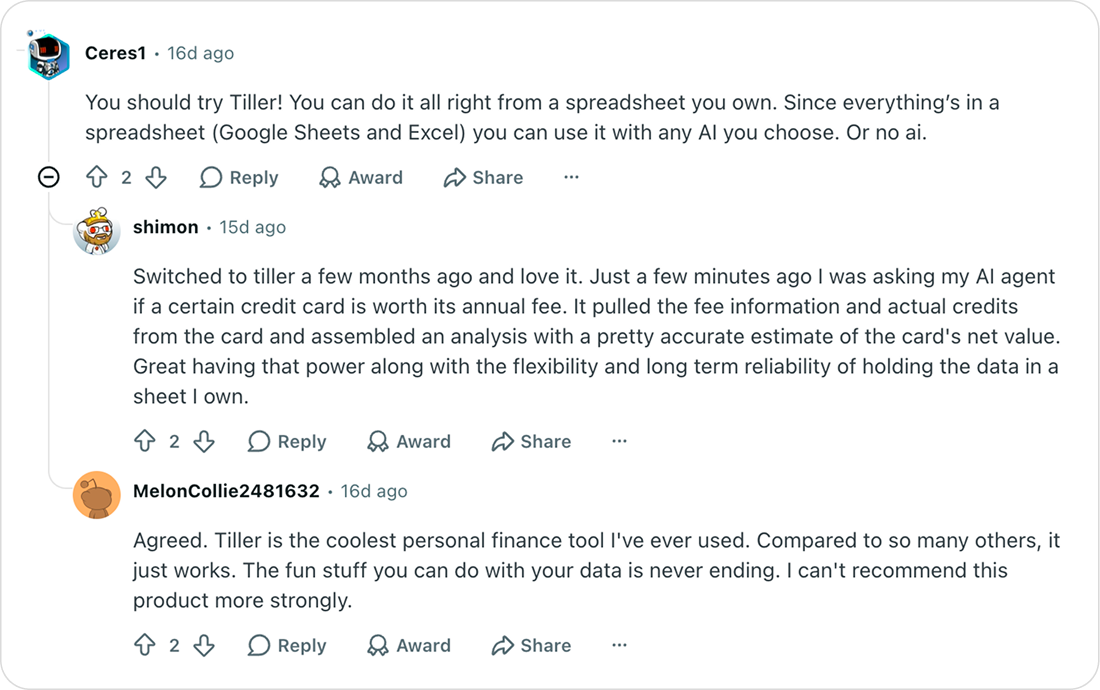
Ownership
