










Tiller Video Tour 7: Track Your Spending and Make a Monthly Budget

Tiller is the easiest way to track your spending and build a monthly budget in Google Sheets and Microsoft Excel.

Tiller is the easiest way to track your spending and build a monthly budget in Google Sheets and Microsoft Excel.

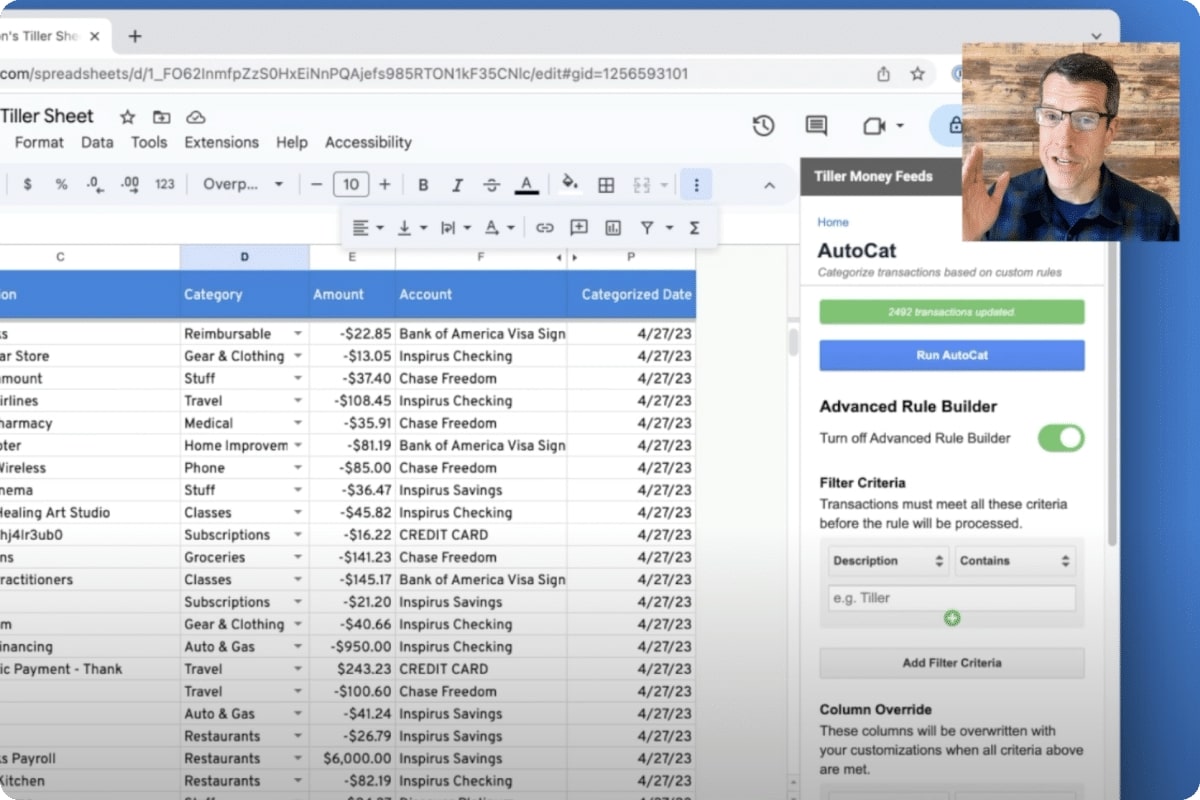
If you’ve used other budgeting tools, you were probably frustrated with their category guessing. But with AutoCat, you get to choose your categories and apply them your way.

Categories are the foundation of financial tracking. Tiller offers the flexibility to customize your categories to align with your financial priorities.

Tiller links your banks to your spreadsheets and imports your daily transactions into one unified transactions sheet. Everything is easily searched, filtered, and sorted.

One of the biggest challenges in getting clarity about your finances is getting all your financial data together in one place. That's where Tiller comes in.

Tiller's commitment to your privacy is at the core of every decision we make.

The 10 videos in the Tiller Video Tour show how to get started with Tiller, explore some of Tiller's core features, and share helpful customization options.

See how AutoCat can easily keep your transaction automatically categorized in Google Sheets and Excel

Here at Tiller, we’re considering how AI will impact our product, business operations, competitive landscape, and above all, our team and our customers.
Here's how to easily configure Tiller to track and manage shared expenses.

How to use groups, categories, and tags in your Tiller-powered spreadsheets to organize, analyze, and visualize your money, your way.

Today Tiller is excited to announce open banking support for Navy Federal Credit Union, with a better customer experience and enhanced privacy and security.