

Utilities Expense Tracker Spreadsheet
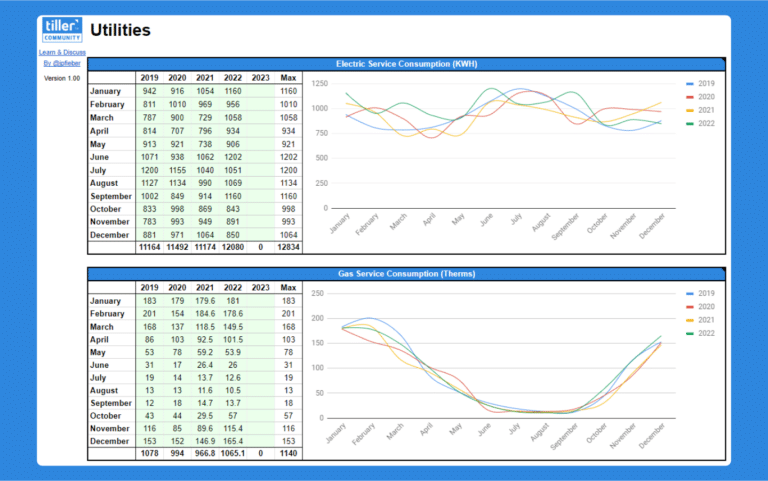
The Utilities Expense Tracker is a Google Sheets template that helps you monitor and budget electricity, gas, water, and other utility costs using your Tiller transaction data.
Paycheck Register Spreadsheet
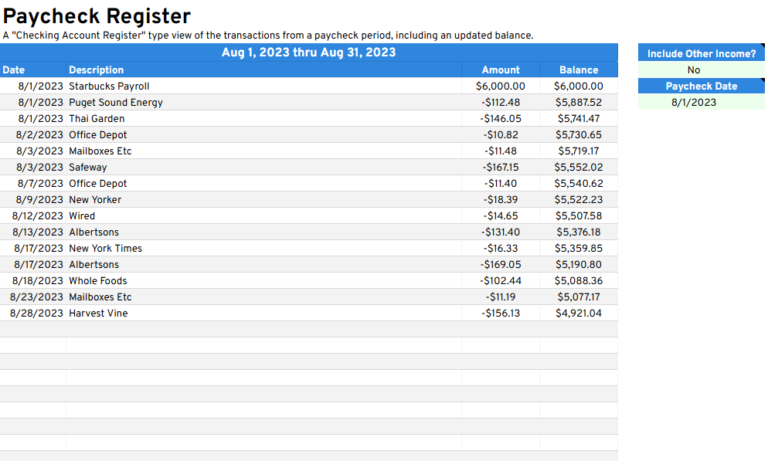
The Paycheck Register is a Google Sheets template that compares your paycheck amount against the spending you do within the same pay period.
Monthly Budget Calendar for Microsoft Excel
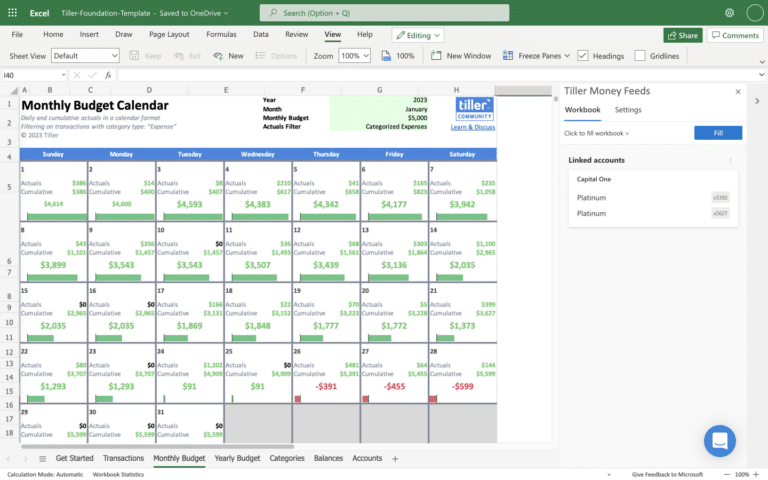
Set your monthly spending target, see your daily and cumulative spending, and know what’s available until the end of the month with the Monthly Budget Calendar for Microsoft Excel.
Savings Budget Spreadsheet
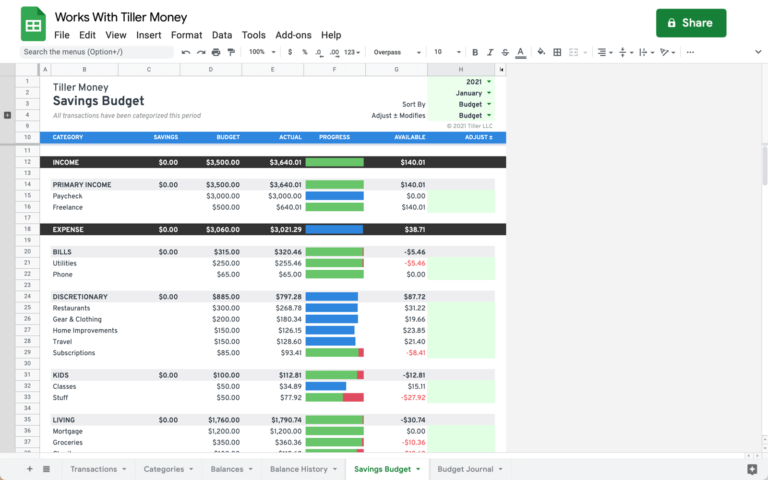
A simple envelope/rollover savings budget template for Google Sheets.
Category Tracker Report for Google Sheets
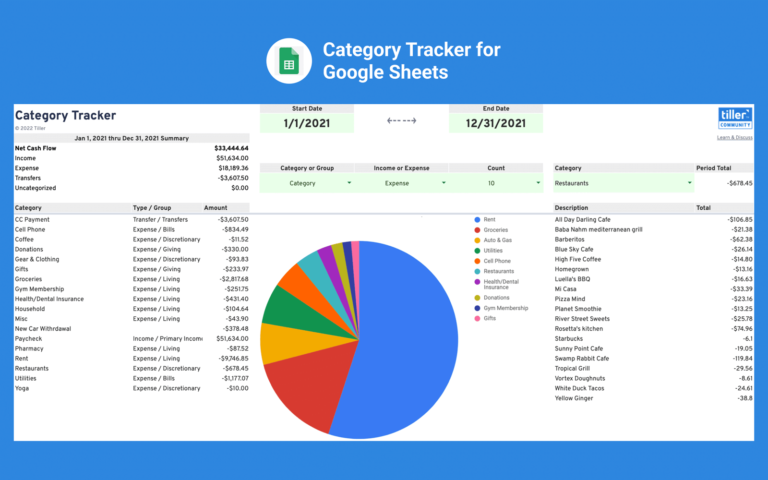
Build a pie chart visualizing your spending and income over a completely customizable date range with the Category Tracker Report for Google Sheets.
Paycheck Deductions Tracker Spreadsheet
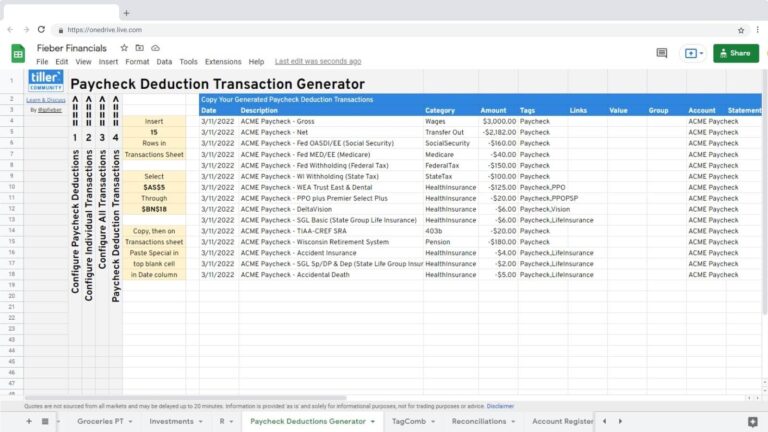
The Paycheck Deductions Tracker is an easy way to generate transactions based on the deductions taken from your paycheck so you have better insights into where your money is going.
Spending Comparison Report
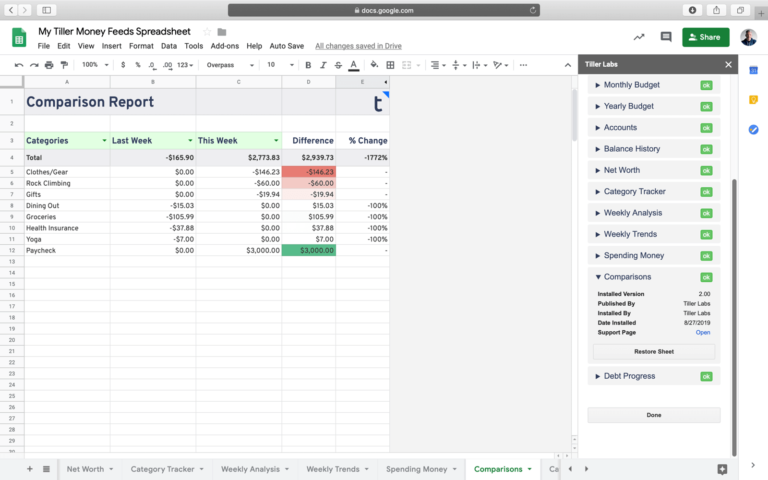
Easily compare your actual spending by category from two time periods of your choosing.
Year-to-Date Comparison Template for Microsoft Excel
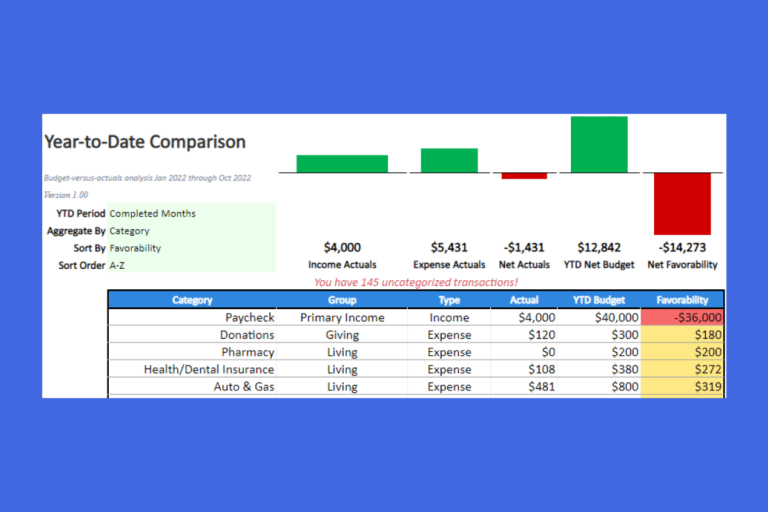
The Year-to-Date Comparison Sheet for Microsoft Excel provides budget versus actual analysis for the year-to-date period. The sheet is very simple and easy to use. It works for the current year.
Available Spending Money Report for Google Sheets
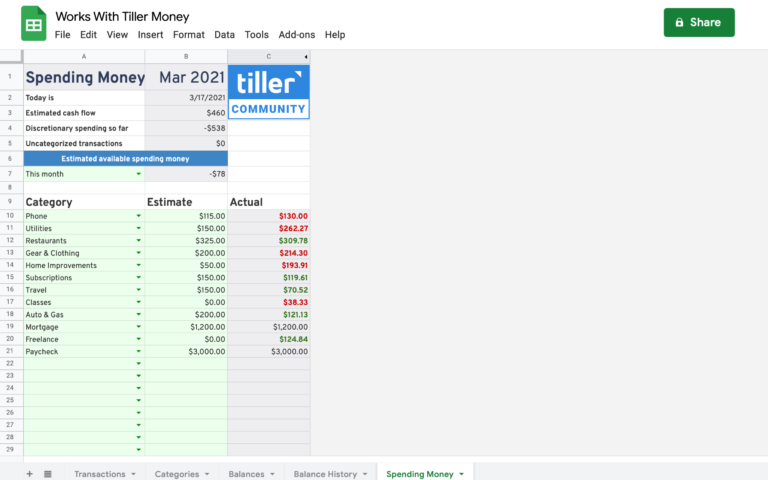
The Spending Money sheet simplifies budgeting to help you see how much you have available to spend.
Bank Statement Reconciliation Spreadsheet
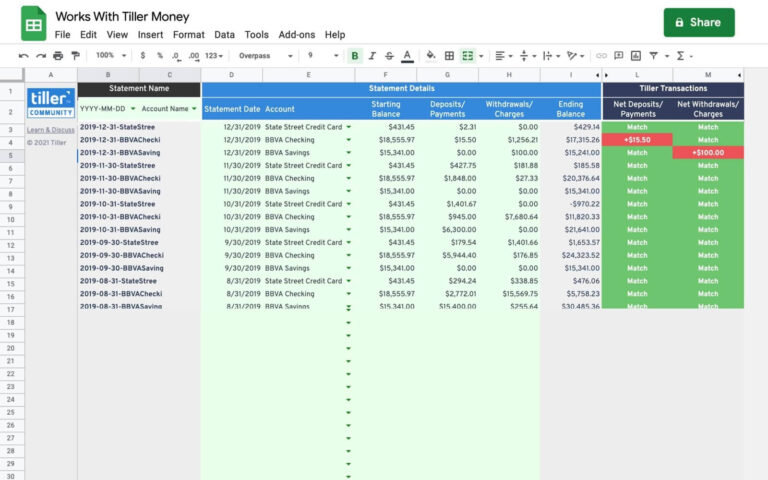
A Google Sheet template designed to assist in bank-statement reconciliation.
Cash Flow Forecast Planner for Excel
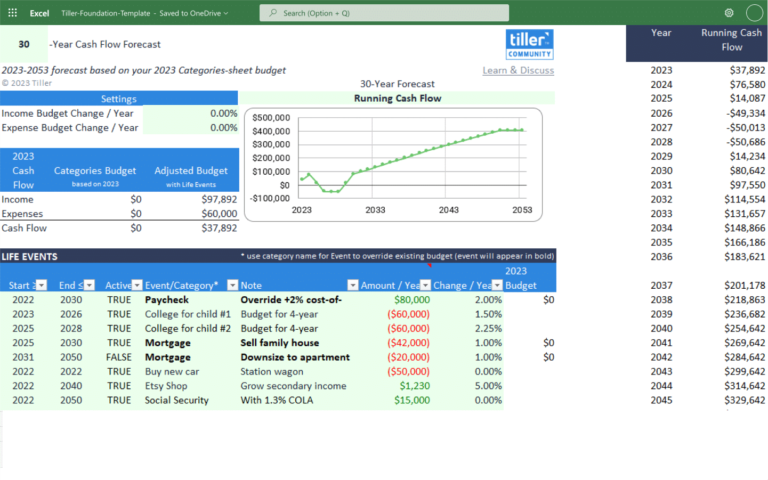
The Cash Flow Forecast planner for Excel forecasts your cash flow many years into the future. This solution allows you to test out different income/expense scenarios and view the impact of those changes over the long term.
