

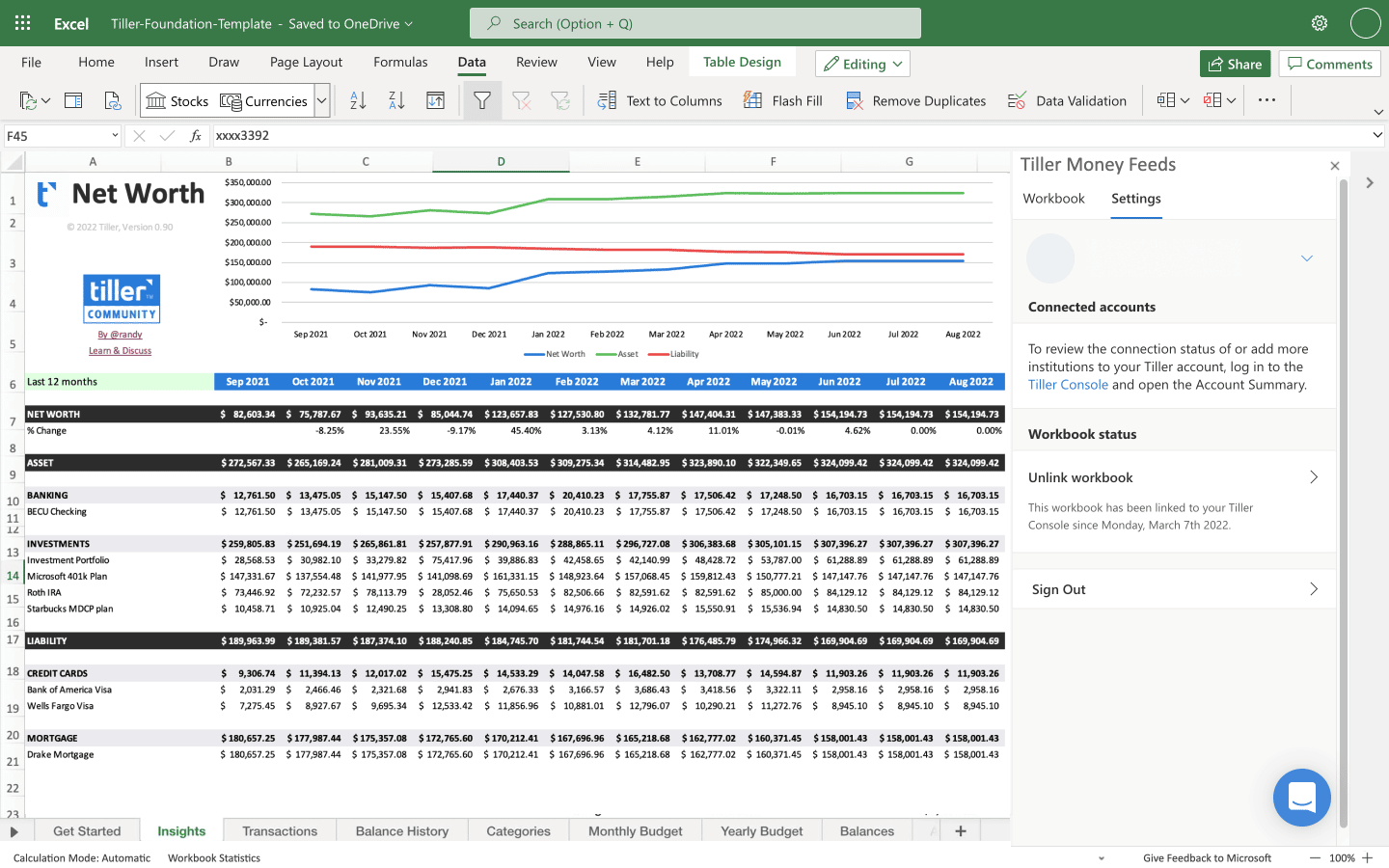
The easy-to-use Net Worth template for Microsoft Excel provides a report of your total assets and liabilities, along with a colorful graph showing your trends over a customizable time period.
Installation
This template requires a free trial or active subscription of Tiller to try.
- Launch Tiller Money Feeds
- Under Templates near the bottom, click Browse
- Find the template in the list using search or scroll to find it
- Click the template name in the list to expand its card
- Click Install to add the template to your spreadsheet
- Read more in the Tiller help center
Support & Documentation
- View documentation for the Net Worth spreadsheet for Excel here the Tiller Community
- All Tiller Community Solutions are exclusively supported in the Tiller Community



@randy - This sheet is fantastic! Last piece that was missing in my day to day tracking for the excel environment. One thing I noticed when importing my google sheets data is that the balances were just a bit off. I think I got it by adjusting the Filter function in columns AF:AQ where balance history date < EOMONTH. I was showing the balances from a day or two before the end of the month, rather than the true EOM date, so I made the comparison ‘<=’, which looks to have resolved it for me.
I could be wrong, I’ve only been working in the sheet for about 30 minutes!
Thanks for letting me know, @Y10der. Just published an update.
How does the custom date works? Overwrite the formula in cell B12 or Cell R2 and R3?
I am trying to download the Net Worth Sheet but the instructions here point to the category tracker. What am I missing?
Similar issue… but if you click on the Category Tracker it willl download v0.90 of the Net worth Tracker, although v0.91 is the latest…