Bill Payment Tracker for Google Sheets
The Bill Payment Tracker keeps you on top of upcoming bills with a chronological due-date list, paid/unpaid tracking, and automatic payment history pulled from your Tiller Transactions sheet.
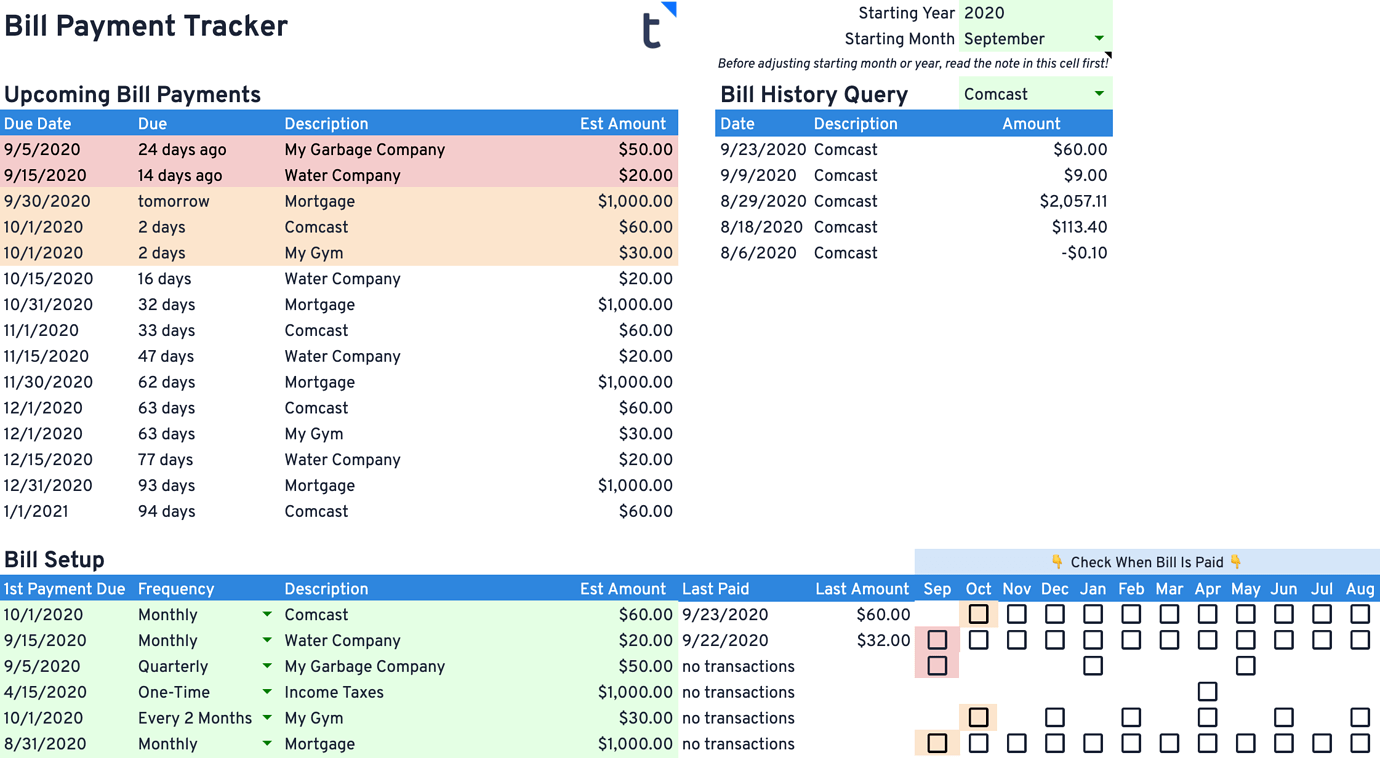
The Bill Payment Tracker is designed to keep you informed about your upcoming bill payments. Enter your bills once, and the sheet builds a running list of what’s due next, flags anything overdue or coming up soon, and shows your payment history for each payee.
This sheet is built for people who write checks or manually pay bills through their bank’s bill pay system. If all your bills are on autopay, this tracker probably isn’t necessary.
This template is also available for Excel.
Benefits
- Easy, one-time setup per bill
- A chronological list of your next 15 upcoming bill payments
- A simple checkbox system to mark bills as paid
- Automatic Last Paid / Last Amount detail for each payee, pulled from your Transactions sheet
- Detailed bill history for any selected payee
- Works with Monthly, Every 2 Months, Quarterly, Twice a Year, Yearly, and One-Time bills
- Doesn’t require Tiller to use, but integrating with your Tiller Transactions sheet unlocks payment history matching
A quick word of caution: this tracker is a tool to help you stay organized — it isn’t a payment system. Read the instructions carefully and be sure to check the correct box when you pay a bill. Tiller isn’t responsible for a missed payment while using this sheet.
Installation
This template requires a free trial or active subscription of Tiller to install.
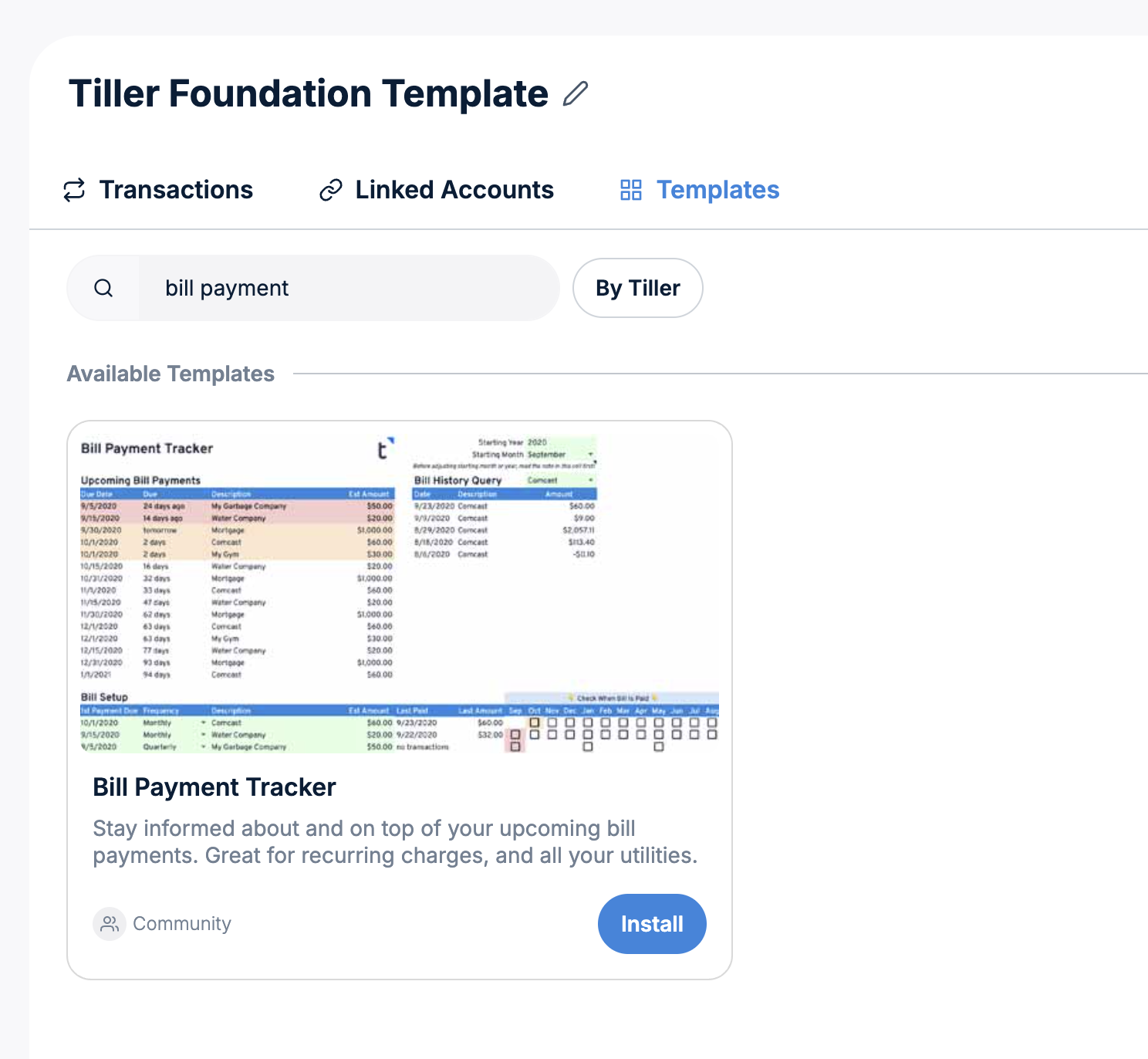
- Visit the Tiller Console
- Select the Google Sheet in the left navigation where you want to install this template.
- Click Templates near the top of the sheet.
- Find the template in the list using search or scroll to find it
- Click the Install button
- Read more in the Tiller help center
How It Works
Enter your recurring and one-time bills in the Bill Setup section, along with a starting year and month for tracking. From there, the sheet automatically calculates your next 15 Upcoming Bill Payments — overdue bills appear in red, and anything due within 7 days appears in yellow.
When you pay a bill, check the box for that bill and month, and it drops off the Upcoming list. If you’re using Tiller’s Transactions sheet, the Last Paid and Last Amount columns update automatically by matching the bill’s description against your transaction history.
Full setup instructions, formula details, and guidance on changing your start date are available in the Tiller Community documentation.
Support & Documentation
- All community-built are exclusively supported in the Tiller Community
- View documentation for the Bill Payment Tracker here in the Tiller Community
- See also 5 Free Bill Tracker Spreadsheets for Google Sheets and Excel
Bill Payment Tracker FAQ
Do I need Tiller’s Transactions sheet to use this tracker?
No. The Bill Payment Tracker works as a standalone due-date list even without Tiller. But if you connect it to your Tiller Transactions sheet, it automatically fills in Last Paid and Last Amount for each bill and lets you pull up recent transaction history for any payee.
What bill frequencies does it support?
Monthly, Every 2 Months, Quarterly, Twice a Year, Yearly, and One-Time bills are all supported.
What if I have multiple bills to the same payee in one month?
Set up separate bill entries (e.g., “Payee 1” and “Payee 2”) and adjust the matching descriptions in your Transactions sheet accordingly so each one tracks independently.
Does this template have any dependencies or special requirements?
It works best when installed as part of Tiller’s Foundation Template.
Have questions about this template?
Review the Support and Documentation section above to learn how to get support for this template in the Tiller Community.