


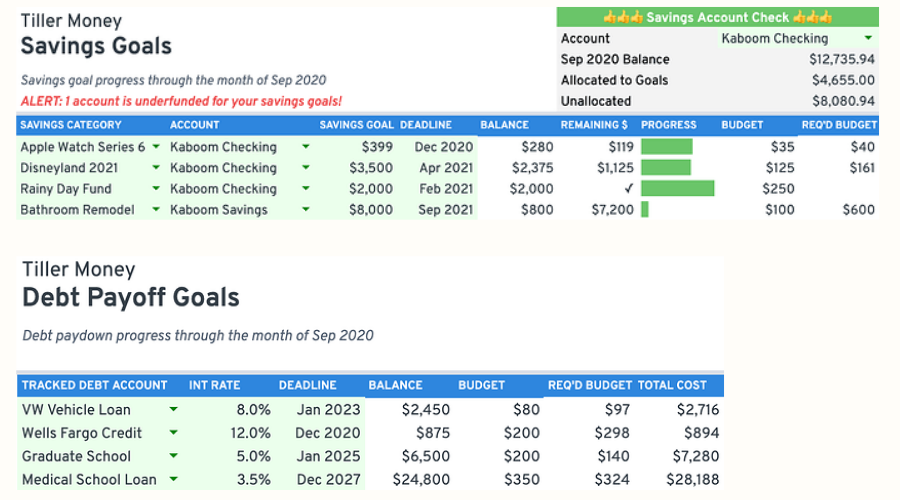
About the Savings Goals and Debt Payoff Tracker
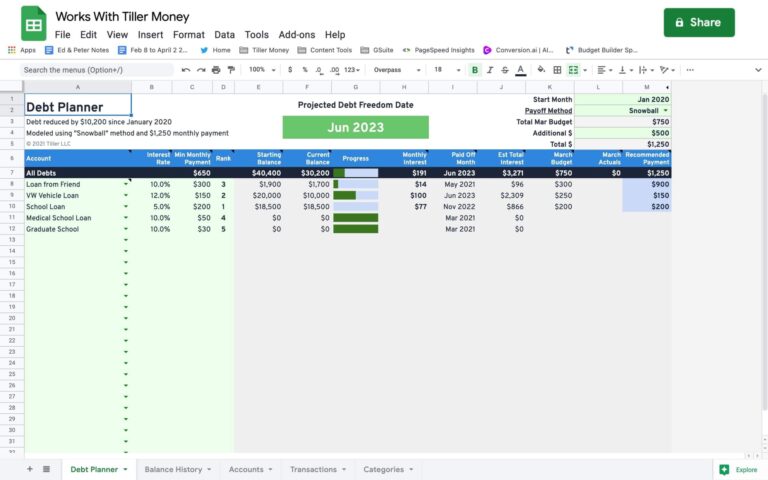
The Savings Goals and Debt Payoff Tracker gives you a dedicated dashboard for managing financial goals alongside your everyday budget. Set savings targets with deadlines, track progress against each goal, and see whether your current budget is on pace to get you there. On the debt side, add interest rates and payoff deadlines to calculate exactly what you need to budget each month and the total cost of each loan.
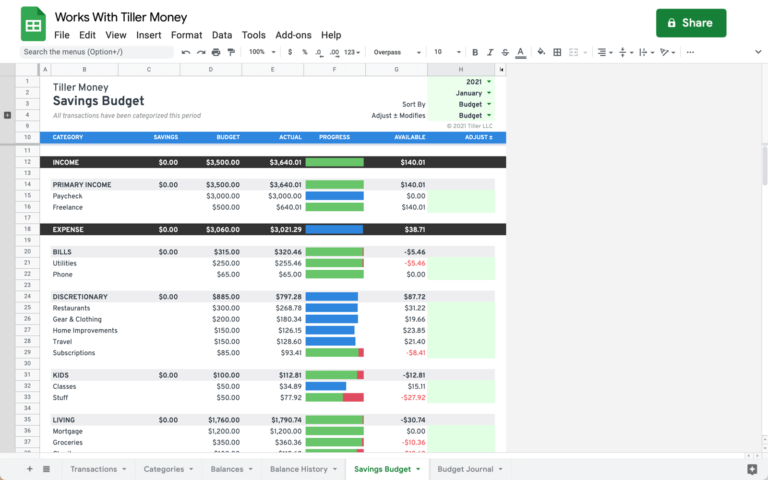
The template runs on top of the Savings Budget solution; you’ll need that installed first. Once it’s in place, the tracker adds a goal-management layer that connects directly to your categories and transaction data, with no manual entry required.
Best for: Tiller users who are actively working toward specific savings targets or debt payoff goals and want to track progress within their existing budget spreadsheet.
Support & Documentation
Install the Savings Goals and Debt Payoff Tracker through the Tiller Community Solutions add-on. Find it under the Savings tag in the Explore tab.
Note that the Savings Budget solution must be installed first.
For full setup instructions, usage details, and community discussion, visit the Savings Goals and Debt Tracking thread in the Tiller Community. If you run into an issue, search the community first, and if your question hasn’t been answered, post it in the Get Help > Spreadsheet Templates category.

Start the discussion at community.tillerhq.com