
Tiller Resource Center > Spreadsheet Financial Systems
Net Worth & Cash Flow Spreadsheets
How to use a spreadsheet to see your complete financial picture—what you own, what you owe, and how money moves through your life over time.
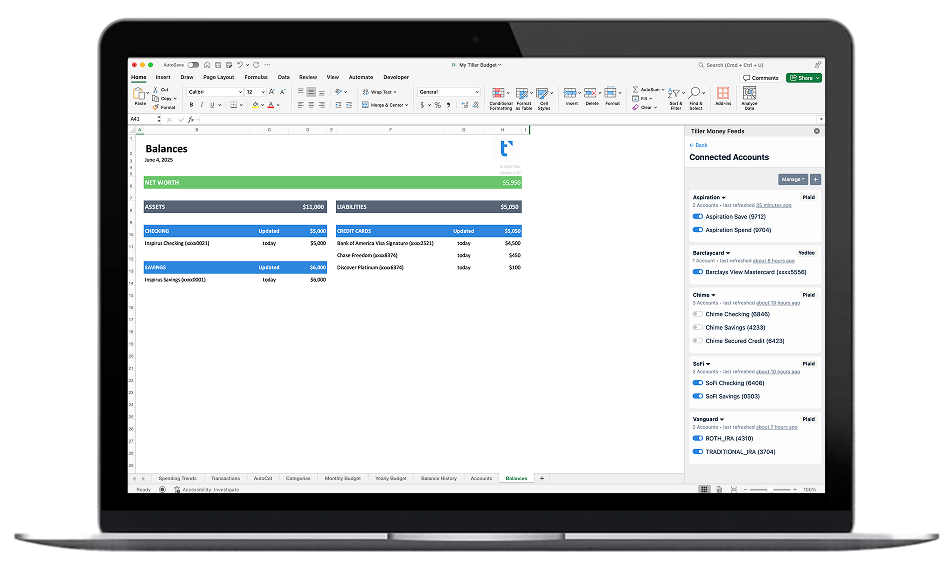
Budgets track spending. Net worth and cash flow systems track something bigger: your overall financial trajectory.
Net worth is the difference between everything you own (checking, savings, investments, property) and everything you owe (credit cards, loans, mortgage). Tracked regularly in a spreadsheet, it becomes a progress line—a single number that rises as your savings grow, your investments compound, and your debt shrinks. Many people find it more motivating than any budget category.
Cash flow is about timing: when money arrives, when bills come due, and whether you’ll have enough to cover what’s coming. A cash flow spreadsheet doesn’t just show what you spent—it helps you look ahead, plan for irregular expenses, and avoid the surprise shortfalls that derail even good budgets.
Together, these two views give you a complete picture of your financial life—not just where you are today, but where you’re headed. This hub covers the guides, templates, and system setups for building both in a spreadsheet, with options for manual tracking and automated data feeds.
Start with these guides:
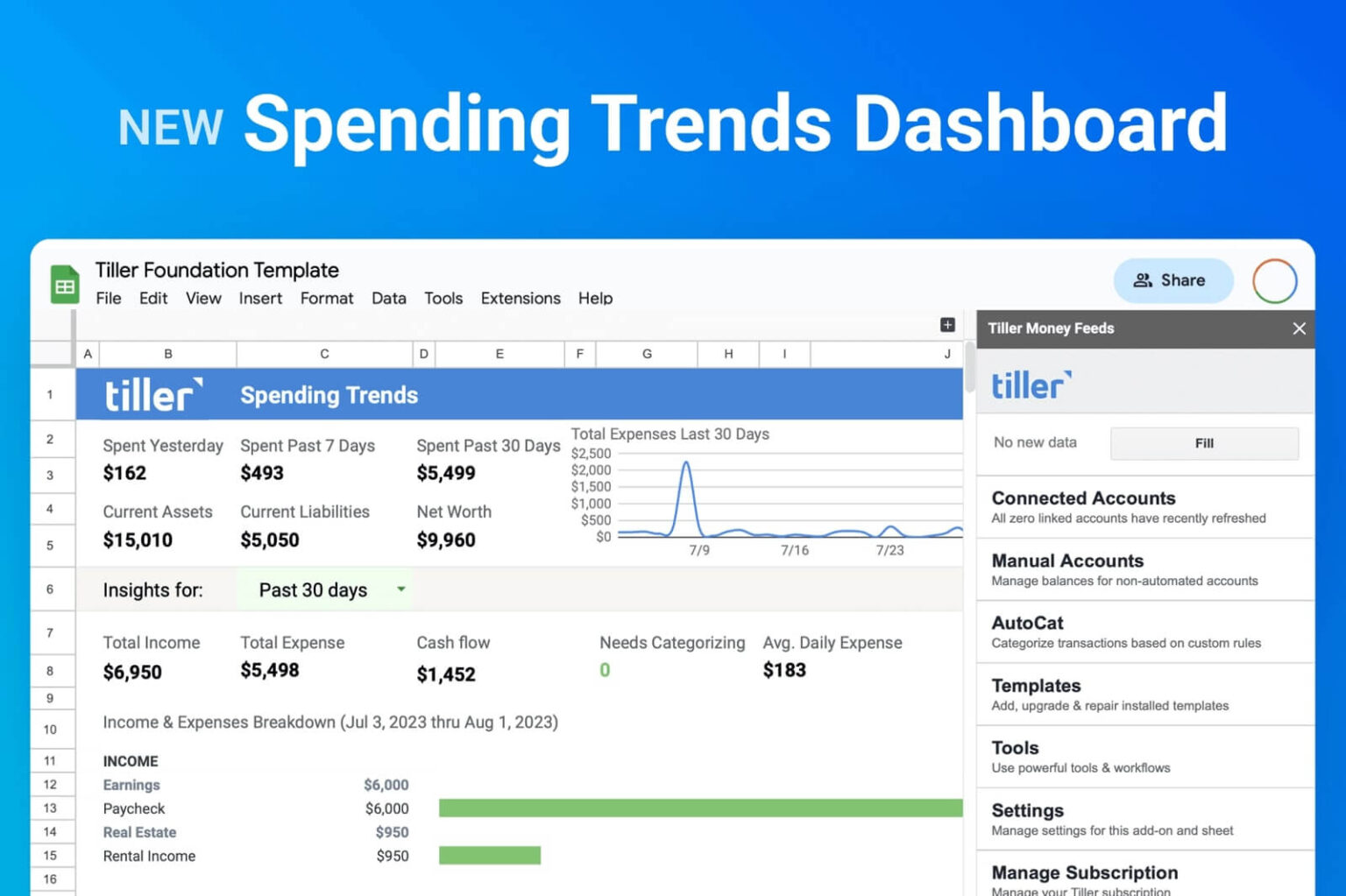
New Spending Trends Dashboard for Google Sheets and Microsoft Excel
This page introduces Tiller’s new Spending Trends dashboard, designed for Google Sheets and Microsoft Excel. It helps users effortlessly track their spending, providing a clear overview of where their money goes. The dashboard includes a snapshot of recent spending, a chart of expenses grouped by categories, and a visualization of expenses over 30 days. It aims to solve the common problem of lacking clarity about spending and underestimating daily expenditures.

How to Make a Free Investment Tracking Spreadsheet
This article explains how to create a free investment tracking spreadsheet to monitor your portfolio’s performance. It highlights the benefits of using a spreadsheet, such as consolidating investment information and easily comparing performance against benchmarks. The guide also details how to evaluate asset allocation against your investment strategy using Google Finance data. A functional example template is provided, along with instructions on how to customize it for personal use.

Build a Complete Net Worth Tracking System in a Spreadsheet
A comprehensive guide to setting up a net worth tracker that pulls in all your accounts—assets and liabilities—and shows you how your financial position changes over time.

Automated Cash Flow Management in a Spreadsheet
How to use a spreadsheet (with automated transaction data) to manage cash flow actively—tracking money in vs. money out, timing your bills, and staying ahead of shortfalls.
Cash Flow Planning Spreadsheets
Forward-looking cash flow planning—how to project income and expenses weeks or months ahead so you can plan with confidence and avoid surprises.

Long-Term Financial Tracking in Spreadsheets
How to build a spreadsheet that captures your financial history over months and years—tracking progress toward goals, year-over-year comparisons, and financial milestones.
Net Worth vs. Budget: Why Both Matter
A budget tells you how you’re spending. Net worth tells you whether it’s working.
You can follow a perfect budget every month and still make slow financial progress—if your income isn’t growing, if investment returns are modest, or if you’re carrying high-interest debt. Net worth tracking makes all of that visible. It catches things a budget doesn’t: a dip in your investment portfolio, slow debt paydown progress, or the compound effect of consistent savings month after month.
Cash flow adds the time dimension. Even people with healthy finances can hit rough patches when irregular expenses—car repairs, insurance premiums, holiday spending—cluster together or when income has a slow month. A cash flow view helps you anticipate these moments instead of reacting to them.
Used together, a budget (what you’re spending), a net worth tracker (what you’ve built), and a cash flow planner (what’s coming) form a complete financial picture. The guides in this hub help you build each piece, and show how Tiller’s automated data feed keeps all three current without daily manual effort.

More Spreadsheet Financial System Guides
Net worth and cash flow are one piece of the Spreadsheet Financial Systems Resource Center. The other hubs cover:
- Budgeting in Spreadsheets — Setting up and maintaining a monthly budget system in Google Sheets or Excel, from first categories to automated workflows
- Automated Personal Finance in Spreadsheets — Building a complete, automated financial system that connects your accounts and keeps everything current automatically.
