Automated Cash Flow Management in a Spreadsheet
Build an automated cash flow management
system in Google Sheets or Excel. Track when money comes in and goes out so you always know what you can afford and when.

Tiller Resource Center > Spreadsheet Financial Systems > Net Worth & Cash Flow Spreadsheets
You can follow a budget perfectly — spending less than you earn every month — and still get hit with an overdraft charge. It can happen when your car payment lands three days before your paycheck, or when a quarterly insurance premium arrives at the worst possible moment. That’s not a budgeting problem. It’s a cash flow problem.
And while cash flow management is different than budgeting, you can use similar principles to manage your cash flow — and ease the stress around not having a payment come when you don’t have adequate money to pay it.
What cash flow management actually means
Budgeting focuses on what you spend. Cash flow management focuses on when money moves.
The core question isn’t “Am I spending too much on groceries?” It’s “Will I have enough in my checking account to cover the 15th-of-the-month rent payment, given that I don’t get paid until the 20th?”
You can stay perfectly within every budget category and still run short of money on a specific day if your income timing doesn’t align with your expense timing. Cash flow management solves this timing problem that budgeting doesn’t address.
Cash flow can be challenging especially for people with irregular income — freelancers, commission earners, seasonal workers — but it’s relevant to anyone juggling multiple bill due dates, large periodic expenses like annual insurance or property tax, or accounts spread across different institutions.
Building a cash flow view in your personal finance spreadsheet
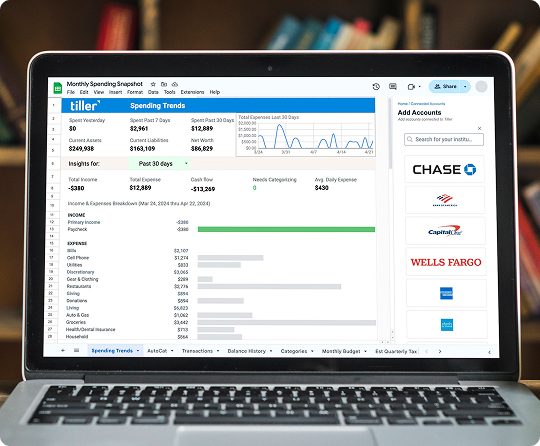
The foundation of a cash flow spreadsheet is a timeline. Instead of organizing by category the way a budget does, you organize by date.
The basic structure: Set up one row per day or week ahead. Give yourself four columns:
- Date — the day or week in question
- Income — expected money coming in (paycheck, client payment, transfer)
- Expenses — expected money going out (bills due, recurring payments, estimated variable spending)
- Running Balance — your projected account balance after income and expenses
The running balance formula is straightforward. Your first row starts with your current account balance. For each row after that:
=Previous Balance + Income – Expenses
This creates a forward-looking view of your account balance for every day or week ahead. Here’s a simple example:
| Date | Income | Expenses | Running Balance |
| Jan 13 | — | $1,200 (rent) | $2,100 |
| Jan 15 | — | $180 (utilities) | $1,920 |
| Jan 20 | $3,400 | — | $5,320 |
| Jan 25 | — | $420 (car payment) | $4,900 |
Any row where the running balance drops below a threshold you choose — say, $500 — is a warning sign. Add conditional formatting to highlight those rows in red, and your early warning system runs itself.
Handling variable and irregular income
For salaried employees, cash flow planning is mostly about mapping bill timing to pay dates. For freelancers and variable earners, it can determine whether you’re able to pay a bill on time.
The key principle: Plan your essential expenses around your minimum expected income, not your average. Look at your lowest-income month over the past year. Make sure your non-negotiable bills (rent, utilities, insurance, loan payments, etc.) can be covered on that baseline. When a larger payment arrives, allocate it to pre-fund upcoming weeks rather than treating the surplus as available to spend.
A practical example: Say you’re a freelancer who typically earns $5,000–$8,000 per month, but your lean months have come in at $3,200. Your essential monthly expenses total $2,800. Build your cash flow plan around the $3,200 baseline. That way, you’re not scrambling any particular month. And when a $7,000 month arrives, you’re adding to your runway.
The runway calculation: Divide your current liquid account balance by your average weekly expenses. The result tells you how many weeks of expenses you can cover without any new income. Knowing your runway at any given moment is one of the most useful — and calming — numbers a cash flow view can give you. (It might also be a number you want to add to your master spreadsheet dashboard.)
Automating your cash flow tracker
The fundamental weakness of a manual cash flow tracker is out-of-date data. Your running balance projection is only as accurate as your starting balance — and if you haven’t updated your records recently, your “current balance” is a guess, not a fact. For cash flow management, you absolutely need current data.
This is where automation makes a real difference.
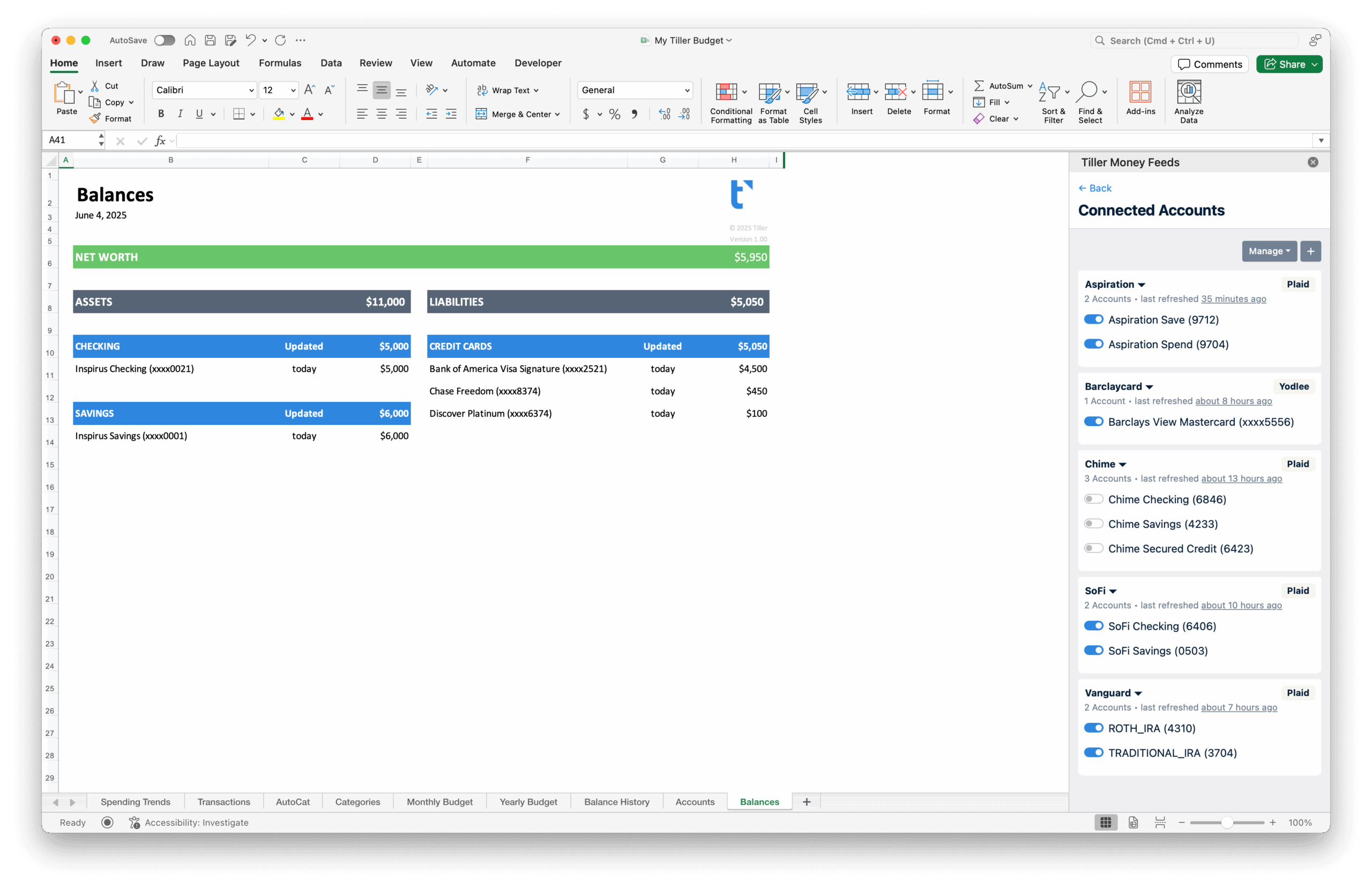
Tiller connects your bank accounts, credit cards, and investment accounts to your Google Sheets or Excel spreadsheet and delivers actual transactions automatically each day. Every morning, your transactions from the previous day are already in your sheet.
This matters for cash flow planning in two ways. First, your starting balance is always accurate — which means every projection you build from that number is grounded in reality. Second, Tiller’s Balance History sheet captures daily account balances automatically over time, giving you a retrospective view of your actual cash flow patterns. Which months did you run lean? Which weeks had big outflows? How seasonal is your spending, really? That historical data makes your future projections much more useful.
When you combine Tiller’s automated actual balances with your manually entered future bills and income projections, you have the ideal system to manage your cash flow.
Using cash flow data to make decisions
A cash flow view isn’t just for monitoring, though. It’s a decision-making tool.
Timing large purchases. Instead of guessing whether you can afford something this week, look at your running balance projection. Your cash flow view shows you the best time to make a big purchase: after a paycheck lands, or before a cluster of bills comes due.
Shifting bill due dates. If your projection shows three large bills landing in the same week, call your providers. Most utilities, insurance companies, and lenders will change your due date with a single request. Moving a $200 bill from the 5th to the 25th can turn a tight week into a comfortable one.
Timing savings transfers. Move money to savings on the days your running balance peaks — right after income arrives, before the bulk of monthly expenses hit. Your cash flow view shows exactly when that peak is.
Early warning. If your projection shows a shortfall two weeks from now, you have two weeks to adjust: pick up extra work, delay a discretionary purchase, or move money between accounts. That’s the difference between proactive management and reactive scrambling.
Frequently asked questions
What is the difference between cash flow management and budgeting?
Budgeting focuses on what you spend — setting limits by category and comparing actual spending to those limits. Cash flow management focuses on when money moves — making sure you have enough in your account on the specific days expenses are due. You can follow a perfect budget and still have cash flow problems if income timing doesn’t align with expense timing. Cash flow management solves that timing problem.
How do I build a running balance in Google Sheets or Microsoft Excel for cash flow tracking?
Set up a timeline with one row per day or week. Column A = date, Column B = expected income, Column C = expected expenses, Column D = running balance. Your first row’s balance is your current account balance. For each row after: =D2+B3-C3. Add conditional formatting to highlight any row where the balance drops below your minimum threshold.
How do I manage cash flow as a freelancer with irregular income?
Build your expense plan around your minimum expected income, not your average. When larger payments arrive, allocate them forward to pre-fund upcoming weeks. A running balance formula in your cash flow tracker makes this visual — you can see exactly which weeks are covered and which need attention, so you’re adjusting proactively rather than reacting to a near-zero balance.
How does automating transaction data improve cash flow management?
Manual cash flow tracking depends on an accurate starting balance. If you’re behind on entering transactions, your “current balance” is fictional — and any projection built on it is unreliable. Tiller solves this by automatically importing daily transactions from all connected accounts, so your actual balance is always current. Your starting point for any projection is accurate, which makes your forward-looking estimates meaningfully more reliable.