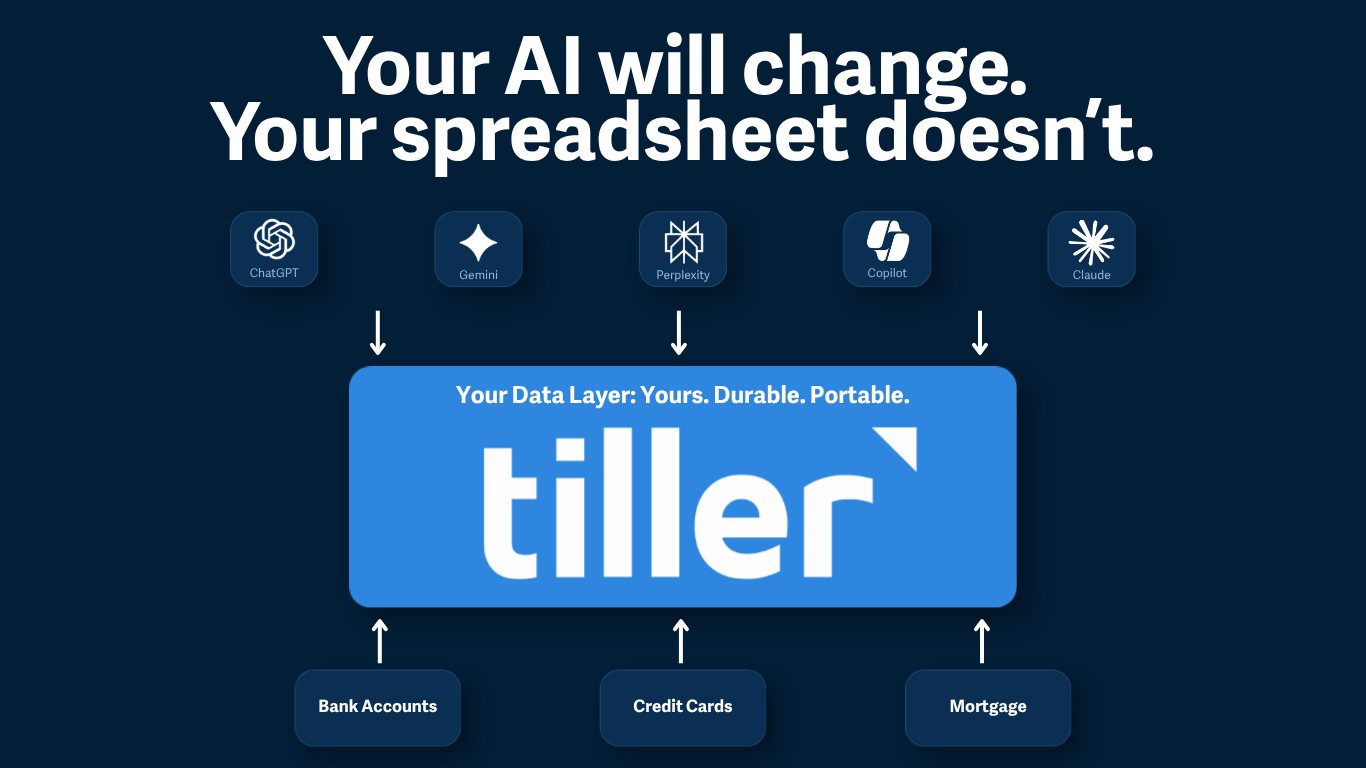
Bank connections got a major upgrade
Tiller now supports both Plaid and Yodlee, so when one aggregator struggles with your bank, you have a second path to try. A new Data Cleanup workflow for Google Sheets makes it easy to clean up any overlapping data.
An update on our continued commitment to reliable bank connections, what’s changed, and what it means for your spreadsheet.
In January 2023, Peter wrote about where Tiller was headed. One line in that post has shaped our roadmap since:
“Our vision is simple: every customer should be able to reliably, easily, and persistently connect all of their banks to their spreadsheets with Tiller.”
Peter also wrote about how we planned to get there: doubling down on our integration with Yodlee and additional aggregators to add redundancy to our coverage.
Since then, we’ve made several big wins with our bank feeds, and we’re excited to finally share them.
Why bank connections break
Bank connections are notoriously difficult, and some banks make it hard to access data reliably. For years, Tiller customers have dealt with bank connections that sometimes worked and sometimes didn’t. Longstanding bank outages. Feeds that quietly disconnected and never came back. And no easy way to clean up the data if you decide to remove and re-add.
Banking aggregation as a method to pull your financial data is challenging, especially for sites that don’t yet support open banking. The bank changes the website layout or the login security protocol, and the connection breaks.
Open banking dramatically improves this brittleness, but it will be years before every financial institution supports this type of connection. We talked about this in a recent post.
Given our reliance on our data aggregation partners for connectivity, we focused on what we could solve. As a tool you rely on for your financial picture, we know how important it is to maintain reliable connections to your banks, credit cards, and everything in between.
What changed: Plaid, Yodlee, and Data Cleanup
Yodlee is stronger. We’ve continuously invested in our integration with Yodlee to ensure we’re taking advantage of the latest they offer. For the majority of Tiller customers, Yodlee still does exactly what it’s supposed to do: connect reliably, refresh consistently, and stay out of the way. We’ve found it works exceptionally well with open banking connections like Bank of America, Chase, Wells Fargo, and the largest U.S. Banks.
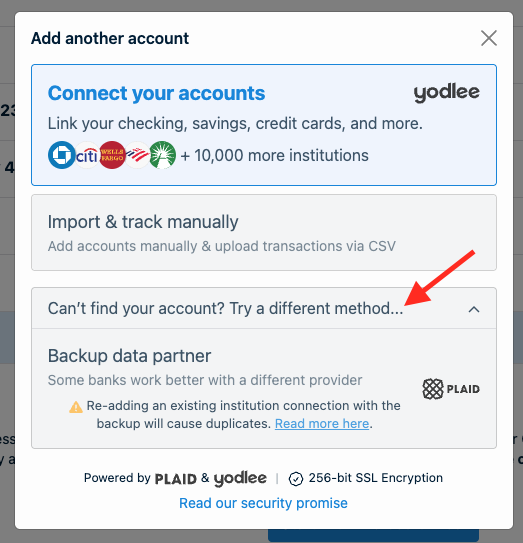
We’ve added Plaid as an additional data partner. We know that having more coverage across multiple aggregators is the best way to ensure you can reliably get all your financial data into Tiller. Some banks work better with Plaid. Others work better with Yodlee. If one aggregator struggles with a specific bank, the other one is now there for you to try. You choose the path that works best for your bank from your Tiller Console.
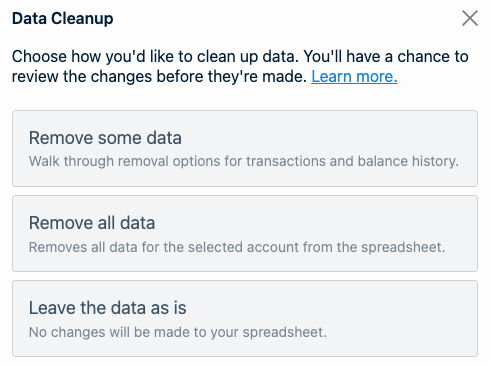
If you have a problematic connection and find success with the other aggregator, there’s now an easy way to clean up the data in your sheet. If you reconnect an account through a different aggregator, there’s now an easy way to clean up any overlapping data. The new Data Cleanup workflow in Direct Fills Google Sheets handles the transition so you don’t have to untangle it by hand.
Learn more about Data Cleanup →
What this actually means for your spreadsheet
If your connections are working well, nothing changes. You don’t need to do anything. We recommend you leave everything as is.
If you’ve had a bank that’s been flaky, you now have a second path to try. Add the connection via the backup data partner, test it for a week on a fresh sheet if you want to be cautious, and if it works, the Data Cleanup workflow will help you handle the transition. We recommend these steps if this is you.
If you’ve been avoiding reconnecting an account because of the data mess it would create, that blocker is gone.
If you’re on a Sidebar Fills sheet and these tools sound useful, Data Cleanup is available for Google Sheets powered by Direct Fills. You can upgrade when you’re ready
What’s still true
Connections still fail sometimes. Some banks remain stubborn regardless of which aggregator you use. We’re not claiming this is finished.
But a more reliable architecture is in place. When something breaks, there’s now a path forward: a second aggregator to try, an easier path to transition, and a team that’s still investing in making it all better.
A note on Excel: Tiller for Excel and Tiller for Google Sheets are intentionally different experiences built around what makes each platform great. Data Cleanup is a Google Sheets workflow designed for how Direct Fills operates. We’re continuing to invest in the Excel add-in because it plays to Excel’s real strengths. The experiences are different, but each excels in its own way. You can find our best practices for removing duplicates in Excel here.

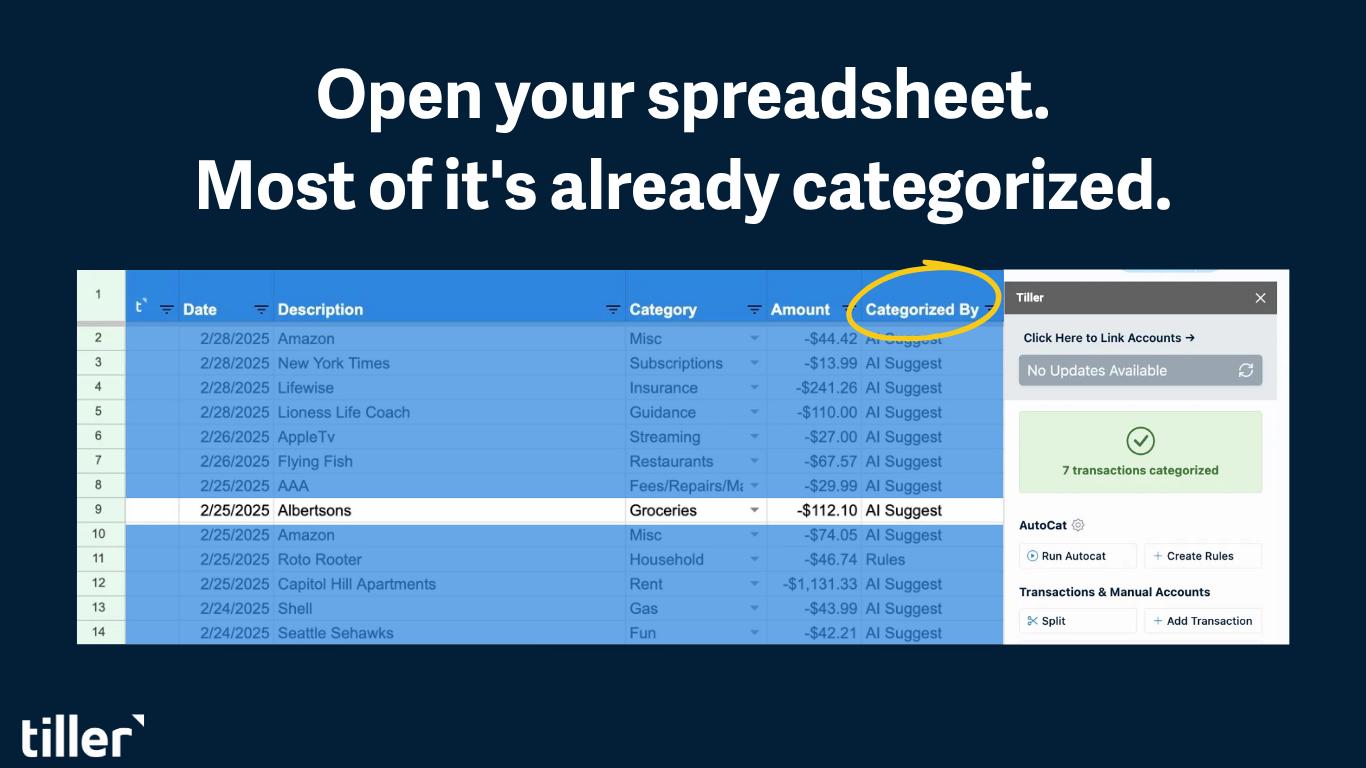
Open your spreadsheet. Your work is already done.
Your bank data flows in automatically. Your categories apply themselves. You just open your spreadsheet and make decisions.
Frequently Asked Questions
Does Tiller use Plaid or Yodlee?
Both. Tiller uses Yodlee and Plaid as data partners. Some banks work better with Plaid, others with Yodlee. You can choose the path that works best for your bank from your Tiller Console.
Why do bank connections break in Tiller?
Banking aggregation is challenging for sites that don’t yet support open banking. When a bank changes its website layout or login security protocol, the connection can break. Open banking dramatically improves this, but it will be years before every financial institution supports it.
What is Data Cleanup in Tiller?
Data Cleanup is a new workflow in Direct Fills Google Sheets that handles the transition when you reconnect an account through a different aggregator. It cleans up any overlapping data automatically, so you don’t have to untangle it by hand.
How do I switch from Yodlee to Plaid (or vice versa) in Tiller?
Add the connection through the other aggregator from your Tiller Console. If you want to be cautious, test it for a week on a fresh sheet. If it works better, the Data Cleanup workflow handles the transition.
Is Data Cleanup available for Excel?
No. Data Cleanup is a Google Sheets workflow designed specifically for how Direct Fills operates. Tiller for Excel and Tiller for Google Sheets are intentionally different experiences, and Tiller continues to invest in the Excel add-in separately.