

Budgeting in a spreadsheet gives you more control over your financial system than any app. But “budget in a spreadsheet” covers a wide range of tools — from a blank Google Sheets or Excel file to fully automated platforms that import your bank transactions daily. This guide covers the best options at every level, from free templates to automated feeds, so you can find the right fit for your money management.
How spreadsheet budgeting tools break down
The clearest way to sort these tools is by how much work you do versus how much the tool does for you.
There are three tiers of spreadsheet budgeting tools.
- Free templates — Pre-built Google Sheets or Excel files with no automation. You enter transactions yourself. Best for light use or people just starting out.
- Community and paid templates — More sophisticated templates with formulas, dashboards, and structure built in. Still manual data entry, but more capable out of the box.
- Automated platforms — Tools that connect to your bank accounts and credit cards and import transactions automatically into a spreadsheet. Same flexibility as a template, but the data layer is handled for you.
The main thing that separates tiers 1 and 2 from tier 3 is automation. Most people who stick with spreadsheet budgeting long-term eventually move to tier 3 — manual entry is where systems break down.
Free Google Sheets budget templates
Google Sheets is the most popular platform for spreadsheet budgeting, and there’s a solid ecosystem of free templates to start with. There are three main sources of templates.
Google’s built-in templates. Google Sheets includes several free budget templates — Annual Budget, Monthly Budget, and a few others — accessible directly from the template gallery. They offer basic structure and category groupings and are a solid starting point for anyone brand new to spreadsheet budgeting.
Vertex42. Vertex42 is one of the most widely used sources for free Excel and Google Sheets budget templates. Their library includes monthly budgets, annual budgets, debt snowball trackers, net worth calculators, and more. Their templates are well-structured, clearly labeled, and free to download. If you want a more polished starting point than Google’s built-ins, check out Vertex42.
Tiller’s free downloadable templates. Tiller offers free Google Sheets budget templates, including a zero-based budget template, a monthly budget, and others. These are specifically designed to pair with Tiller’s automated data feed, but they work as standalone templates without it.
The limitation of free templates. Every free template on this list requires manual transaction entry. For occasional use or light budgeting, that’s fine. For daily or weekly tracking across multiple accounts, manual entry is the single most common reason people eventually abandon their spreadsheet budget system.
Free Excel budget templates
Most of what applies to Google Sheets templates applies here, too. Microsoft offers free Excel budget templates on Office.com and within Excel itself — with a basic structure, common categories, and manual entry. The same Vertex42 templates are available in Excel format.
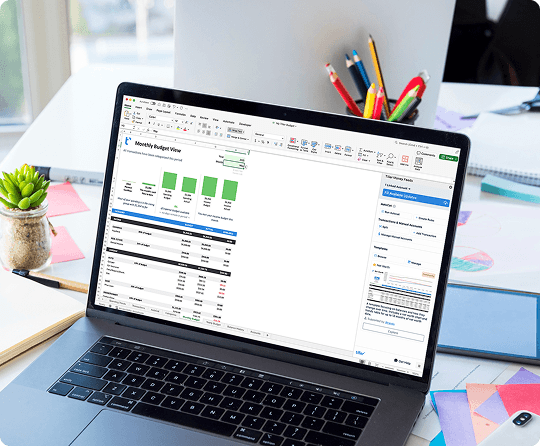
Tiller’s Foundation Template is also available for Excel; it’s the only automated Excel budget workbook officially recommended by Microsoft. The limitation is the same as with free Google Sheets templates: every transaction requires manual entry unless you add Tiller’s automated feed. For occasional use that’s manageable. For tracking multiple accounts consistently, manual entry is the friction point that eventually breaks the habit.
Browse the best free Excel budget templates.
Paid and community budget templates
Between free templates and fully automated platforms sits a middle tier of spreadsheets that are more polished, more structured, and often more time- or money-intensive.
Tiller Community Templates. The Tiller Community has contributed dozens of free templates for Tiller subscribers — spending trends dashboards, debt payoff trackers, savings goal trackers, envelope budgeting, net worth trackers, and more. These work best with Tiller’s automation but can often be used even without it.
Creator templates. A number of creators sell polished Google Sheets and Excel budget templates, typically in the $10–$30 range, on their own websites or on platforms like Etsy. Quality varies significantly — look for templates with recent reviews and a clear update history before purchasing. These are generally well-designed, with clean dashboards and thoughtful category structures. They still require manual data entry, but if you want something that looks and feels more intentional than a default template, they’re a reasonable middle ground.
Paid templates without automation have the same limitations as free ones. The design is better, but the data entry problem remains.
Automated spreadsheet budgeting tools
The biggest reason spreadsheet budgets fail isn’t the spreadsheet — it’s manual transaction entry. Entering transactions from bank statements or CSV downloads is time-consuming and tedious. But reviewing and categorizing those transactions is how you stay aware of where your money is going. Automation removes the burden of manual entry, freeing you up to focus on review and strategy.
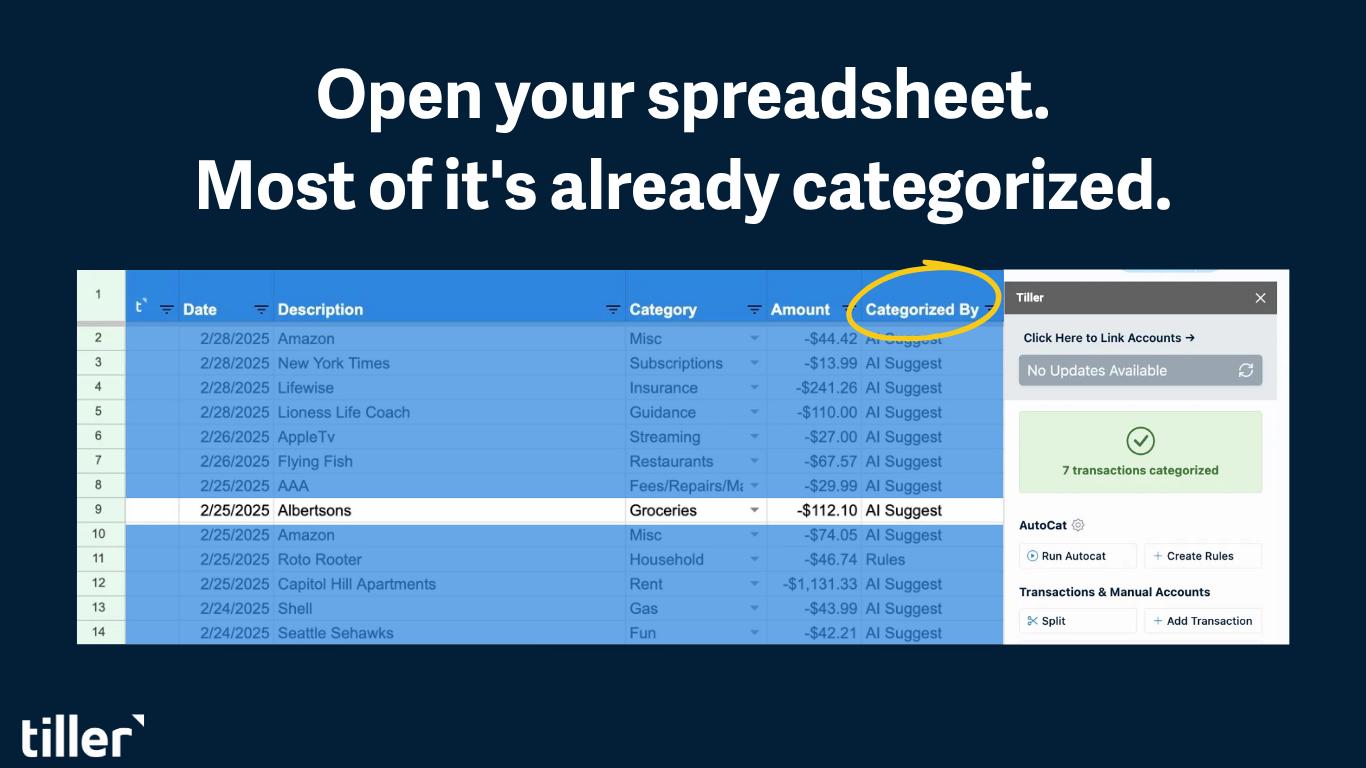
Automated spreadsheet tools connect to your bank and credit card accounts via secure APIs, import new transactions daily or in real time, and deliver them to your spreadsheet. Data collection is handled so that you only have to review, categorize, and analyze.
Tiller — The only tool built specifically to connect your bank accounts to a spreadsheet you own. Connect your accounts once and transactions from every linked institution arrive in your Google Sheets or Excel file every morning — already formatted and ready to categorize. The Foundation Template gives you a budget, transaction log, and net worth tracker as a ready-to-use starting point, and everything is customizable from day one. At $99/year it’s less expensive than most dedicated budgeting apps, with a 30-day free trial. Learn more about how Tiller works.
YNAB (You Need a Budget) — App-based budgeting built around zero-based methodology with strong CSV export options. The budgeting happens inside YNAB’s interface rather than natively in a spreadsheet. $109/year. Full comparison of Tiller and YNAB.
Monarch — A polished all-in-one budgeting app with export options for spreadsheet users. Like YNAB, it’s app-native rather than spreadsheet-native. $99.99/year. Full comparison of Tiller and Monarch.
Why Tiller is the recommended choice for serious spreadsheet budgeters
Tiller is the only tool that combines bank automation with full spreadsheet ownership and customization. Connect your accounts once, and transactions arrive every morning. You spend a few minutes reviewing and categorizing, and your budget and net worth update automatically.
The Foundation Template gives you a ready-to-use starting point with a budget, transaction log, and net worth tracker built into a single Google Sheet or Excel spreadsheet. But it’s completely customizable from day one. Categories, formulas, dashboards, and additional sheets are all yours to modify, extend, or rebuild from scratch. The Tiller Community library adds dozens more templates for you to use or modify to fit your needs.
Your Google Sheets or Excel file belongs to you. If you cancel Tiller tomorrow, your entire financial history stays in place with no exports or migration needed. The only thing that stops is the daily transaction feed.
How to choose the right tool
Not sure which tier fits? Here’s the short version:
- Just starting out or budgeting occasionally: Start with a free Google Sheets or Excel template — Google or Microsoft’s built-in options or Tiller’s free downloads. Get comfortable with spreadsheet budgeting before committing to a paid tool.
- You want a polished template but still manual: A paid community template or Vertex42 is a good middle ground. Expect to eventually outgrow the manual entry.
- You want to budget consistently and seriously: Tiller. The automation solves the one thing that breaks manual systems, and the spreadsheet gives you the flexibility that apps can’t.
Frequently asked questions
What is the best spreadsheet for budgeting?
For serious, consistent budgeters, Google Sheets Or Excel paired with Tiller is the strongest option. It combines the flexibility of a spreadsheet you own with automatic daily transaction imports from your bank accounts. For occasional or lighter use, Google Sheets’ or Excel’s built-in budget templates or free templates from Vertex42 are good starting points.
Is Google Sheets or Excel good for budgeting?
Yes. Google Sheets and Excel are among the most capable budgeting platforms, particularly when combined with a tool like Tiller to automate transaction imports. On their own, they work well if you’re comfortable with manual transaction entry. Add an automated data feed, and they become fully functional, customizable personal finance systems that rival any dedicated app.
What is the difference between a free budget template and Tiller?
A free template supplies categories, formulas, and a budget layout, but you enter every transaction yourself. Tiller supplies the same structure (through the Foundation Template and community templates) and also connects to your bank accounts to import transactions automatically each day. The template is the layout; Tiller is the layout plus an automated data feed.
How do I automate my budget spreadsheet?
The most reliable way to automate a budget spreadsheet is to use Tiller, which connects your financial accounts to Google Sheets or Microsoft Excel and automatically populates daily transactions and account balances. Once connected, new transactions appear in your spreadsheet each morning. Then you review and categorize them, and your budget updates in real time. No manual data entry is required.
What is the best free budget spreadsheet?
The best free budget spreadsheets are Google Sheets’ built-in monthly and annual budget templates (accessible from the template gallery), Excel’s built-in templates, Vertex42’s free Excel and Google Sheets templates (vertex42.com), and Tiller’s own free downloadable templates. All require manual transaction entry. If you want automation without manual entry, Tiller’s paid plan ($99/year) adds a live bank data connection to any of these templates.
Does Tiller work with Microsoft Excel?
Yes. Tiller has a Microsoft Excel add-in in addition to its Google Sheets add-on. Both connect to the same bank accounts and deliver the same daily transaction and balance data.
Is Tiller worth it for budgeting?
For anyone who wants to budget seriously and consistently in a spreadsheet, Tiller is worth it. At $99/year, it costs less than most competing budgeting apps, and it eliminates manual transaction entry, the most common reason spreadsheet budgets get abandoned. The 30-day free trial lets you connect your accounts and test the automated approach before committing.