Managing finances across multiple accounts is time consuming and prone to errors or pieces getting missed. You check your bank’s app, your credit card app, your investment account, your loan servicer’s website, and maybe more. Getting a complete picture of your finances requires logging into several different places and doing the math in your head.
A single spreadsheet that consolidates all of it—checking, savings, credit cards, investments, loans—solves that fragmentation. Now, all your finances are in one place that you can customize to what works best for you.
Why one spreadsheet for everything?
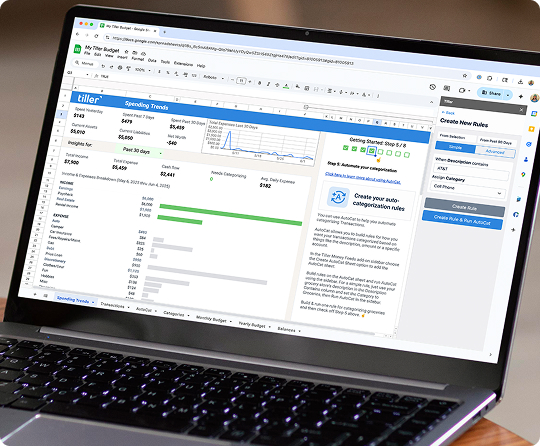
Managing all your finances in one spreadsheet means a single file serves as your financial command center: total cash balance across all accounts, total debt, spending across all credit cards, net worth—everything is visible at once without switching between apps or websites.
This can have a huge impact on your finances. You can’t make a confident financial decision when your information is fragmented. “Can I afford this?” requires knowing your current checking balance, your credit card balance, and what large expenses are coming up. That’s data spread across multiple institutions. A unified spreadsheet brings it all together, and you can create views that give you charts and tables to give you a quick summary of everything.
Spreadsheets are particularly good at this because you control the structure. You decide what to show, how to group it, what formulas to calculate, and what charts to display. No app will show you exactly the combination of numbers you care about in the best view for you to analyze—but a spreadsheet you built will.
What to include in your financial spreadsheet
There are several basics that every financial spreadsheet should include.
Track daily (via transactions):
- Checking account spending
- Credit card charges
- Any cash transactions you want to capture
Track monthly (via balances):
- Checking and savings account balances
- Credit card balances and total utilization
- Investment account values (brokerage, 401k, IRA)
- Loan balances (mortgage, student, auto)
- Net worth (total assets minus total liabilities)
Track as needed:
- Monthly income (each paycheck or payment received)
- Recurring bill schedule and due dates
It’s helpful to separate your finances this way because transactions are high-frequency data that changes daily, while balances are snapshot data that’s most meaningful when recorded monthly. Your spreadsheet should handle both—a Transactions sheet for the daily flow, an Accounts sheet for the monthly snapshot.
Getting data from multiple accounts into one sheet
This is the core challenge of managing all finances in one spreadsheet. There are three approaches, each with their own tradeoffs.
Manual approach: Log into each account, find the transaction history or current balance, and enter the data into your spreadsheet yourself. For two accounts, this is manageable. For six or more accounts—especially if you want weekly updates across all of them—it becomes a significant ongoing time commitment. Most people doing this manually find themselves updating inconsistently, which defeats the purpose.
Semi-automated approach: Some banks allow scheduled email summaries or offer limited integrations with tools like IFTTT. These help at the margins but rarely cover all your institutions or provide complete transaction data. Or you can download CSV files that your bank provides and copy them into your spreadsheet. This can be challenging because not every institution provides the same information in the same way, so you often have to manually adjust the CSV files before you can copy them.
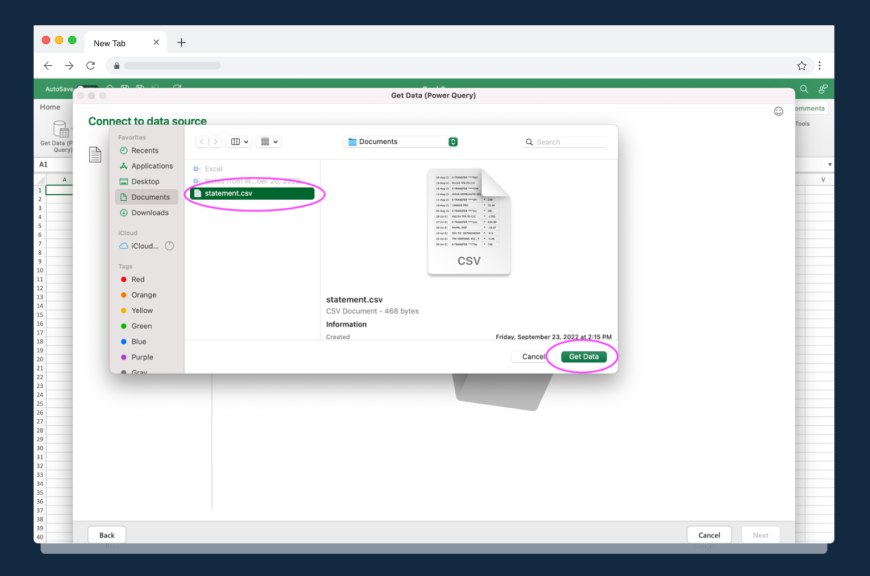
Fully automated approach: Tools like Tiller connect to all your financial institutions and deliver transactions from every account—checking, savings, credit cards, investments, loans—into one spreadsheet daily. You connect your accounts once, and then Tiller handles everything after that.
If you have more than two or three accounts, this is transformative. It can save you hours of manual data entry and make you less likely to fall behind in tracking your finances.
Organizing your unified spreadsheet
A well-organized multi-account spreadsheet typically has four sheets:
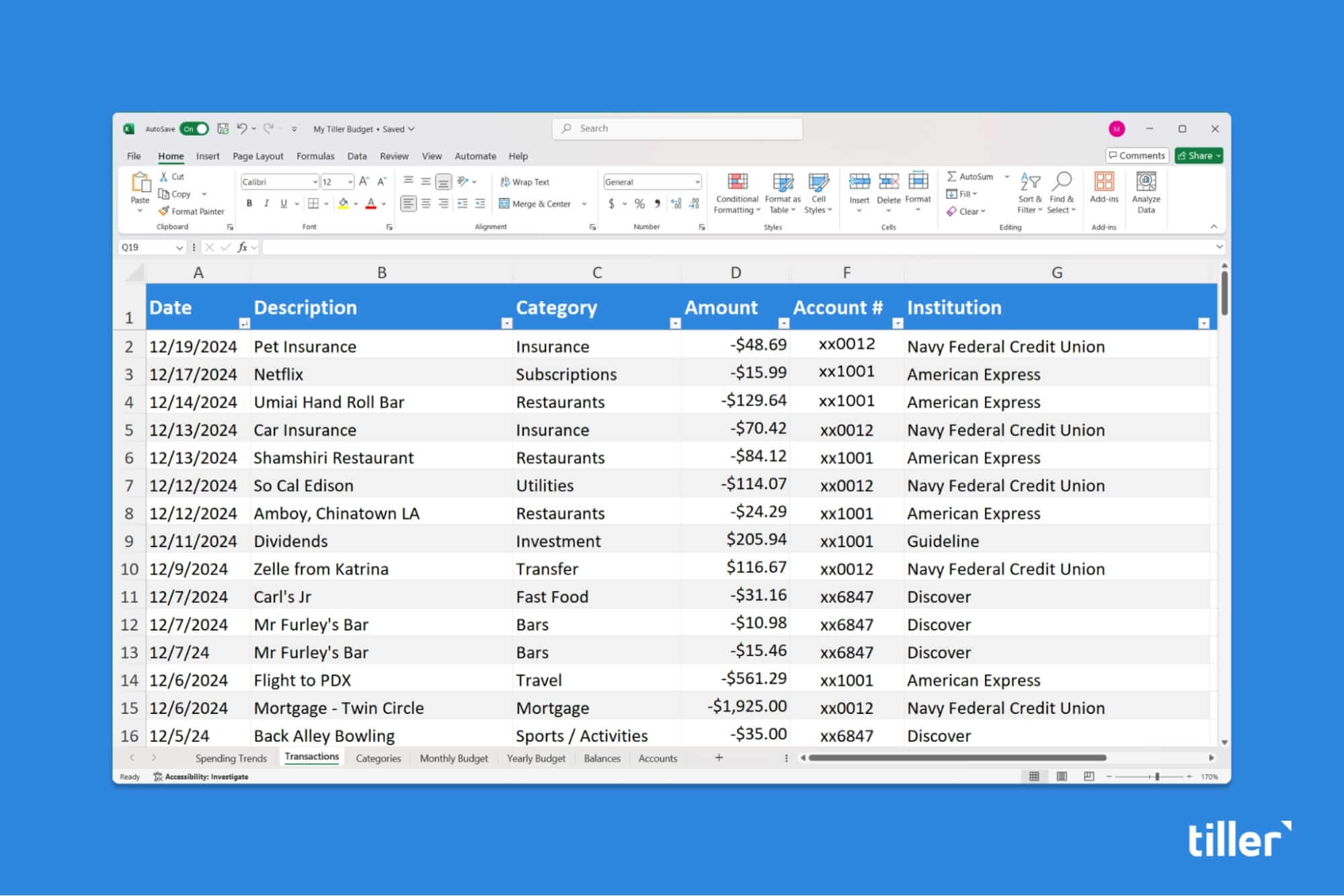
Transactions—All transactions from all accounts go in one sheet. An Account column lets you track each entry by institution, so you can filter by account or analyze across all of them. Separate sheets per account make analysis significantly harder. Also include a Categories column to track each transaction.
Accounts—This sheet shows current balances for every account, grouped by type (liquid assets, investments, debts). This is your net worth snapshot and your balance overview. Update this sheet monthly.
Budget—This sheet has your planned spending by category vs. actual, connected to your Transactions sheet via SUMIF formulas. Because all transactions are in one sheet with an Account column, you can see spending across all credit cards and accounts combined, or filter by account. If you track categories, you can also show your spending in each category.
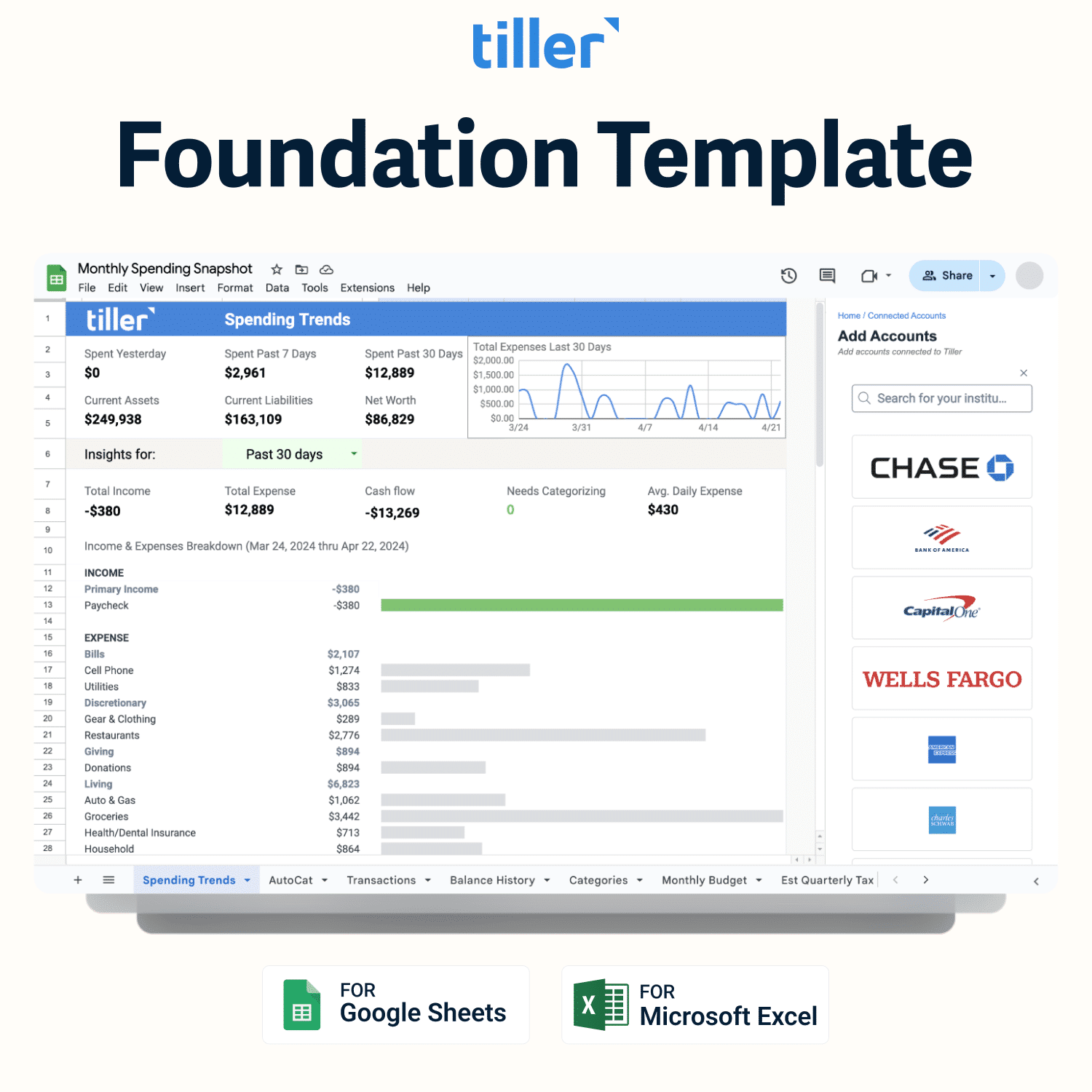
Dashboard—This sheet provides a summary view: total liquid cash, total debt, monthly spending rate, net worth, and any charts you want to keep visible. It’s a way to see all of your critical numbers in one place.
A note on data validation: Add a dropdown to the Category column on your Transactions sheet and another to the Account column. Consistent category names are essential for SUMIF to work correctly. Consistent account names let you filter by institution reliably. Dropdowns prevent the typos that break both.
Tiller’s Foundation Template—The Foundation Template is Tiller’s automated spreadsheet that has these sheets and several more already built in. And both Tiller and the Tiller community have built many more advanced templates that you can add to your master spreadsheet when you’re ready to further customize how you track your finances.
Building a financial dashboard that shows everything
A financial dashboard is a single sheet that answers “How am I doing?” without requiring you to go through every sheet. The goal is a quick scan, not a deep review.
Key numbers to surface:
- Total liquid cash (sum of checking + savings balances)
- Total debt (sum of all loan and credit card balances)
- Net worth (liquid cash + investments − total debt)
- Monthly spending to date vs. monthly budget
- Categories over budget (a count, or a filtered list)
Charts worth including:
- Monthly spending by category (pie or bar chart from your Budget sheet)
- Net worth trend over time (line chart from your monthly snapshots)
In Google Sheets and Microsoft Excel, once you have all the individual sheets and calculations set up, these charts will update automatically as new data arrives.
Remember, the goal of a dashboard is a glanceable overview of all of your finances. Only include your most important numbers. Keep the view simple.
Keeping it current across all accounts
The maintenance challenge scales with account count. Manual entry for two accounts takes a few minutes per week. Manual entry for eight accounts across different institutions is a realistic barrier to actually doing it consistently.
This is where automated tools like Tiller make a huge difference: you connect all of your accounts once, and then they update daily—automatically. Instead of logging into eight websites, you open your spreadsheet and everything is current.
A sustainable review routine:
- Weekly (5 minutes): Scan and categorize new transactions, glance at budget progress (Tiller’s AutoCat can make this step even faster)
- Monthly (15–20 minutes): Update account balances snapshot, review budget vs. actual, record net worth for the month, adjust anything that needs adjusting
The routine should feel light. If updating your finances consistently takes more than 20 minutes a month, something about the system is creating unnecessary friction — and friction is what eventually causes people to stop.
Frequently asked questions
Can Google Sheets and Microsoft Excel automatically pull in data from multiple bank accounts?
Not natively—Google Sheets and Excel don’t have built-in bank connections. However, tools like Tiller add this capability. Once you connect your accounts through Tiller’s console, transactions and balances from every linked institution appear in your spreadsheet automatically each day. This solves the core challenge of managing multiple accounts in a single spreadsheet.
How do I organize transactions from multiple accounts in one spreadsheet?
The most effective approach is a single Transactions sheet with an Account column that tags each transaction by its source institution. This lets you use SUMIF or filter functions to see spending across all accounts combined, or drill down by individual account. Keeping all transactions in one flat sheet—rather than separate sheets per bank—makes reporting and analysis much easier.
Is it safe to connect all my financial accounts to a Google Sheets or Microsoft Excel tool?
Yes, when using a reputable service. Tools like Tiller use read-only bank feed connections powered by the same financial data aggregators that large fintech apps rely on. Read-only means the tool can see your balances and transactions but cannot initiate transfers or move money. Standard bank-level encryption applies throughout. Additionally, Tiller has a strict privacy policy that ensures your data is protected. The Tiller team never has access to your financial data.
What’s the difference between tracking all finances in Google Sheets or Excel vs. using a personal finance app?
The fundamental difference is control. A personal finance app gives you a pre-built system with a fixed structure—your data lives on the app’s platform, and you work within their design. Google Sheets or Microsoft Excel give you complete ownership. You design the layout, choose what to track, and build your own formulas. And your data is always in a file you control. The setup tradeoff has narrowed with tools like Tiller, which handles the data-import work automatically while leaving the spreadsheet structure entirely up to you.