Utilities Expense Tracker Spreadsheet
The Utilities Expense Tracker is a Google Sheets template that helps you monitor and budget electricity, gas, water, and other utility costs using your Tiller transaction data.
 From:Joseph Fieber

About the Utilities Expense Tracker Spreadsheet
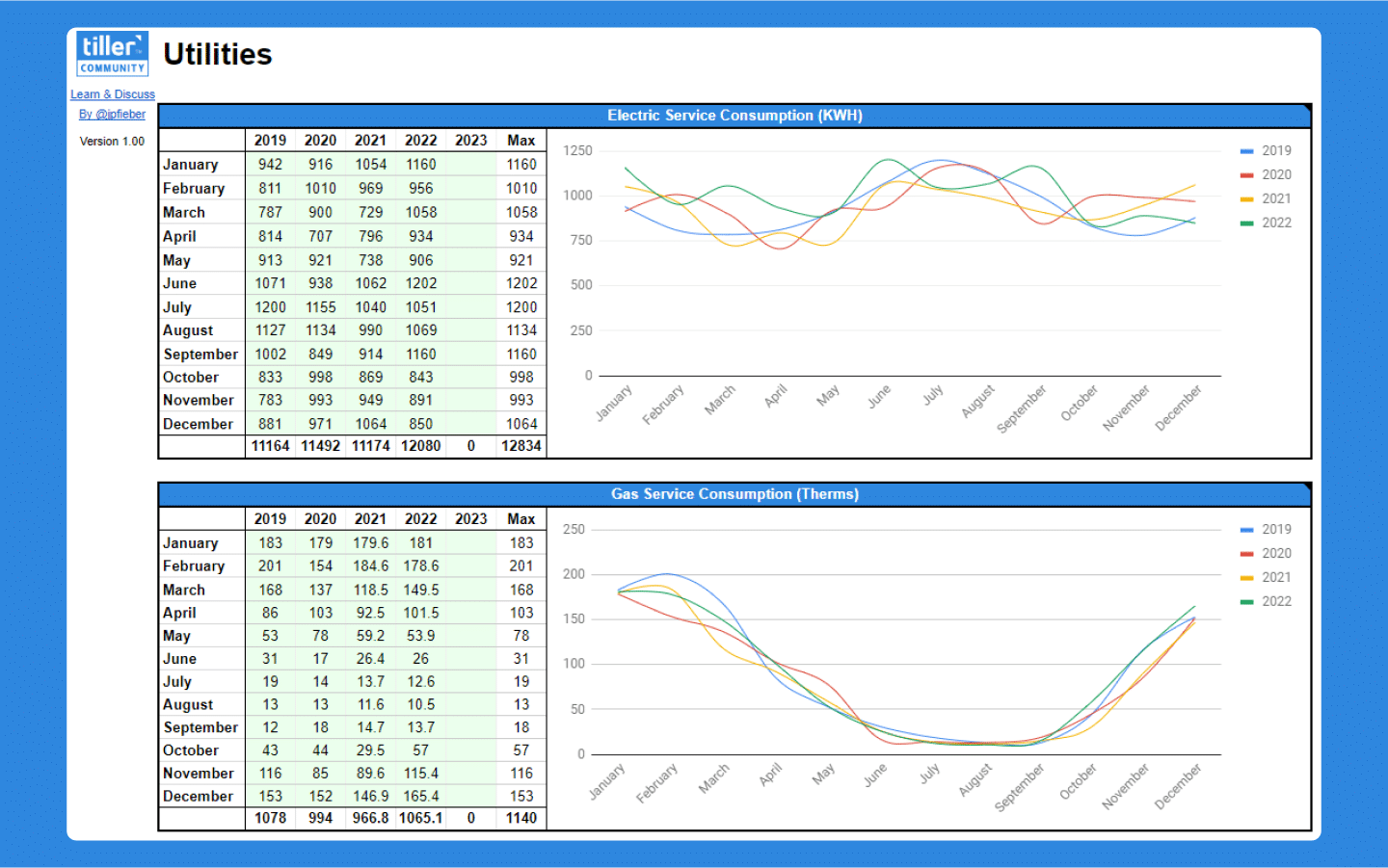
Utilities — electricity, gas, water — can quietly take up a large chunk of your budget, and the costs aren’t always easy to see at a glance. The Utilities Expense Tracker gives you a dedicated place to understand what you’re spending, why, and how it’s changing over time.
It tracks consumption and cost for up to five utilities across up to five years, pulls payment data directly from your Tiller transactions, and visualizes both in graphs so you can spot seasonal patterns and year-over-year trends. It also generates monthly budget estimates based on your past usage — last year’s actuals, averages, or maximums — so your utility budget reflects how you actually use energy, not a rough guess.
Built by Tiller Community member @jpfieber.
Best for: Homeowners and renters who want to track, visualize, and budget utility costs based on actual consumption and transaction history.
Support & Documentation
Install the Utilities Expense Tracker through the Tiller Community Solutions add-on. Search for “Utilities” in the Explore tab.
For setup details, customization tips, and community discussion, visit the Utilities Expense Tracker thread in the Tiller Community.
If you run into an issue, search the community first and if your question hasn’t been answered, post it in the Get Help > Spreadsheet Templates category.
Powered by Tiller
This template is designed for spreadsheets powered by Tiller, the only personal finance service based on Google Sheets and Microsoft Excel.
The best way to use this template is by trying Tiller free for a month. Your card isn't charged until the end of your trial, and you can easily cancel anytime. Any data and templates you download during your trial are yours to keep.